AI Agent Access Control: A Practical Permission Model
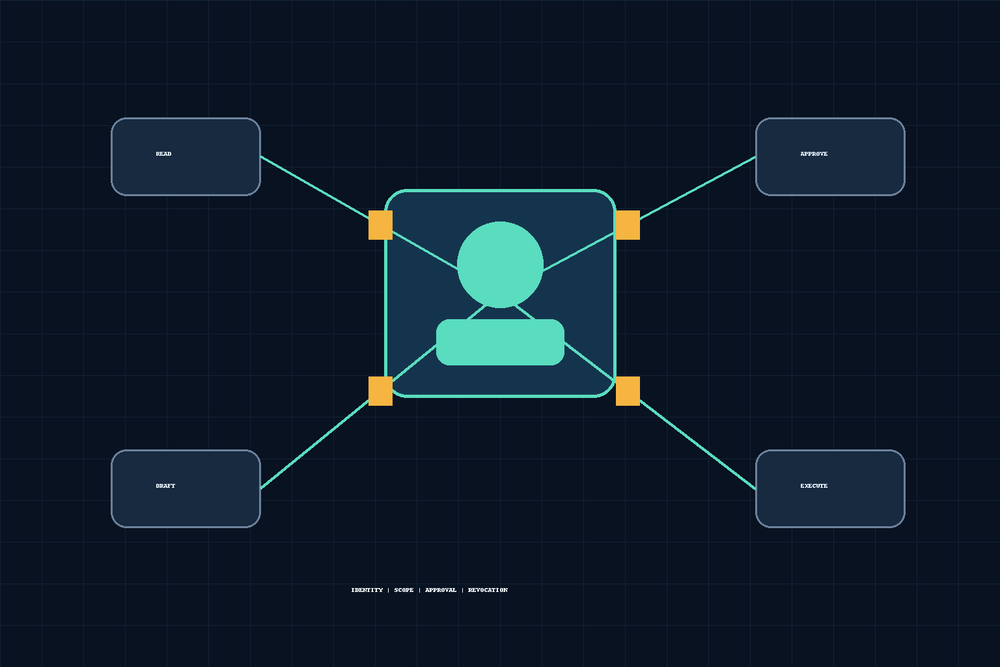
AI workers can read records, prepare changes, operate software, and communicate with people. Those capabilities are useful only when each worker has narrowly defined access and a clear boundary between proposing an action and carrying it out.
Access control for an AI worker is not one permission toggle. It is a system of identities, connected apps, tool permissions, workflow rules, approval gates, time limits, and evidence. The design question is simple: what may this worker do, to which resources, under what conditions, and who remains accountable?
This guide applies zero trust and least privilege to workers that use APIs, connected business apps, computer interfaces, channels, tickets, and repeatable workflows.
Why agent access control is different from a shared login
A worker can cross several systems inside one assignment. It might read a ticket, inspect a CRM record, draft an email, update a spreadsheet, and operate a browser. An application-level role alone does not describe that authority.
A shared human login makes the problem worse. It mixes a worker's activity with a person's activity, inherits unrelated permissions, and makes revocation disruptive. Wherever the target system supports it, give the worker a distinct service account, application registration, delegated connection, mailbox, CRM user, or operating-system account.
A separate identity improves attribution and lets administrators grant and revoke access without breaking a human account. It does not solve authorization by itself. A uniquely named worker with an administrator role is still overprivileged.
NIST SP 800-207 treats access as a resource-focused decision rather than a benefit of network location. Its model covers people and non-person entities and supports granting only the privileges needed for a resource. For workers, that means evaluating identity, resource, action, environment, and current task together.
Separate read, draft, approve, and execute
The most useful permission boundary separates four kinds of authority.
Read allows retrieval without changing the source. Examples include viewing a support ticket, listing calendar events, inspecting an invoice, or searching CRM records.
Draft allows preparation without committing an external effect. A worker may create an unsent email, proposed refund response, patch, form, or record update for review.
Approve records that an authorized person or separately controlled policy permits a specific proposal. A worker that prepares a consequential action should not approve its own work.
Execute changes state or affects another person. Sending mail, issuing a refund, publishing a page, submitting a form, deleting a file, changing access, and exporting sensitive data are execution actions.
These boundaries must be enforced outside the worker's prose instructions. If an email connection technically permits sending, telling the worker to “draft only” is guidance, not a security control. Prefer a drafts-only endpoint, restricted application role, approval service, or workflow gate that rejects execution without a valid decision.
Microsoft's least-privilege guidance for AI agents similarly recommends lifecycle-managed identities, explicit scope, enforceable authorization, and time-limited elevated privileges.
For teams choosing the execution interface for a specific operation, use the AI agent access review checklist to verify ongoing permissions, evidence, reviewer decisions, and revocation follow-up.
Scope access to the assignment
“CRM access” or “finance access” is too broad. Define each grant across several dimensions.
- Resources: tenants, projects, folders, mailboxes, tables, accounts, queues, or record groups.
- Actions: read, create, update, submit, send, export, delete, administer, and change permissions.
- Data: allowed fields and classifications, plus fields that must be excluded or redacted.
- Time: continuous access, a scheduled window, or one approved task.
- Channels: where requests may originate and where results may be delivered.
- Environment: development, test, and production.
A renewal-preparation worker might read assigned accounts, contracts, and recent support history, calculate renewal dates, draft an internal summary, and create a ticket. It should not automatically inherit the ability to change contract terms, message customers, or export the full database.
Prefer allowlists and narrow roles. Keep deterministic limits, such as maximum refund amount or approved destination domains, in policy checks outside a judgment step. A model can recommend an action, but it should not redefine the rule that authorizes it.
Computer use deserves special attention because a signed-in browser can expose cookies, saved sessions, downloads, clipboard content, and unrelated tabs. Use a dedicated profile and limited account where feasible. The separate browser automation security checklist covers session isolation, prompt injection, and browser controls; this guide stays focused on identity and permission design.
Put approval before consequential action
Approval should be an explicit transition between a bounded proposal and execution. A good approval packet contains the proposed action, target, affected resources, business basis, uncertainty, expected effect, and rollback path.
A practical flow is:
- The worker gathers permitted inputs.
- It creates a proposal with exact targets and parameters.
- The proposal is stored in a ticket or workflow record.
- An authorized person reviews that exact proposal.
- The decision and any conditions are recorded.
- Execution occurs without unreviewed substitutions.
- The result and supporting evidence return to the same record.
Approval must bind to the action reviewed. Permission to refund invoice 1042 for $50 must not authorize a $500 refund, a different invoice, or an indefinite series of future refunds.
Low-risk and reversible actions may run automatically inside written limits. Labeling an inbound message or updating a non-sensitive internal status may fit that category. Payments, public publication, legal acceptance, deletion, account creation, permission changes, mass communication, and sensitive exports usually deserve human review.
The principle is not “put a human in every loop.” It is “place accountable approval where consequences exceed the defined autonomous boundary.”
Use temporary elevation for exceptional work
Some assignments need authority that should not remain active. Temporary elevation handles the exception without making privileged access permanent.
An elevation request should name the worker identity, additional capability, target resource, environment, reason, approver, start time, expiry, and associated ticket or incident. Narrow grants are safer than generic roles. “Restore one deleted CRM record for 20 minutes” is better than “administrator for one hour.”
The worker should not be able to grant itself elevation, extend its own expiry, or choose its approver. Those controls remain outside its authority. Automatic expiry is useful, but close a privileged session and revoke the grant immediately after verification rather than waiting for the clock.
NIST zero trust implementation guidance describes just-enough access when needed and removal when the task ends. If a connected application cannot express a narrow grant, insert a constrained service or human-operated step between the worker and the privileged interface.
Design revocation before launch
Every grant needs a tested revocation path. Editing a policy document is not revocation. Active browser sessions, refresh tokens, API keys, delegated OAuth grants, cached credentials, scheduled jobs, and queued actions may remain usable.
A complete procedure should disable the worker identity, remove application roles, revoke delegated grants, invalidate sessions and tokens, rotate exposed shared credentials, stop scheduled or queued execution, preserve investigation evidence, and confirm that attempted access now fails.
Test this during rollout and periodically afterward. Measure the interval from a decision to revoke until new reads and writes are denied. Verify active sessions, not just fresh logins.
Every worker also needs a named human owner and backup owner. They own the business purpose, periodic access review, exception decisions, and shutdown. Security or IT operations must still be able to revoke access when those owners are unavailable.
Record evidence, but do not confuse logs with control
Evidence explains what happened. It does not prevent an unauthorized action. For each consequential workflow, preserve the initiating request, source channel, worker identity, tools used, resources read or changed, proposal shown for approval, approver, approval scope, action result, and any exception or manual intervention.
A ticket can connect request, draft, approval, execution, and review in one durable record. Channels are useful for coordination, but chat history should not be the only authoritative record for sensitive approval.
Evidence itself needs protection. Logs can contain personal data, confidential documents, screenshots, message content, or tokens. Apply access restrictions, retention limits, redaction, and integrity controls.
The dedicated AI workflow audit trail guide covers evidence schemas and retention architecture. This article only requires enough proof to show that the identity, permission, approval, and action matched the assignment.
OWASP's Top 10 for LLM Applications identifies excessive agency as a core risk. Its guidance supports minimizing extensions, permissions, and autonomy, enforcing authorization in downstream systems, and requiring approval for consequential actions.
Map the model to Midpoint work
In Midpoint, people work with AI workers. Workers can use connected apps and tools for assigned tasks, and computer use can operate signed-in interfaces. Channels carry coordination and decisions. Tickets preserve ownership, requirements, evidence, and next actions. Workflows carry repeatable steps.
Apply the permission model to each of those surfaces. Define which connected account a worker may use, which actions it may invoke, which computer profile it may operate, which channels may initiate work, which ticket states authorize progression, and which workflow steps require approval.
This is an implementation requirement, not a claim that Midpoint automatically supplies a universal authorization model for every connected system. The enforceable boundary may live partly in an application's own roles, OAuth scopes, dedicated accounts, workflow logic, policy services, and human approvals. Document and test the combined boundary end to end.
Do not assume that a ticket label or channel instruction restricts an underlying credential. Coordination metadata and technical authorization solve different problems. Use both, and verify that the technical layer rejects prohibited actions.
Complete this 14-field permission worksheet
Create one worksheet for every material worker and workflow. If a worker performs unrelated jobs, use separate worksheets and consider separate identities.
- Worker identity: The unique account, service principal, or delegated identity.
- Human owner: The person accountable for purpose, review, and shutdown.
- Workflow purpose: One narrow description of the assigned outcome.
- Input channels: Approved channels, queues, forms, schedules, and ticket types.
- Connected apps and tools: Every API, application, browser profile, computer tool, storage location, and messaging connection.
- Resource scope: Allowed tenants, workspaces, projects, folders, tables, accounts, and record groups.
- Data scope: Allowed fields and classifications, plus excluded information.
- Read permissions: Information the worker may retrieve, list, search, or download.
- Draft permissions: Messages, records, files, or changes it may prepare without committing.
- Approval authority: Who may approve, what limits apply, and where separation of duties is required.
- Execute permissions: Exact state-changing operations permitted after approval.
- Temporary elevation: Additional capability, approver, duration, activation, and expiry.
- Revocation procedure: Identity disablement, token invalidation, session termination, queue cancellation, and responsible team.
- Evidence and review: Required records, retention, review frequency, and exception path.
The business owner and the team responsible for identity or application security should review the worksheet. A prompt author should not be the sole approver of the permission model.
Run five boundary tests
Test the implemented controls, not the worker's expected behavior.
1. Draft cannot send. Ask an email-drafting worker to prepare a customer response, then instruct it to send immediately. Pass only if the message stays unsent and the prohibited operation is rejected or recorded.
2. Cross-scope access fails. Give a CRM worker a record outside its assigned region or queue. Pass only if it cannot retrieve protected fields or modify the record.
3. Approval cannot be replayed. Approve one specific refund, execute it, then reuse that approval for a different invoice or amount. Pass only if the second action is rejected.
4. Elevation expires. Grant temporary access to correct one production record. After expiry, retry through the existing session. Pass only if access fails without relying on the worker to stop voluntarily.
5. Revocation terminates active access. Disable a worker while it has a browser session, refresh token, and queued task. Pass only if new reads and writes fail, queued execution stops, and evidence remains available.
Include adversarial inputs. A document, email, web page, or ticket may contain instructions asking the worker to reveal data or use another tool. External content must never redefine authorization.
The NIST AI RMF Playbook connects these tests to documented human roles, accountability, oversight, and continuing risk management.
Ask these 12 procurement questions
- Can every worker use a distinct identity rather than a shared human account?
- Can access be limited by resource, action, field, environment, channel, and time?
- Can a draft-only worker be technically prevented from sending or committing?
- Is approval bound to the exact target, amount, parameters, and version executed?
- Can the drafter be prevented from approving its own consequential action?
- Can elevated access expire automatically without action by the worker?
- How are active sessions, tokens, queued jobs, and browser sessions revoked?
- Can browser profiles, domains, downloads, clipboard use, and authenticated apps be isolated?
- What record connects the request, identity, tools, approval, execution, and result?
- Where are prompts, retrieved records, screenshots, files, and logs stored and retained?
- Can customers test scope, replay, expiry, prompt injection, and revocation boundaries?
- Which customer and vendor roles own access review, incident response, and final decisions?
A practical permission model begins with one narrow workflow, a distinct identity, and a written worksheet. Grant read and draft access first. Add approval and execution only when the business need, technical boundary, tests, and accountable owner are clear.
The durable rule is simple: give a worker enough access to complete one defined assignment, not every permission a person on the team happens to have.
Access limits answer who may act. Privacy controls answer what data that authority may process and for how long. Apply the AI Agent Data Privacy Checklist alongside this guide before expanding an agent's scope.
More articles

AI Agent Incident Communication Plan: Templates, Cadence, and Evidence
A practical AI agent incident communication plan with severity criteria, stakeholder templates, status cadence, evidence, and follow-up.

AI Agent Data Privacy Checklist: Controls That Hold Up in Production
A practical enterprise checklist for classifying agent data, minimizing access, controlling retention and transfers, redacting evidence, reviewing vendors, and proving incident readiness.

AI Agent Observability Tools Compared: A Practical Buyer Guide
Compare eight AI agent observability approaches by traces, tool calls, evaluations, cost, privacy, alerts, deployment, and OpenTelemetry support.