Hire AI workers that own the work.
Each one gets its own computer and a seat in your channels. Hand off a task, get the finished work back. No developer needed.
Linux and Windows·1,000+ integrations·200+ models

Hire AI workers that own the work.
Each one gets its own computer and a seat in your channels. Hand off a task, get the finished work back. No developer needed.
Create your worker Book a demoLinux and Windows·1,000+ integrations·200+ models
Chatbots answer. Copilots suggest. Midpoint delivers.
A coworker you brief, not a prompt box you babysit.
Channels
One space for humans
and AI workers.
Spin up channels where your team and your workers plan together. Mention a worker to hand something off, or just ask: the right worker picks it up.


Untagged questions route to the right worker automatically.
Also in Slack Discord Telegram
 Slack
Slack
 Discord
 Telegram
Direct chat
Go deep with any worker.
Brief, review, and iterate in a direct chat. Watch its thinking, follow every tool call, and open a live window onto its screen.

Tickets
Hand off work as tickets.
Type a ticket, or create one on a call: share your screen and show the workflow once. Workers file their own tickets too, and the board keeps everyone honest.
Tickets created on a call start paused until you approve them. Midpoint never starts work behind your back.
Tickets, continued
Or show it once.
On a call, share your screen and walk through the workflow once, the way you would train a new hire. Midpoint watches, writes the steps down, and files the ticket itself.


The walkthrough becomes a ticket on the board, assigned and ready. Approve it and your worker runs the work on its own computer.
The computer
Every worker has
its own computer.
A real Linux or Windows machine with a desktop, a browser, and its own logins. If a person can do it on a computer, your worker can, even in the legacy systems nobody wants to touch.
Real software, real files
A full desktop with a terminal, files, and installed software. Long-running work persists between sessions, just like on your own machine.
A browser it drives
Midpoint opens portals, clicks buttons, fills forms, and downloads files, working the page the way a person would.
Its own logins
Each worker signs in with its own accounts and keeps the session: the aging ERP, the county portal, the desktop app from 2009.
Daily briefing
Every morning,
every
worker
reports in.
Each worker starts your day with what it finished, what it needs from you, and what it recommends next.
Waiting in every worker's chat when you sit down.
Models
Every model. One bill. Your choice.
Midpoint handles billing for 200+ models and routes every call to the cheapest capable one. Or connect your ChatGPT account and use the credits you already have.
The model picker


Or your ChatGPT plan
- 200+ models
- Automatic cost routing
- Bring your own keys
Integrations
Connects with 1,000+ tools.
Native integrations plus every tool your workers can reach through their own browser and desktop. If it has a UI or an API, Midpoint works with it.
APIs are optional. The computer is the integration.
Use cases
What Midpoint can own for your team.
Start with the repetitive work your team already knows how to do. Hand it to a coworker that owns it end to end and reports back with finished work.
Getting started
-
Connect your tools
Sign your worker in once to the systems your team already runs on. Anything without an API, it reaches through its own browser.
-
Brief your worker
Say what needs doing in plain language: in a channel, as a ticket, or on a call. No prompts to engineer, no code to write.
-
Get finished work back
Updated records, prepared reports, completed requests, and a written record of every step it took.
Enterprise
Autonomous, not unsupervised.
Midpoint does the work and shows the work. You keep the approvals.
Shows its work
Every run leaves a record you can open: thinking, tool calls, files, fields changed.
Asks before it acts
Tickets created on a call start paused, and anything unclear comes back to you.
Keeps to itself
Each worker runs on its own computer, with its own logins and scoped access.
Works in full view
Any worker's desktop opens in a live view. Step in, take over, then hand it back.
Learn how to buildwith Midpoint

Why Midpoint
Why Use Midpoint?
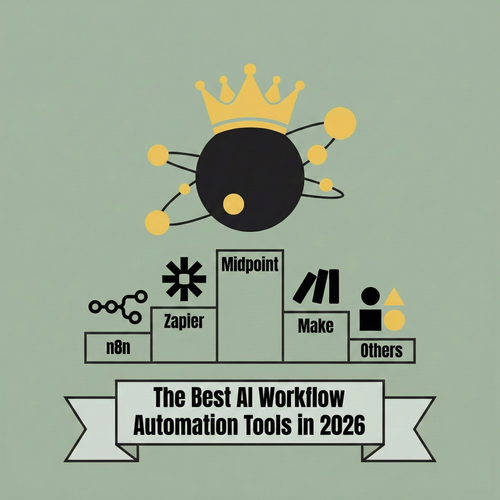
Midpoint Turns Complex Wiring Into Intent
In 2026, the best AI workflow automation tools are defined by whether they can understand intent, build workflows on your behalf, and keep them running without constant manual debugging. This post breaks down the leading platforms and explains why Midpoint stands out by letting you describe the workflow instead of building it yourself.
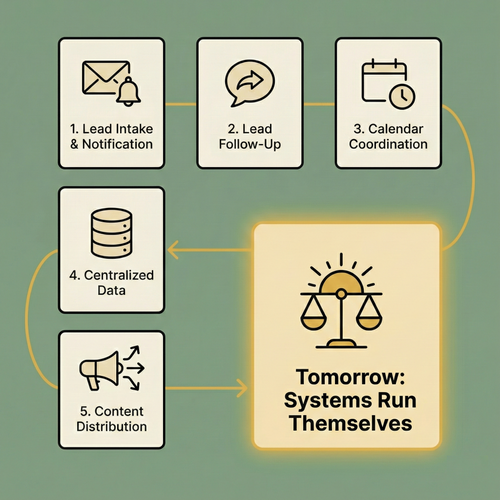
5 Systems You Should Automate Today
Most teams aren’t blocked by a lack of ideas. They’re buried under coordination overhead across disconnected tools. Midpoint makes automation feel like delegation: describe what you want to happen, and it builds the systems that run themselves so you can stay focused on real work.
Hire one worker.
Give it one job.
Judge it on the work.
Name your worker, sign it in to one tool, and watch it do the first job.
No credit card to start. No code, and no IT project.