AI + Automation Isn’t a Trend. It’s the New Operating System for Work.
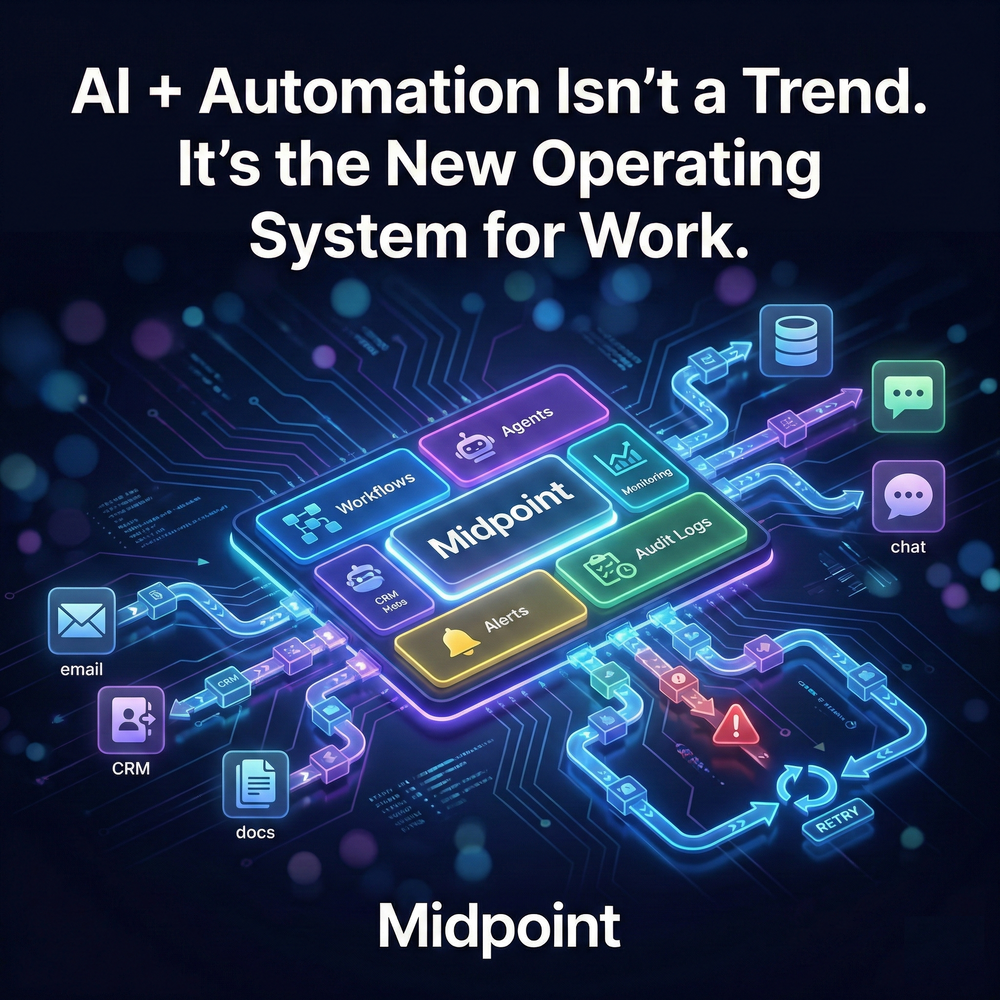
1) The Shift Isn’t AI, It’s Execution
AI headlines focus on models, but the real change inside companies is quieter: the cost of coordination is collapsing. What used to require meetings, follow-ups, and manual updates is becoming workflow automation, built into daily operations. In that world, the competitive advantage is not “having AI.” It is having a system that turns intent into action across the stack, reliably, repeatedly, and with accountability. That is why AI + automation feels less like a feature and more like an operating system for work.
2) The New OS Is Workflows, Not Apps
For two decades, companies assembled work from apps: CRM, ticketing, email, spreadsheets, docs, and chat. But apps do not execute across each other without friction. Work does. So the OS layer is workflow orchestration: automated workflows that move data sync, approvals, alerts and notifications, and outputs between integrations. The most valuable workflows are the ones that touch everything: lead capture automation that enriches and routes, inbound sales inbox classification that updates deals, support triage and translation that creates tasks, billing alerts, daily reconciliation digests, and weekly pipeline briefings. When these run end to end, manual work stops being “the glue” and becomes the exception.
3) Agents Are the Interface, Automation Is the Engine
AI agents and chatbots are quickly becoming the front door, because it is easier to ask for outcomes than to click through tools. But the agent is only useful if it can actually execute. That requires an engine: AI workflows with conditional logic, APIs and webhooks, variables at runtime, and durable outputs into CRMs, tables, docs, and channels like Slack. Without monitoring and observability, audit logs, error handling, retries and recovery, an agent becomes a demo, not a system. The OS is the full loop: request, interpret, act, confirm, and recover when something breaks.
4) Midpoint Makes the OS Real, From Prompt to Running Workflow
Midpoint is built around a practical promise: from prompt to running workflow. You describe what you want in natural language automation, Midpoint asks clarifying questions, wires the integrations across apps, APIs, and databases, builds the multi-step workflows, tests end to end, and keeps them running. That last part is what turns automation into an operating system. Midpoint provides production-ready automations with a Dashboard that shows executions in real time, plus alerts and notifications, audit trails, and ship-fixes-instantly behavior when errors appear during execution. It is managed automation that reduces the burden on teams that would otherwise spend weeks configuring, debugging, and babysitting brittle workflows.
5) The Teams Who Win Will Treat Automation Like Infrastructure
The fastest path to adoption is not a grand AI strategy. It is picking one cross-stack workflow where the pain is obvious and the ROI is measurable, then building it with reliability from day one. Start with lead routing, support intake, a daily reconciliation digest, or a weekly ops briefing. Add approvals where risk is high. Demand observability, alerts, and recovery. Once one workflow runs reliably, the OS expands naturally, because every adjacent process becomes easier to automate. AI + automation is not a trend because it is not a tool choice. It is a structural shift in how work gets executed.
More articles

AI Agent Incident Communication Plan: Templates, Cadence, and Evidence
A practical AI agent incident communication plan with severity criteria, stakeholder templates, status cadence, evidence, and follow-up.

AI Agent Data Privacy Checklist: Controls That Hold Up in Production
A practical enterprise checklist for classifying agent data, minimizing access, controlling retention and transfers, redacting evidence, reviewing vendors, and proving incident readiness.

AI Agent Observability Tools Compared: A Practical Buyer Guide
Compare eight AI agent observability approaches by traces, tool calls, evaluations, cost, privacy, alerts, deployment, and OpenTelemetry support.