Turn contract renewal reminders into decisions
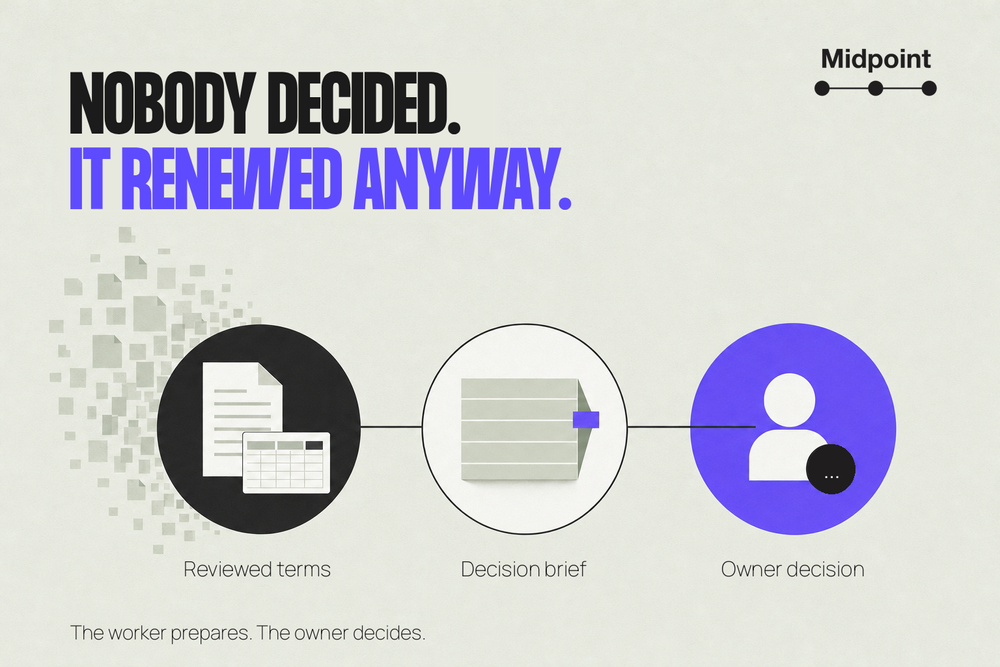
On Monday, October 12, Nadia in procurement gets a one-line reminder: “Orbit Analytics renews January 1.” It's accurate, and it's no help. It doesn't say the nonrenewal notice deadline is three weeks away, or that Leah in legal has already checked it. It doesn't say who has to decide, or what happens if nobody does.
Most renewal reminders stop at the date. The useful work comes after it: confirm the notice deadline with the person who reviewed the contract, name one owner, and get a short brief in front of that owner while they can still act. A Midpoint worker can keep that register current and write the brief. It works from the date your team confirmed. It doesn't interpret an unclear clause, and it never sends a notice to the supplier.
Start after the contracts are reviewed
This assumes the hard reading is done. The contracts sit in an approved folder, legal has reviewed them, and a spreadsheet lists each supplier and its renewal date. What's left is keeping that information current and turning it into decisions.
It's the step after contract obligation intake. You're not pulling obligations out of contracts again. You're watching notice windows, document changes and owner replies.
A useful register keeps three dates apart:
- Renewal date: when the current term ends or the next one starts.
- Notice deadline: when nonrenewal notice has to take effect under the contract.
- Decision date: an earlier date your team picks, so there's time to decide and give notice properly.
The invoice date isn't any of these. A monthly bill can belong to an annual term. And a reminder 30 days before renewal is useless when the contract wants notice 60 days before.
Keep the clause next to the confirmed date
Before a deadline goes in the register, the reviewer should settle which documents actually apply: the signed or accepted agreement, the order form, any terms they pull in and any amendments in effect. Keep the version, the clause number and a link to the file.
The newest file isn't automatically the one that counts. An amendment might change only the price, or only kick in at the next renewal. Don't overwrite the register just because a newer PDF showed up.
Notice rules vary even between ordinary software contracts. Common Paper's Cloud Service Agreement v2.1 has a Non-Renewal Notice Date and a Notice Address, and treats email notice as given once delivery is confirmed. Ping Identity's subscription agreement asks for 90 days on direct purchases and counts email notice as given on the second business day after it's sent. One generic countdown can't cover both.
So the reviewer confirms more than a number of days:
- How days are counted. Calendar days and business days aren't the same. For business days, note which holidays count and whether the first and last day are included. Don't assume a weekend deadline moves to Monday.
- The time and timezone. Keep the cutoff the contract gives. If it gives only a date, flag that rather than quietly picking midnight UTC.
- How and where notice goes. Use the notice address in the contract, not your account manager's inbox. Check whether email is enough or whether it needs a portal, post, courier or a copy to someone else.
- When notice counts. Sent, delivered, confirmed and deemed received can be four different moments. If delivery takes time, that time comes out of the owner's window.
Blake Morgan's guidance on service by email shows why office-hours cutoffs and extra delivery steps matter. When the wording, an amendment or the governing law leaves a real question, the contract owner or counsel answers it. The register just shows the question is open.
What a reviewed entry looks like
Alder Works is planning next year's software spend. Nadia owns the business decision, Leah reviews contract terms, and Sam is Nadia's backup.
Orbit Analytics: deadline confirmed, decision open
Source: the ORBIT-2026 order form, signed January 8, 2026, under Orbit Master Agreement v1.4, accepted the same day. The reviewer checked §4, Renewal, and §9, Notices. Amendment A1, signed July 15, changes the seat count only. Leah has reviewed both and confirmed the notice terms.
Clause excerpts:
The subscription renews on January 1, 2027 unless the customer gives notice of nonrenewal at least 60 calendar days before that date.
For this term, written nonrenewal notice must be received at the Notice Address on or before November 2, 2026 at 17:00 America/Los_Angeles. Email to the Notice Address is permitted; confirmed delivery is required.
Notice deadline: November 2, 2026, 5 p.m. Pacific. Leah confirmed it on October 9. The register keeps the exact cutoff next to the 60-day rule, and the worker didn't work it out from an invoice.
Decision date: October 19, noon Pacific. That's Alder Works' own buffer, not extra time from Orbit. Before deciding, Nadia needs the analytics lead's read on usage and Leah's confirmation of how notice gets sent.
People: Nadia decides. Sam has agreed to be backup. Leah answers contract questions. Briefs go to the private procurement channel, where Nadia and Sam both are.
Status: Leah has confirmed the deadline. Nadia hasn't yet said she owns the decision. Nobody has chosen renewal or nonrenewal, and nothing has gone to Orbit.
The timezone stays in the record for a reason. October 19 at noon in Los Angeles is 19:00 UTC. November 2 at 5 p.m. is 01:00 UTC on November 3, because the clocks change on November 1. Copy October's offset onto the November deadline and the record is an hour off.
Not every entry needs the same message. These three each need a different person to do something different:
- Orbit Analytics, decision open: the deadline is confirmed, but Nadia hasn't accepted responsibility for the decision yet. The brief goes to Nadia, with Sam included.
- Papertrail Reports, contract question: a file labelled A2 might change the notice period, but nobody knows if it was signed or when it takes effect. The worker keeps the last confirmed date in the history, marks the current deadline unverified, and asks Leah which terms apply. Nadia sees that it may be urgent, without being asked to rely on the old date.
- Fleet Metrics, nobody owns it: the deadline is confirmed, but the owner has left the company. The worker asks the procurement lead to name someone new and get them to take it on. A message delivered to the person who left doesn't count.
What the worker does, and what it can't touch
Keep the job small. The worker reads the register and the source files, checks for changes, updates the fields you've agreed it can update, and writes briefs for your team. Supplier notices, signatures, negotiation and cancellations stay with people.
On Midpoint, connect the apps that hold the register and the files, or give the worker a login through the Vault if it needs a website. A Google Sheet works fine as the register. Give it access to those files and the one channel the briefs go to, and nothing more. Keep sensitive clause text visible only to the people who are allowed to see it.
Put the limit in the account, not just the instructions. If the login can also see a Cancel button, “don't click it” isn't the same as read-only access. Use a role that can't cancel, or give the worker exports instead.
Be clear about which fields it can change. It can record when it checked, a change in a source file, that a reminder went out, or an owner's reply. If it spots what looks like a new deadline, that goes in a separate field until Leah approves it.
Then ask the worker to set up the recurring check: when it runs, in which timezone, where briefs go, and how problems reach the backup. Ask it to show you the saved schedule and run the first check while you watch. Connecting a spreadsheet doesn't set up a recurring check by itself.
Bring back a decision brief, not a countdown
Here's the brief Nadia could get on October 12:
Orbit Analytics: Nadia, please confirm you own this by October 13 at 5 p.m. Pacific, and decide by October 19 at noon Pacific.
Nonrenewal notice has to reach Orbit by November 2 at 5 p.m. Pacific. Leah confirmed this on October 9 from ORBIT-2026 and Amendment A1. Today's check found no newer document in the approved files.
What's missing: the analytics lead's read on usage. You need it to know whether anyone still relies on Orbit.
Who does what: you take the decision or tell us who will, then make the call. Sam is backup, so if we haven't heard from you by tomorrow at 5 p.m., this goes to him. Leah answers any question about the notice terms.
If nobody acts: Orbit renews on January 1. Only notice that reaches Orbit by the deadline stops that. A reply here doesn't.
Nothing has been prepared or sent to Orbit.
In the real brief, ORBIT-2026 and A1 link straight to the files, so Nadia never has to go looking for the contract.
If Nadia replies, “I own this and will decide by October 19,” the worker records the reply and the time. That means she's taken responsibility. It isn't a decision about the contract. If she later says, “Keep Orbit for next year,” the worker records that as a separate entry: who said it, and which term it covers.
A thumbs-up, an “ok” with no context, or silence isn't a decision. If Nadia chooses not to renew, the status becomes nonrenewal chosen, notice not yet sent. Someone with authority still has to send the notice the way the contract requires. Approvals work best when the action and the approver's authority are spelled out.
A reminder isn't notice
A post landing in your team's channel proves the reminder arrived. It doesn't prove Nadia read it, took the decision or told the supplier anything. So the register keeps those apart: when and where the reminder went, then Nadia's reply, then her decision, then whatever notice a person actually sent. For that last step, keep the delivery evidence and have the authorized person confirm notice took effect. A sent email isn't proof it did.
While the notice is still outstanding, nonrenewal chosen, notice pending is the honest status. Complete isn't.
And don't roll the register over to next year just because the renewal date passed. Check what actually happened, look for new terms or amendments, and get next year's date reviewed.
Catch the gaps before they turn into missed deadlines
Agree on a reply window and a backup before the reminders start. Alder Works might ask owners to reply by the next working day and send anything unanswered to Sam. That's your own rule, not a grace period in the contract.
Keep one decision record per contract and term. Before posting a brief, the worker checks that record so it doesn't send the same brief twice. If a source file changes, it shows what changed and asks for a fresh review, rather than sending a second deadline that contradicts the first.
If the worker can't open a file, it says so and shows when it last checked successfully. A failed login doesn't mean nothing changed. If a post fails, it keeps the unsent brief and uses the fallback you agreed on. It doesn't mark the brief delivered, and it doesn't send it to the supplier instead.
A shared inbox or a busy channel can still leave nobody in charge. Check that Nadia and Sam can open the links and understand what they're being asked. What you want is a decision someone has taken on, not a bigger count of reminders sent.
When a contract system is the better fit
Start small, with a few reviewed contracts, when the real gap is keeping documents, the register and people's replies in step. If your contract platform already does this well, use its reminders, so you don't end up with two sets of deadlines.
ContractSafe, for example, suggests dates you confirm or edit, shares reminders and tracks renewal cycles. A worker helps with the decision work around those dates, not instead of them.
For a large portfolio, tangled amendments, unusual notice rules or a live dispute, use the contract system and the legal process built for it. This setup isn't for picking a legal reading, guaranteeing notice was validly served, or cancelling, signing or negotiating on its own.
How you'd run this on Midpoint
Your Midpoint worker already has its own computer and browser. Connect the apps that hold your register and contract files, or save the logins it needs in the Vault. Give it the confirmed deadlines, each owner and backup, the channel briefs should go to, and what to do when a file changes.
Start with one contract and one brief. Check the links, the owner's reply and the reminder record before you set up the recurring check.
Review our owner-confirmed contract notice register. Bring upcoming renewal decisions to the named owner before our internal target date, with the reviewed clause and source version linked. Flag unverified terms, missing owners and failed reminder delivery. Do not interpret disputed clauses or take supplier-facing action.
Talk to Midpoint about keeping renewal decisions with the right owner.
More articles

AI Agent Incident Communication Plan: Templates, Cadence, and Evidence
A practical AI agent incident communication plan with severity criteria, stakeholder templates, status cadence, evidence, and follow-up.

AI Agent Data Privacy Checklist: Controls That Hold Up in Production
A practical enterprise checklist for classifying agent data, minimizing access, controlling retention and transfers, redacting evidence, reviewing vendors, and proving incident readiness.

AI Agent Observability Tools Compared: A Practical Buyer Guide
Compare eight AI agent observability approaches by traces, tool calls, evaluations, cost, privacy, alerts, deployment, and OpenTelemetry support.