Hand off a responsibility your team owns today.
Someone on your team owns supplier invoices today: reading the PDF, entering it in the existing finance/ERP portal, checking the vendor and account code, and asking a manager about anything that does not match. Midpoint takes that responsibility on its own worker computer, with scoped access and approval gates, and hands back a recorded result.
Tell us what you would hand off
Name one responsibility your team owns today. We map the approval points, the access it needs, and the record you want to see before it grows.
By submitting, you agree to our Privacy Policy.














The handoff
Handed over,
under your controls.
Start with a responsibility your team owns by hand today: a supplier PDF arrives, data goes into the existing finance/ERP portal, exceptions wait for approval, and the result is recorded. These panels show the operating model, not customer data or performance claims.
- Supplier PDF
- Existing finance/ERP portal
- Approval
- Recorded result
One responsibility
The responsibility is written down before anything runs: which PDFs to read, which system to enter them in, and where it has to stop.
- Steps and systems mapped
- Nothing outside the scope
Its own worker computer
The worker uses its own worker computer with a desktop and browser to operate the existing finance/ERP portal like a person would.
- Desktop and browser
- Existing portal, no API required
Scoped access
Each connected system has a login for this responsibility. A system that is not connected cannot be touched.
- Shared inbox: read only
- Finance/ERP portal: scoped login
Approval gates
Sensitive steps pause and wait for a person. A stopped step stays stopped until someone decides.
- Threshold exception
- Approve or send back
Live visibility
Open the worker screen during a run. Step in, take the keyboard, then hand it back.
- Worker desktop visible
- Take over when needed
A record of what changed
Every run leaves a record you can inspect: the steps taken, files read, and fields changed in each connected system.
- Approval outcome
- Changed fields listed
How a handoff starts
One handoff,
then the next.
A handoff begins with a responsibility your team owns, a written scope, and the controls your team wants before any work runs.
- 01
Scope
Name one responsibility your team carries by hand. Map its steps, connected systems, and the points where a person has to approve.
- One responsibility
- Systems and approval points
- 02
Set up
The worker gets its own worker computer and a scoped login for each system the responsibility touches. Your team walks through the job once.
- Scoped logins
- One screen-share walkthrough
- 03
Run
The worker carries the responsibility. Sensitive steps pause for approval, the desktop can be viewed live, and each run ends with a record of what changed.
- Approval gates
- Live screen view
- Run record
- 04
Expand
When the first handoff holds up, add the next responsibility with the same written scope, approval gates, and record of changes.
- Same controls
- Expansion by decision
Scoped in writing
The responsibility, systems, approval points, and first-run expectations are written down before anything runs.
Nothing outside the scope
The worker touches the systems you connect and nothing else.
A record you defined
The record you want to inspect after a run is agreed before the handoff starts.
Connect to everything
Native integrations for the tools you use most. For systems without clean APIs, Midpoint still operates the website, portal, or internal app your team uses today.


















And any site, portal, or internal tool not listed. Midpoint can take the work there too.
Learn more about Midpoint

Why Midpoint
Why Use Midpoint?
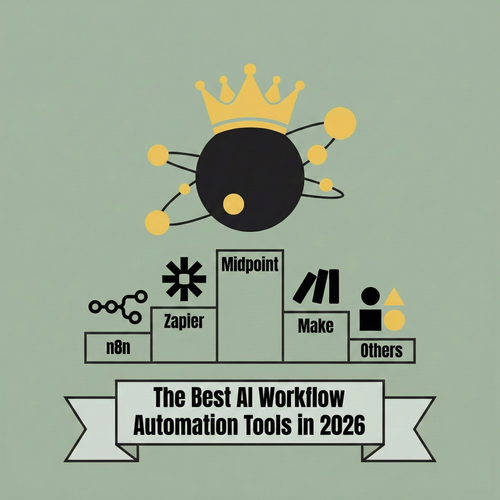
Midpoint Turns Complex Wiring Into Intent
In 2026, the best AI workflow automation tools are defined by whether they can understand intent, build workflows on your behalf, and keep them running without constant manual debugging. This post breaks down the leading platforms and explains why Midpoint stands out by letting you describe the workflow instead of building it yourself.
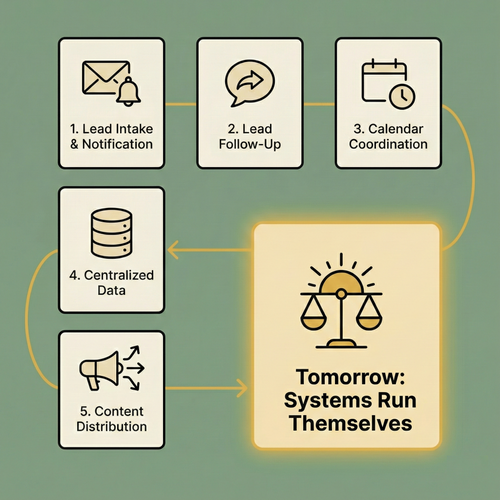
5 Systems You Should Automate Today
Most teams aren’t blocked by a lack of ideas. They’re buried under coordination overhead across disconnected tools. Midpoint makes automation feel like delegation: describe what you want to happen, and it builds the systems that run themselves so you can stay focused on real work.
Start with one responsibility. Keep every control.
Tell us which responsibility you would hand off first. We scope it with you: the systems it touches, where the approvals sit, and what the first run should show.
Or email us directly at
midpoint@midpoint.ai