Turn a shipped release into a customer-impact brief
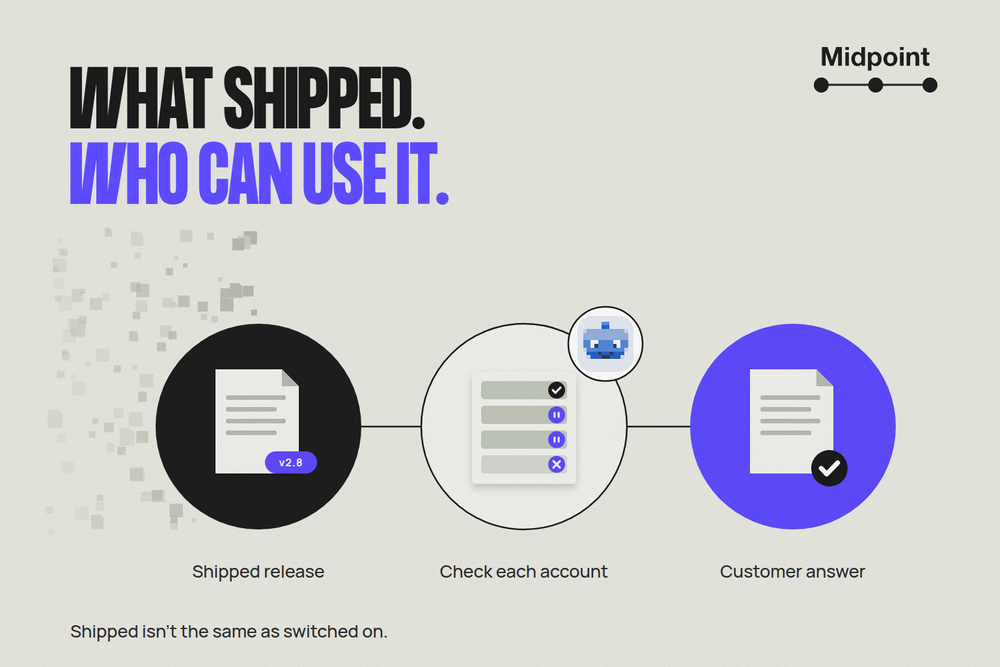
Your release is out. Customer success opens the announcement and immediately gets a question it can't answer: “Can my customer use this?”
The release notes say what changed. They don't always say which plans, regions or accounts have it yet. Someone has to turn those restrictions into a useful customer answer.
Give that job to a Midpoint worker. It can prepare a short customer-impact brief with links to the approved sources, plus a customer draft for review. Your product owner checks the claims instead of starting from scratch.
One release, different answers
Say your next reporting-product release includes saved views, scheduled exports and a digest builder. Nina, the product owner, approves the release and its availability notes.
Saved views are available to workspace admins on all paid plans. Exports are still rolling out to EU-hosted Pro and Enterprise workspaces, and each account must be confirmed as enabled. The digest builder is an opt-in beta for named pilot workspaces.
A customer who can see saved views could assume the exports are ready too. “The release shipped” and “your account has this feature” are different answers.
Give the worker the approved sources
Start with the published release or approved changelog, not the engineering ticket. Include the exact release link and version, the approved availability note and the help page with the customer steps. Name who approves customer claims.
GitHub's generated release notes can collect merged pull requests and a changelog link. They're useful starting material, but they don't establish customer access. Keep a Changelog makes the underlying point: a changelog is for people, not a dump of commits.
The worker reads each source and compares the promises. An earlier launch draft might say exports are available “in all regions.” The approved availability note says EU-hosted workspaces only. The worker flags the conflict rather than borrowing the broader wording.
Google Maps Platform's launch guidance notes that general availability doesn't always mean availability to every customer. Your own product's approved notes decide what your customers can use.
What customer success gets back
The brief starts with the release version, when the sources were checked and links to the release, availability note and help page. Each item points to the section that supports its claim, so Nina can open it without hunting.
| Change | Who can use it | What customer success should do |
|---|---|---|
| Saved views | Paid-plan workspace admins | Prepare the how-to |
| Scheduled exports | Admins in EU-hosted Pro or Enterprise workspaces, after confirmed enablement | Hold account-specific copy |
| Digest builder | Named pilot workspaces whose admins opt into the beta | Keep it out of the general announcement |
Saved views: an admin can save a filtered report as a named view and share it with the team. The help page supplies the steps: open Reports, set the filters, choose Save view and select the sharing option.
Scheduled exports: an account can match the rollout rules on plan, region and role and still not have exports turned on. Progressive rollouts widen access gradually, and a rollout's progress tells you how far it has gone, not which accounts have it. The brief leaves the export paragraph on hold until Nina confirms the account.
Digest builder: the approved pilot list controls the audience. Customer success gets the beta restriction in its internal brief, not a promise of a general release date. An internal retry fix stays out of customer copy too. Customers have nothing to do about it, and nobody has approved a claim about it.
An open question, not a confident guess
The brief leaves one question for Nina:
Which eligible accounts have scheduled exports turned on? Please provide the confirmed list and settle the earlier draft's “all regions” wording. The customer paragraph is held until then.
Customer success can prepare the saved-views how-to while the export question is open.
For saved views, the worker prepares this draft. It isn't sent; customer success edits it first.
Subject: Saved report views are ready to use
You can now save a filtered report as a named view and share it with your team. Saved views are available to workspace admins on every paid plan.
Open Reports, set your filters and choose Save view. Then select the sharing option for your team.
The approved public help link belongs beside those steps. Private source links stay in the internal brief. Nina reviews the product claims; customer success reviews the wording before using it.
Keep the job small
This job prepares the brief and draft. It doesn't send email, publish an announcement, change feature access or expose private engineering discussions.
If a source is missing, unreadable or withdrawn, the worker holds the affected claim and names what is needed. A changed availability note means the brief needs updating and fresh review, not that yesterday's approval covers today's promise.
If your release tool already produces the checked brief your team needs, use it. A worker earns its place when the answers are scattered across sources. Incidents, security advisories and contract commitments need separate review.
Give your worker the release and its limits
Your Midpoint worker has its own computer and browser. Connect the apps holding the release and notes, or save website logins for the pages it needs. Check that it can open each source before you start, and pick a private place for the brief.
Start with one release. If you want a recurring check, set it up and test it separately. The finished result is a brief your team can check and use, not just a summary that sounds good.
Try this:
Read this approved shipped release and its availability notes. Prepare a source-linked customer-impact brief for the product owner and an unsent customer draft. Show who can use each change and what they need to do. Hold unsupported or conflicting claims, and name the open question and its owner. Don't send or publish anything.
Start with a Midpoint worker and give customer success an answer about what the customer can use, not just what shipped.
More articles

AI Agent Incident Communication Plan: Templates, Cadence, and Evidence
A practical AI agent incident communication plan with severity criteria, stakeholder templates, status cadence, evidence, and follow-up.

AI Agent Data Privacy Checklist: Controls That Hold Up in Production
A practical enterprise checklist for classifying agent data, minimizing access, controlling retention and transfers, redacting evidence, reviewing vendors, and proving incident readiness.

AI Agent Observability Tools Compared: A Practical Buyer Guide
Compare eight AI agent observability approaches by traces, tool calls, evaluations, cost, privacy, alerts, deployment, and OpenTelemetry support.