Know which RFP answers you can stand behind
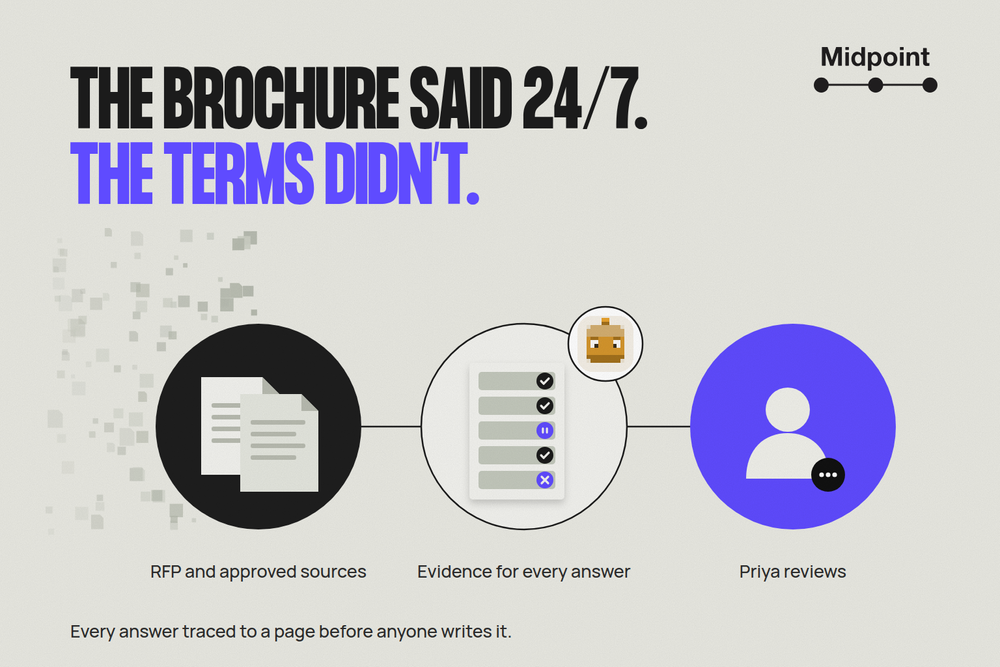
Take Priya, a proposal manager at Northstar, a reporting software company. An RFP is due next week. She has last year's answers, current product docs and a sales brochure that sounds more generous than the commercial terms. Her sales engineer knows where most of it lives. The problem is finding out what still applies to this bid before a confident sentence becomes a promise.
Priya gives a Midpoint worker the RFP and the documents her team has approved. She doesn't ask it to write the answers. She asks for a requirement-to-evidence matrix: what supports each claim, what is current and who can settle anything missing.
She gets one clear review pack. Four requirements have current support. Four need a decision or more evidence. She finds out what's missing this week, not the night before the deadline.
Give it the sources your team trusts
Priya shares the approved product guide, training catalog, commercial terms and customer-reference register. Her source list says which release and plan each document covers, who approved it and when it needs review. She includes the old implementation guide and current brochure to catch claims people might reuse.
A recent file date isn't approval. The worker checks every file against her list. For each requirement, it keeps the buyer's question next to the proposed claim, the passage that supports it, the exact document and page, and who reviews it. The version and date go with it, so Priya can open the same passage later.
The worker isn't choosing what Northstar promises. It's doing the reading and putting the right questions in front of the people who can decide.
Three rows show why the evidence comes first
Training: keep the limits with the claim
The buyer asks what training is included. The approved Service Catalog, September 28, page 3, supports two remote 90-minute sessions, with up to 12 attendees each.
“Training included” drops the delivery method, session count and attendance limit. The worker keeps them together and routes the row to the services lead. Priya reviews the claim, limits and all, before the sales engineer drafts an answer.
Support: the newer file doesn't win
The Commercial Schedule, October 1, page 4, says standard support is weekdays, 9 a.m.–5 p.m. Pacific. The September 30 brochure, page 2, says 24/7. Both are marked current for the same plan.
The worker shows both passages and holds the answer. Choosing the newer file would hide the disagreement. The commercial owner and the support team have to agree on one before either goes into the response.
References: missing permission isn't a blank to fill
The buyer wants two comparable customer references. The approved Reference Register, October 4, page 2, has none approved for this request.
The worker leaves names and logos out and asks customer marketing to confirm candidates and permission. That doesn't mean no customer fits. It means the files can't answer the question.
Give Priya the decisions she needs
The review pack covers all eight requirements, not just these three. Manual exports, user roles, training and standard billing have current support. The held rows flag an implementation estimate from an earlier release, the support conflict, missing migration-performance evidence and reference permission.
The brief makes the next step plain:
Please review the four supported claims before the sales engineer drafts their answers. Services needs to supply a current implementation estimate. Commercial and support need to settle the coverage hours. The sales engineer needs migration evidence or an approved qualification. Customer marketing needs reference permission. Those four rows stay open.
Four supported rows isn't a 50% score for the bid. One held requirement could decide whether Northstar should proceed.
After she approves specific claims, the sales engineer can draft from those rows with their limits intact. New evidence sends the affected claim back for review. Human approval matters because the reviewer sees what the company would be promising, not just polished prose.
If a file is unreadable, inaccessible or unclear, the worker records the affected question and asks for a readable, approved source. It doesn't guess or search unrelated folders. A changed source or amended RFP means checking the affected rows again.
This job doesn't submit the bid, upload to the buyer's portal, accept contract terms, add warranties or invent references. Priya and the authorized owners keep those decisions.
Use the system that already does the job
Dedicated RFP software may already give your team the content library, expert reviews and evidence it needs. Loopio's evaluation guide describes those capabilities. If your system already returns a current, source-linked pack, use it.
A worker earns its place when the missing work sits between approved product files, commercial documents and the people reviewing them. The test is simple: can Priya check each claim and act on each gap without hunting for the source?
Give your worker the evidence job first
A Midpoint worker comes with its own computer and browser. Connect the apps that hold your approved sources, or save the logins it needs. Its browser can read a source that has no API. Give it read-only access where you can, and ask for the pack in an internal ticket.
Start with:
Match these RFP requirements to our approved sources. For each one, return the claim with its limits, the exact document, version and page, how current it is, who reviews it, and any gap or conflict. Don't draft answers or submit anything before my review.
Try Midpoint with one RFP section you can check together before making the job repeatable.
More articles

AI Agent Incident Communication Plan: Templates, Cadence, and Evidence
A practical AI agent incident communication plan with severity criteria, stakeholder templates, status cadence, evidence, and follow-up.

AI Agent Data Privacy Checklist: Controls That Hold Up in Production
A practical enterprise checklist for classifying agent data, minimizing access, controlling retention and transfers, redacting evidence, reviewing vendors, and proving incident readiness.

AI Agent Observability Tools Compared: A Practical Buyer Guide
Compare eight AI agent observability approaches by traces, tool calls, evaluations, cost, privacy, alerts, deployment, and OpenTelemetry support.