Check your campaign links before they go live
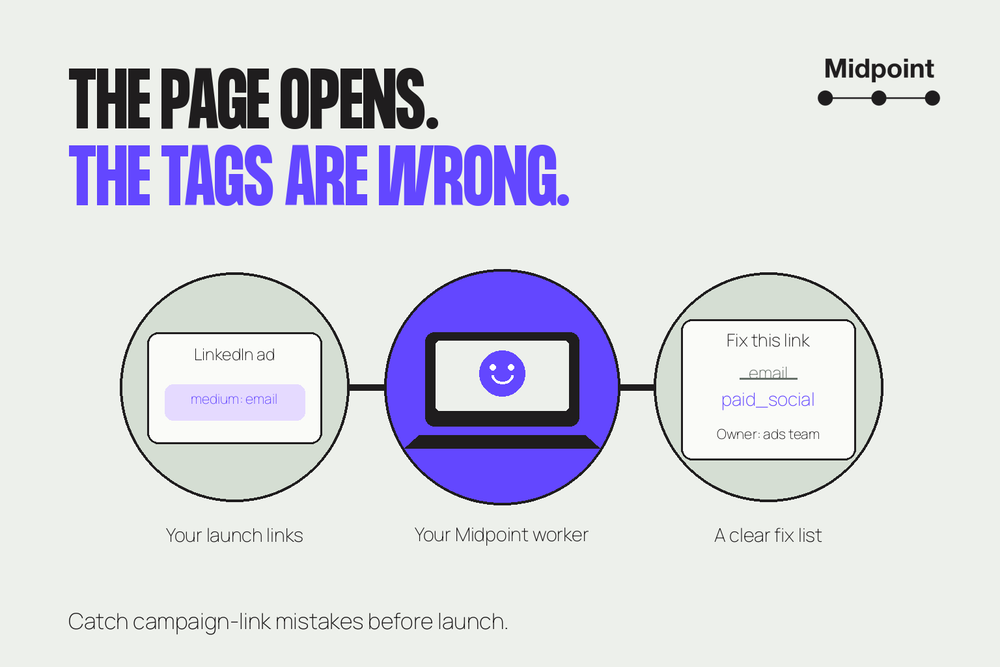
Maya runs marketing operations. Her autumn demo campaign launches Monday, and one bad link can quietly undermine her reporting. The page can still load while its tags disagree with the campaign plan. Nobody notices until someone asks why the email and ad numbers don't line up.
Her team has agreed rules for how every link should be tagged. Checking the launch list by hand is slow, and clicking alone doesn't tell her whether the tags follow those rules. She needs to know what to fix, not just whether a page opens.
So she gives a Midpoint worker her links and her rules. Before anything goes live, she gets back a short list: what's wrong, who fixes each one, and what's still hers to decide.
What Maya hands over, and what she gets back
She gives it: the links going out in her emails and ads, and the naming rules her team already approved. Email links use email as the medium, LinkedIn ads use paid_social, and this campaign is always called autumn_demo. She includes the intended page and the teammate responsible for each link.
These tags are usually called UTMs. Google's campaign URL guidance explains how they describe a visit's source, medium and campaign. Consistent names matter: a capital letter can turn an agreed campaign name into a different value.
She gets back: a brief with three clear groups: links that pass, links that need fixing and questions left open. Each finding shows the original link, what it should say, what it says now and who fixes it. If the worker couldn't check something, the brief says so instead of guessing.
She can give that brief to her teammates without asking them to decode a spreadsheet. The ads team sees its correction; Maya sees the decision that belongs to her.
Three links from her list
One that passes. The email hero link has the approved source, medium and campaign. The worker opens it, lands on the demo page, and the tags are still in the address after the redirect. It goes in the passed group.
One that's easy to miss. The LinkedIn ad link looks fine at a glance. Its source is linkedin, its campaign name is right, and the page opens. The tags read:
utm_source=linkedin&utm_medium=email&utm_campaign=autumn_demo
But the medium says email, and her rules say LinkedIn ads use paid_social. Neither word is a typo. They just don't belong together on this link. A check that only asks whether the tags are there would wave it through.
The finding is short: change the medium from email to paid_social; the ads team owns the fix. It includes the original link so the team knows exactly which ad to update.
One it leaves for Maya. The customer invitation email points to a sign-in page. For this check, the worker stops there. It flags the destination and asks whether the email is meant for signed-in customers or should point to a public page. That's Maya's call. The worker doesn't try to sign in or fill in the form.
What stays with Maya
The worker checks links. It doesn't edit ads, change emails or launch anything. And tags that survive in the address don't prove your analytics will record the visit, so the brief never claims they will.
Maya reviews the finished brief, her teammates fix their links, and the worker can check the revised list. She decides when the campaign goes out.
When you don't need this
If you're building one link, a free link builder is plenty. If your team hasn't agreed naming rules yet, write those first. And if you already have a tool that checks your rules and gives your team a clear fix list, keep using it.
Try it on your next launch
A Midpoint worker already has its own computer and browser. Connect the app where your link list lives, or attach an export with your approved rules. For the first check, have it flag sign-in pages rather than log in.
Start with a small batch where you already know the answers, and see whether the brief catches them. Once it does, reuse the same instructions for your next launch. If you want it to run on a schedule, set that up and test it on its own.
Try this prompt:
Check these campaign links against our approved naming rules and intended pages. Group them into passes, fixes and open questions. For each fix, show the original link, what it should say, what it says now and the owner from our list. Flag sign-in pages and stop there. Don't edit links or launch anything.
More articles

AI Agent Incident Communication Plan: Templates, Cadence, and Evidence
A practical AI agent incident communication plan with severity criteria, stakeholder templates, status cadence, evidence, and follow-up.

AI Agent Data Privacy Checklist: Controls That Hold Up in Production
A practical enterprise checklist for classifying agent data, minimizing access, controlling retention and transfers, redacting evidence, reviewing vendors, and proving incident readiness.

AI Agent Observability Tools Compared: A Practical Buyer Guide
Compare eight AI agent observability approaches by traces, tool calls, evaluations, cost, privacy, alerts, deployment, and OpenTelemetry support.