Automations
Hand over the job, not just today's task.
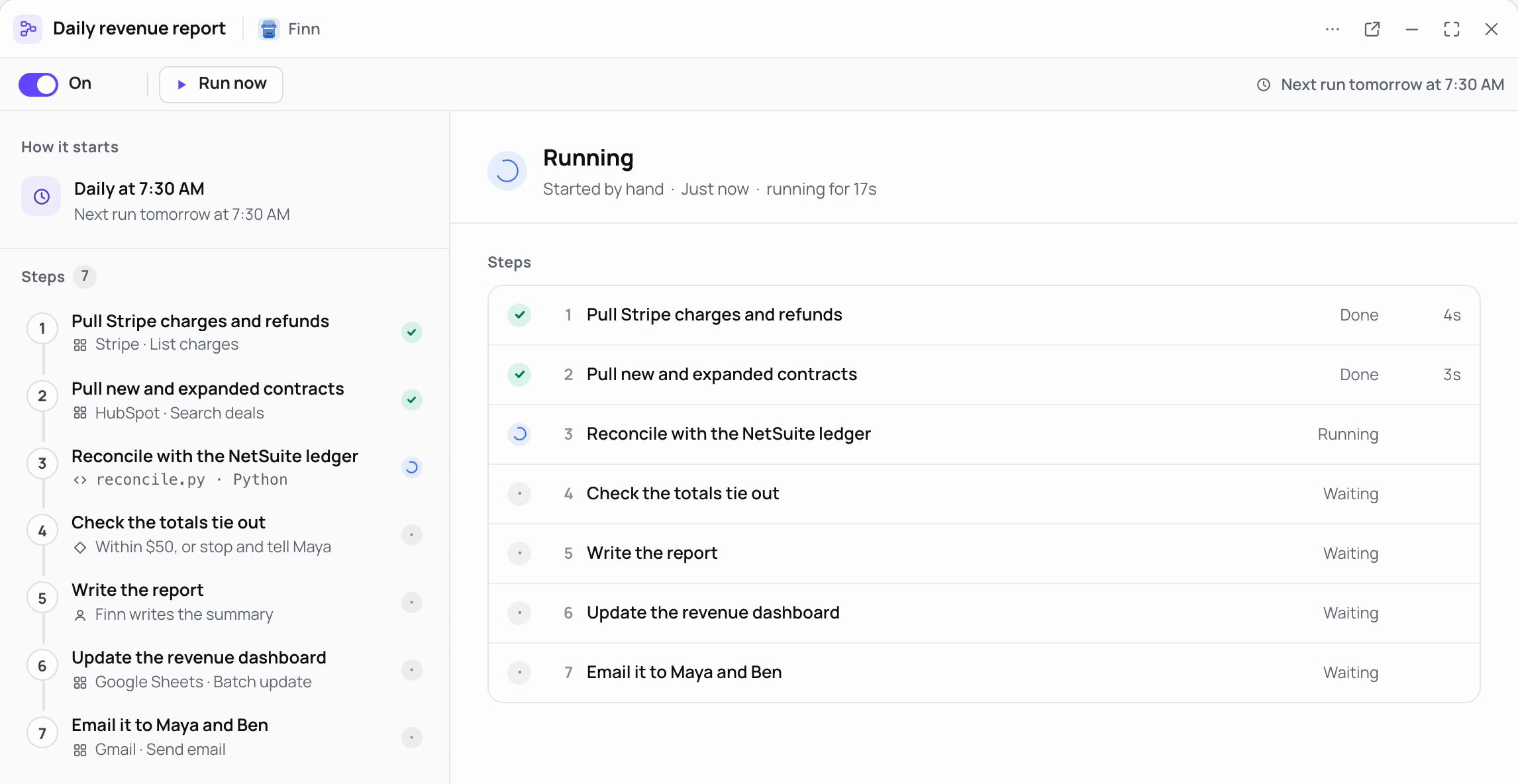
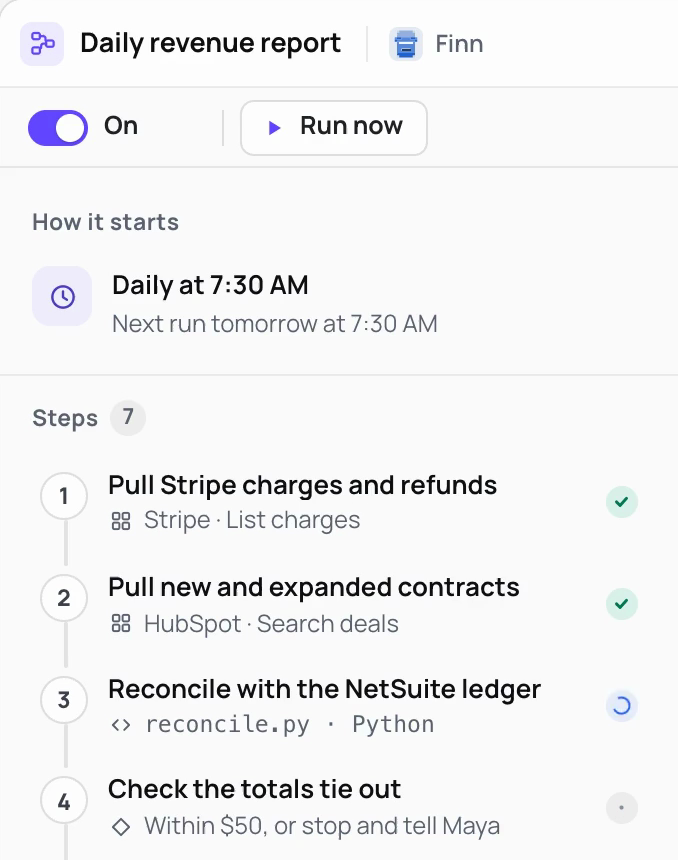
Describe the job in plain words, and the worker sets up the workflow and runs it on its own computer.
01 How it works
Set up by describing it, not by building it.
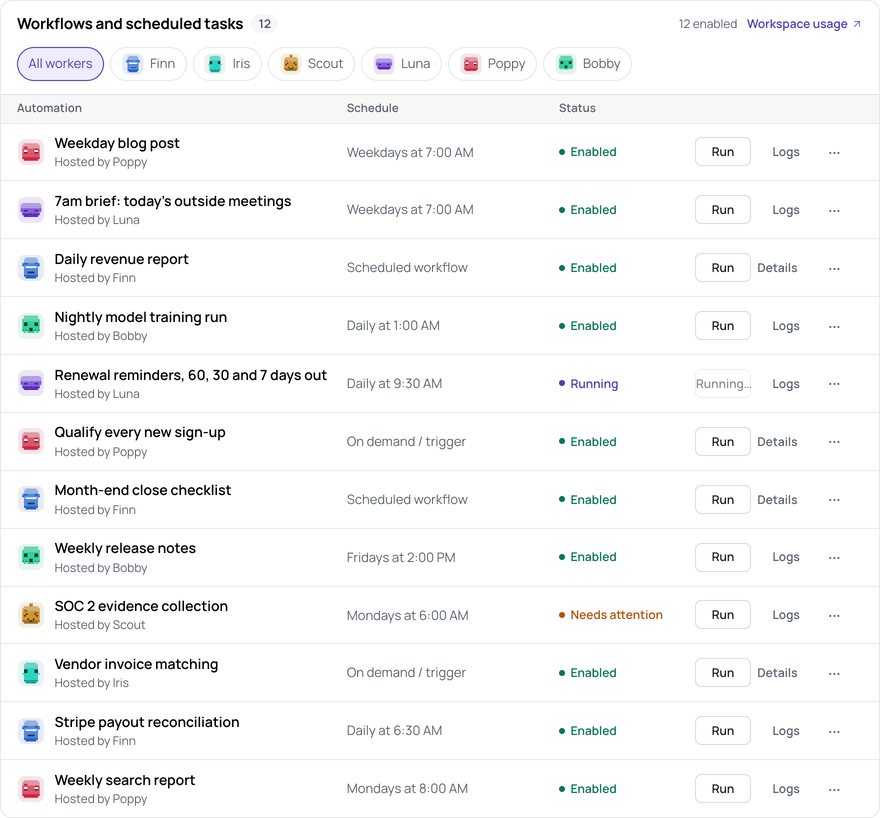
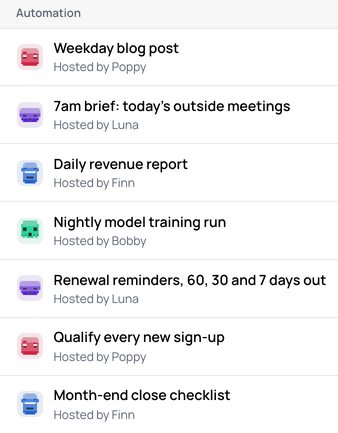
- Jobs in plain words. Each one named for what it does, and hosted by one of your workers.
- It starts on its own. A schedule, a webhook, an app event or Run now.
- Status at a glance. Enabled, running or needing attention, for each worker's jobs.
02 Steps
Steps that do whole pieces of work.
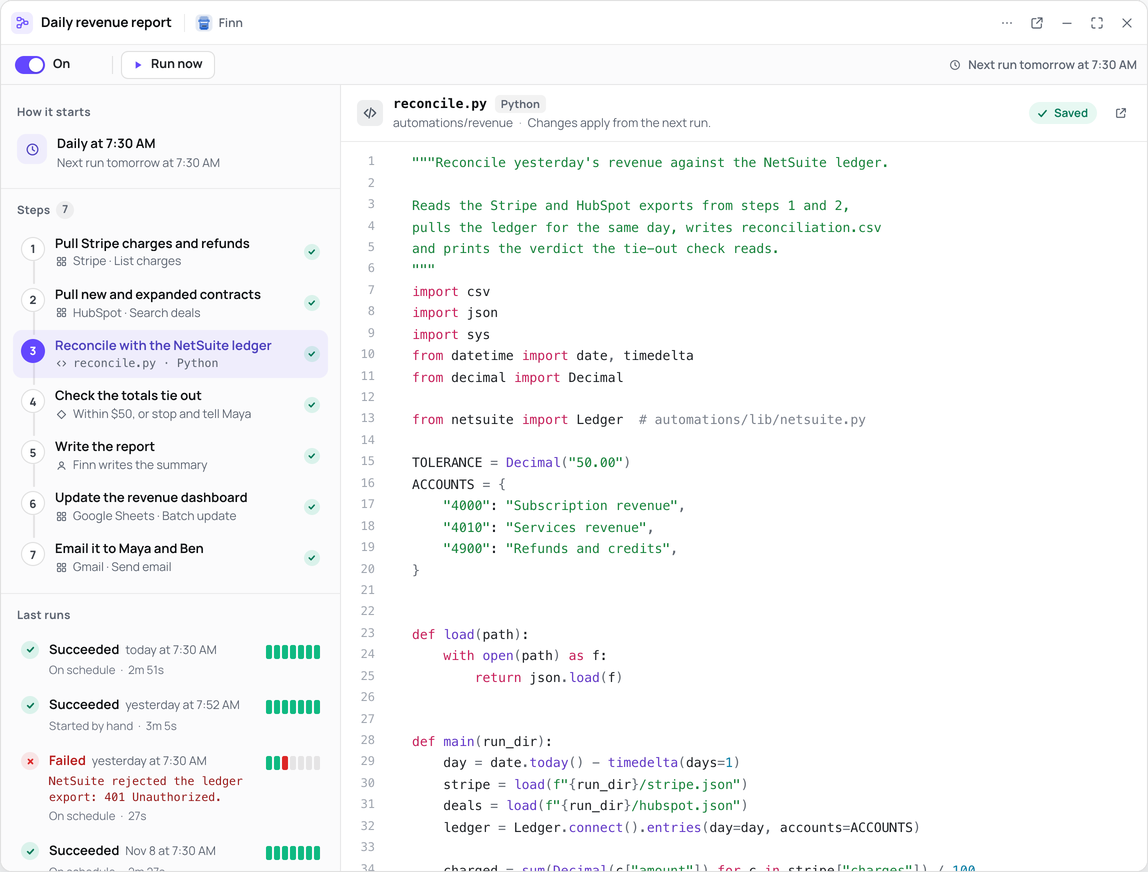
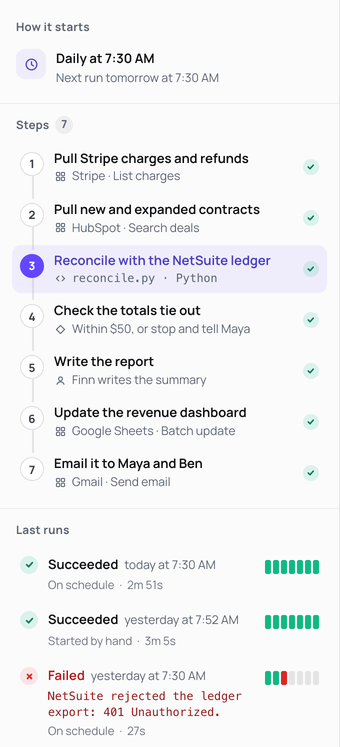
A single step can be a full session of browser work across many pages, a call to any connected app, or a script.
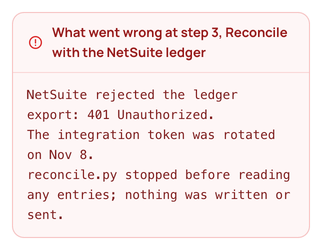
03 When a run fails
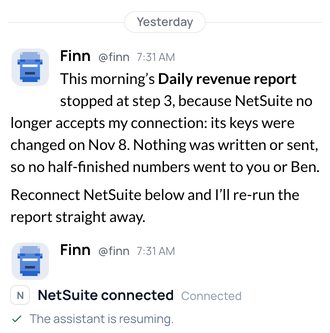
Failures come to you.
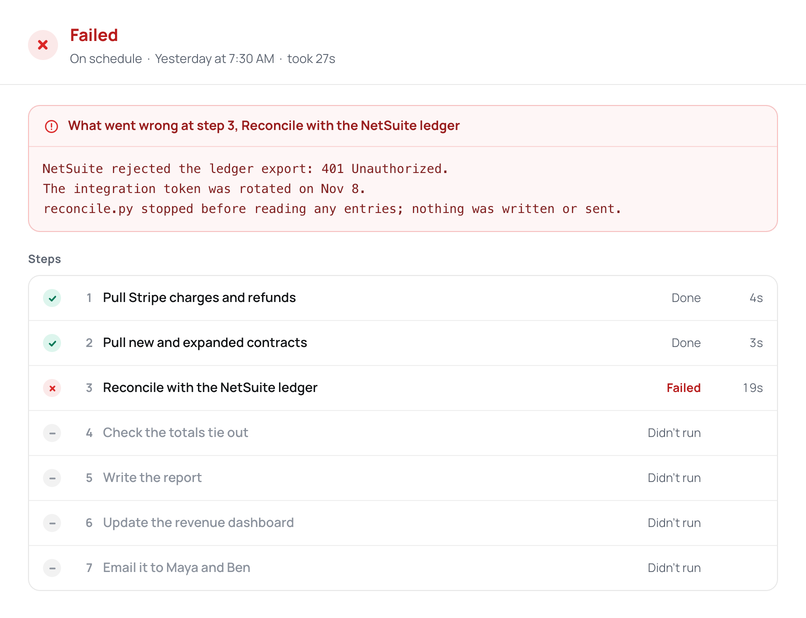
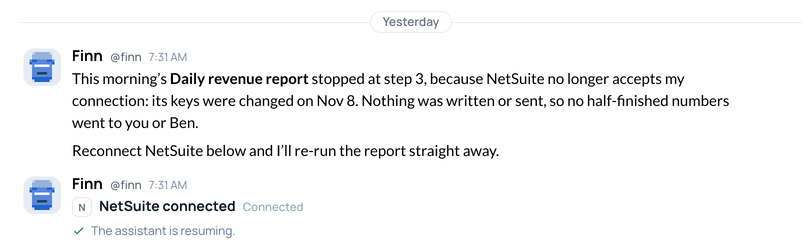
The run stops at the step that failed and says why. Its worker writes to you, ready to fix the run, pause it or explain what went wrong.
04 Examples
Jobs a worker can take on.
Examples, not customer stories. We run the marked ones ourselves.
Linear issues to tickets

A new issue in Linear. A Midpoint ticket on the right board, with a worker on it.
Answers in Slack

A question in a Slack channel. Answered in its thread, with links to its sources.
Daily revenue report
Daily. The revenue numbers, before anyone asks.
Carrier quotes
A new submission by email. Quotes from each carrier's portal, side by side in one sheet.
Vendor invoice matching
When an invoice arrives. Matched to its order, for approval.
Pull request review

A pull request opens in GitHub. A review on the pull request, with what to test.
New sign-up research
Each new sign-up. A researched profile, added to your CRM.
Shipment tracking
Every 4 hours. Each open shipment checked on its carrier's site, with delays flagged.
First look at support tickets

A new ticket in Zendesk. Tagged, routed, and answered in draft from your help center.
Weekday blog post
Every weekday. A researched post, optimized for your keywords in Google Search Console, and published. Every week, a strategy for what to write next.
Contract first read

A contract arrives by email. Read against your playbook, with the clauses to discuss.
Sign-up flow check
Every hour. Your sign-up clicked through in a real browser, and any failure reported.
Requests from Slack
A request posted in a Slack channel. A ticket on the right board, linked back in the thread.
Payout reconciliation
Daily at 6:30 AM. The payouts that don't match the ledger.
Inbox triage
A new email in Gmail. Sorted and labelled, with replies drafted for you to approve.
Policy renewals
Weekdays at 8:00 AM. Policies due in 60 days, with each carrier's renewal terms from its portal.
Failed payments
A payment fails in Stripe. The account checked, and a note to the customer drafted.
Renewal reminders
Daily at 9:30 AM. Reminder drafts at 60, 30 and 7 days out.
New customer setup

A new subscription in Stripe. The customer added to HubSpot, with an onboarding ticket for the team.
Customer checks
Four times a day. The results, reported to the team.
Website leads
A form sent from your site. The lead researched and added to HubSpot, with a reply drafted.
Freight quotes
A quote request by email. Rates from each freight portal, with the best options drafted in reply.
Certificates of insurance
A certificate request by email. Filled in from the policy, and sent once you approve.
Weekly search report
Once a week. How the site does in search.
Document filing

A file emailed to the worker. Renamed, filed in Google Drive, and logged in a sheet.
Prospect lists
Mondays at 8:00 AM. Companies that fit your market, researched on the web and added to HubSpot.
Nightly model training
Daily at 1:00 AM. A new model, held for your approval.
Interview scheduling
A candidate replies with times. The interview put on the calendar, and the confirmation drafted.
Listing matches
Daily at 7:00 AM. New listings that fit each buyer, from the listing sites, sent to their agent.
Order checks
A new order in Shopify. Address and stock checked, and anything off flagged before it ships.
Weekly release notes
Fridays at 2:00 PM. The week's changes, written up.
New applicants
A new application. Read against the role, with a short note for the hiring manager.
Vendor statements
On the 1st of each month. Each vendor portal's statement downloaded and matched to your payables.
Morning brief
At 7am. Today's outside meetings, sent only to you.
Refund requests
A refund request by email. The order looked up, and the refund prepared for your approval.
Permit status
Weekdays at 10:00 AM. Each open permit checked on its city's portal, with changes logged.
Customer screening
Each new customer. Checked against public sanctions lists, with any match held for review.
Competitor watch
Mondays at 9:00 AM. Competitors' sites and pricing pages checked, with what changed.
Licence checks
On the 1st of each month. Each clinician's licence checked on the state board's site, with expiries listed.
Product usage report
Daily. How the product was used, for the team.
Supplier stock
Weekdays at 7:00 AM. Stock from supplier portals, with reorders drafted for items running low.
Support digest
Fridays at 4:00 PM. The week's tickets grouped by issue, with the top requests for the product team.
Order entry
Each order by email. Entered in your ordering system through its website, then checked.
Payer policy updates
Mondays at 8:00 AM. Changes to each payer's billing policies, from its site, summarized for billing.
Regulatory updates
Mondays at 9:00 AM. New guidance from the regulators you follow, summarized for your team.
05 Controls
Jobs that run under your rules.
-
An on/off switch and Run now on each workflow.
-
Each job on its worker's own computer, with the apps you let it use.
-
Email it sends checked against the recipients you allow.
-
Usage by day, by worker and by person.
Hand over one job. Read its first run.
Your first worker is free for two weeks. No card.