Skip to content

Blog

Notes on handing over real work.

Product updates and practical guides from the team building Midpoint.
Latest posts

  1. Workflow Automation Guides

    Prepare Google Slides from Google Sheets

    Give a Midpoint worker your approved Google Sheet and Slides template. Get a checked draft deck, source links and clear questions about unfinished figures.
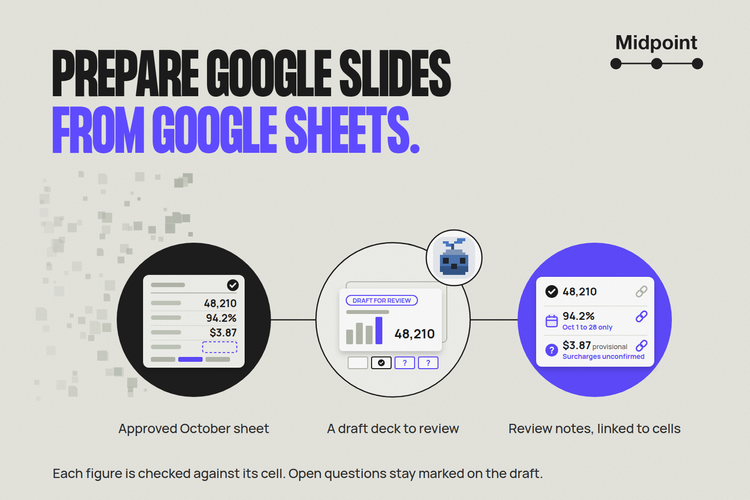
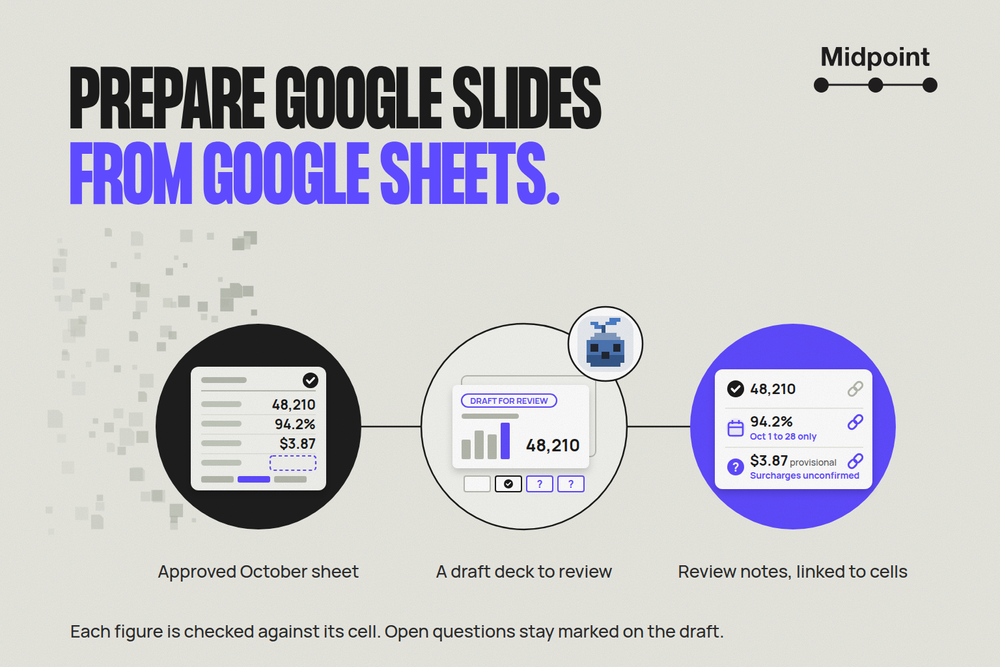
    Midpoint cover: Prepare Google Slides from Google Sheets. An approved October sheet becomes a draft deck for review with slides 3 and 4 still open, then review notes: 48,210 checked, 94.2% for Oct 1 to 28 only, $3.87 provisional, surcharges unconfirmed.
  2. Workflow Automation Guides

    Create daily site reports from Google Sheets

    Ask a Midpoint worker to turn approved Google Sheets rows into draft Google Docs, link each daily site report and bring unclear facts back to you.
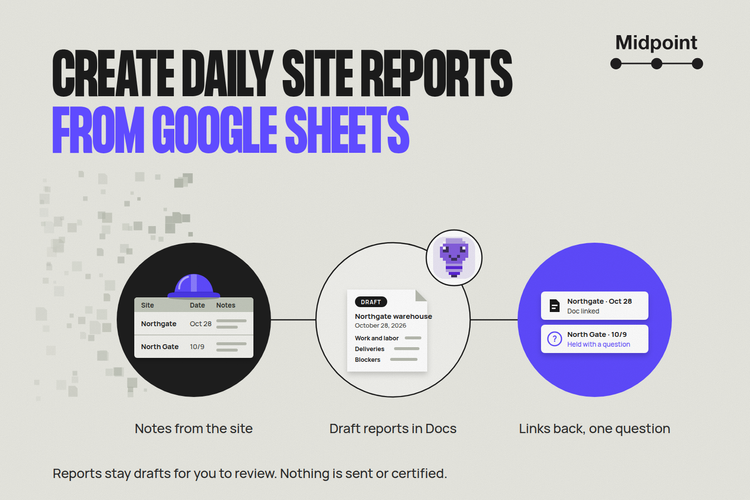
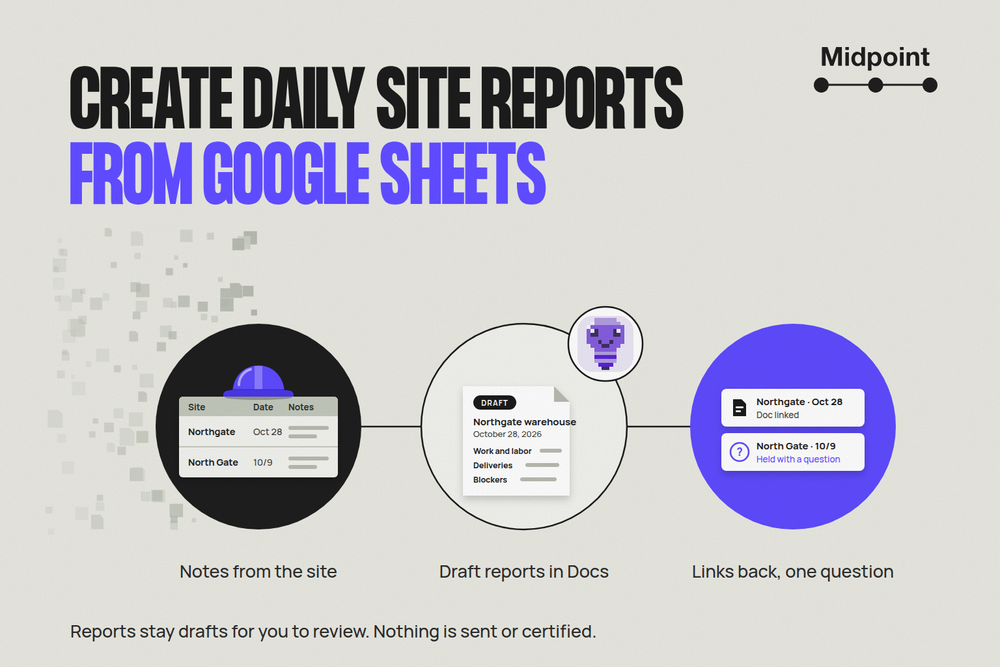
    Midpoint cover: Create daily site reports from Google Sheets. A site-log sheet with two rows, a draft daily report for Northgate warehouse on October 28, 2026, and the sheet again: Doc linked beside that row, North Gate 10/9 held with a question.
  3. Workflow Automation Guides

    Check carrier updates in Excel

    Ask a Midpoint worker to check Outlook carrier emails against an Excel appointments workbook and return conflicting dates, source references and questions.
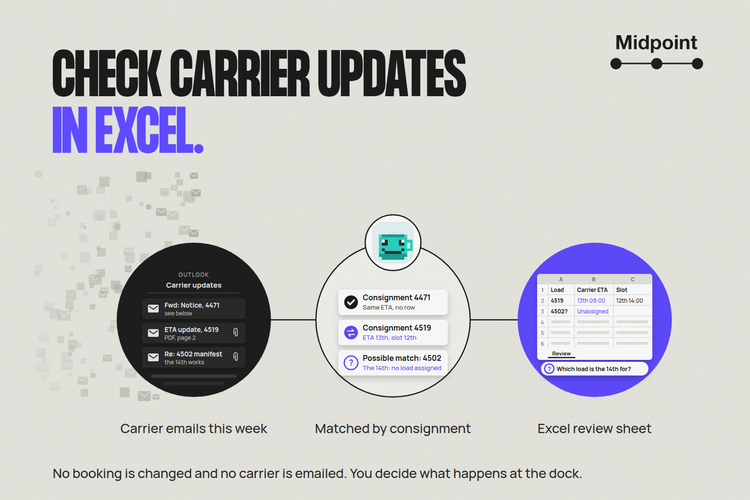
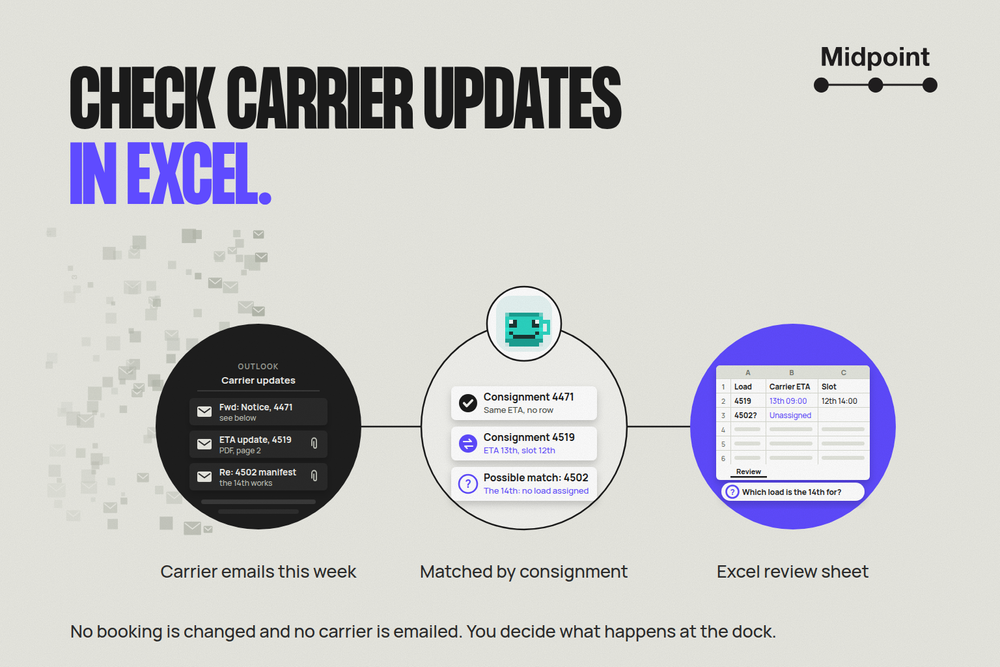
    Midpoint cover: Check carrier updates in Excel. Carrier emails this week are matched by consignment: 4471 is unchanged, 4519 has an ETA of the 13th and a slot on the 12th, 4502 is only a possible match. The review sheet asks which load the 14th is for.
  4. Getting Started

    More tasks, lower cost: Midpoint on g-harness-evals

    Midpoint’s pre-release g-harness-evals run reached 90.0% on GPT-6.1 Sol and 83.8% on Claude Opus 5.5. Results, costs and limits.
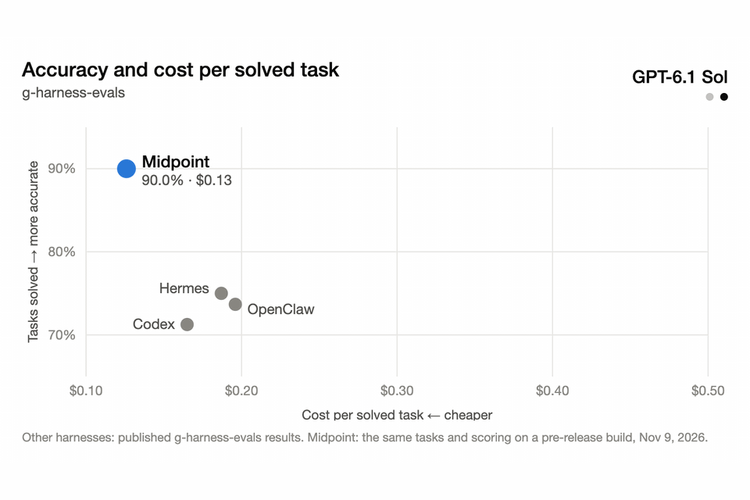
    GPT-6.1 Sol chart comparing published g-harness-evals results with Midpoint’s own pre-release run: 90.0% pass rate at $0.13 per solved task.
  5. Workflow Automation Guides

    Keep Slack decisions in Notion

    Ask a Midpoint worker to review selected Slack threads, propose updates to your Notion project page and flag unclear owners or deadlines.
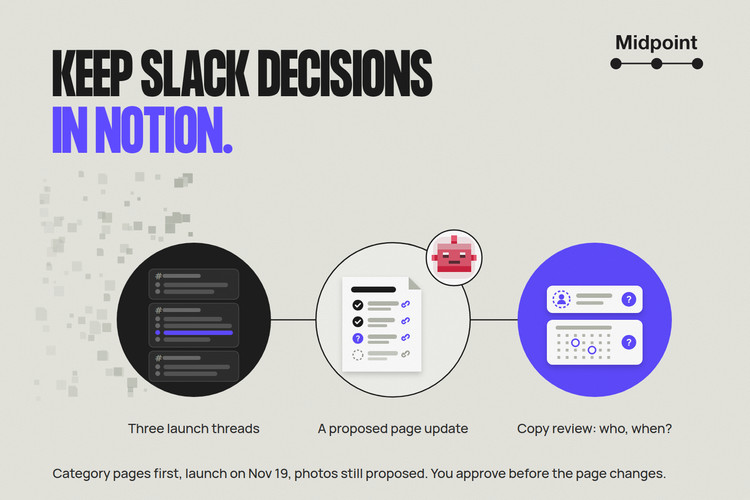
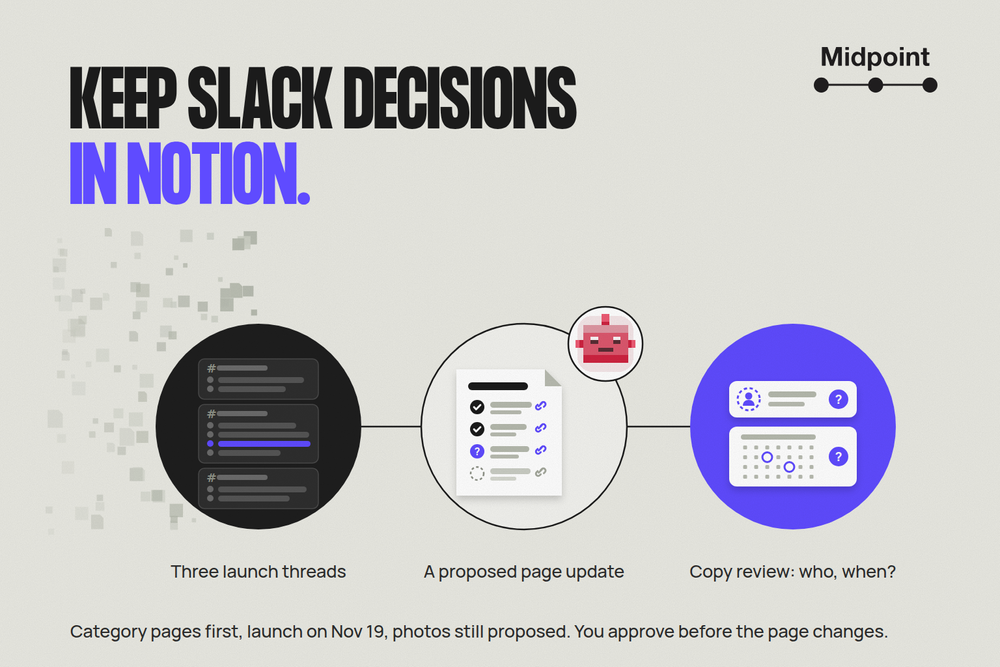
    Midpoint cover headed Keep Slack decisions in Notion. Three Slack launch threads become a proposed update to the project page: two agreed decisions, a copy review with no owner or date, and a photo plan still only proposed, each linked to its thread.
  6. Getting Started

    A worker that manages the other workers

    Give your team a lead worker in Midpoint. It hands out tickets, follows up when work goes quiet, and asks the right person when a decision holds things up.
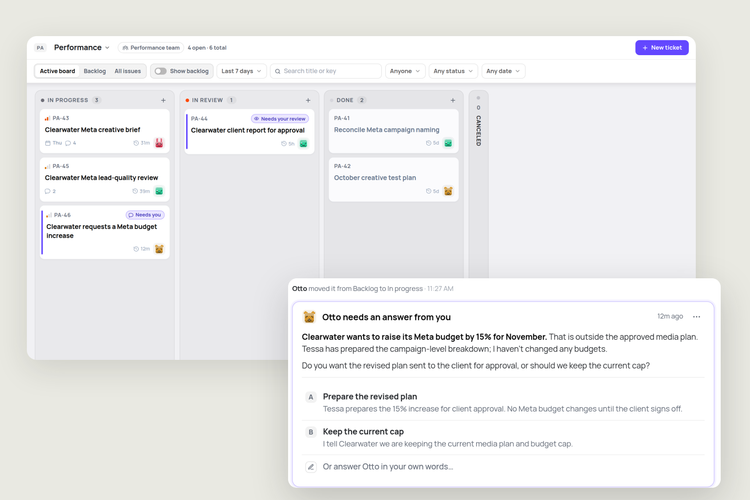
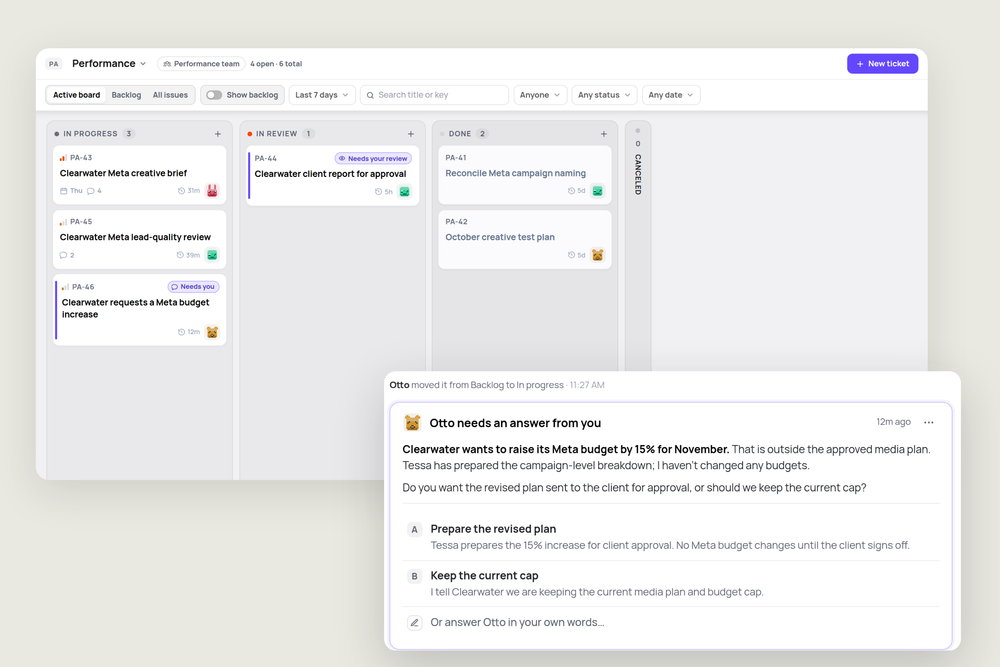
    Northstar Media’s Performance board with campaign analysis, creative and approval tickets, plus Otto’s card asking Marco how to handle Clearwater’s proposed Meta budget increase.
  7. Getting Started

    Your worker has its own email address

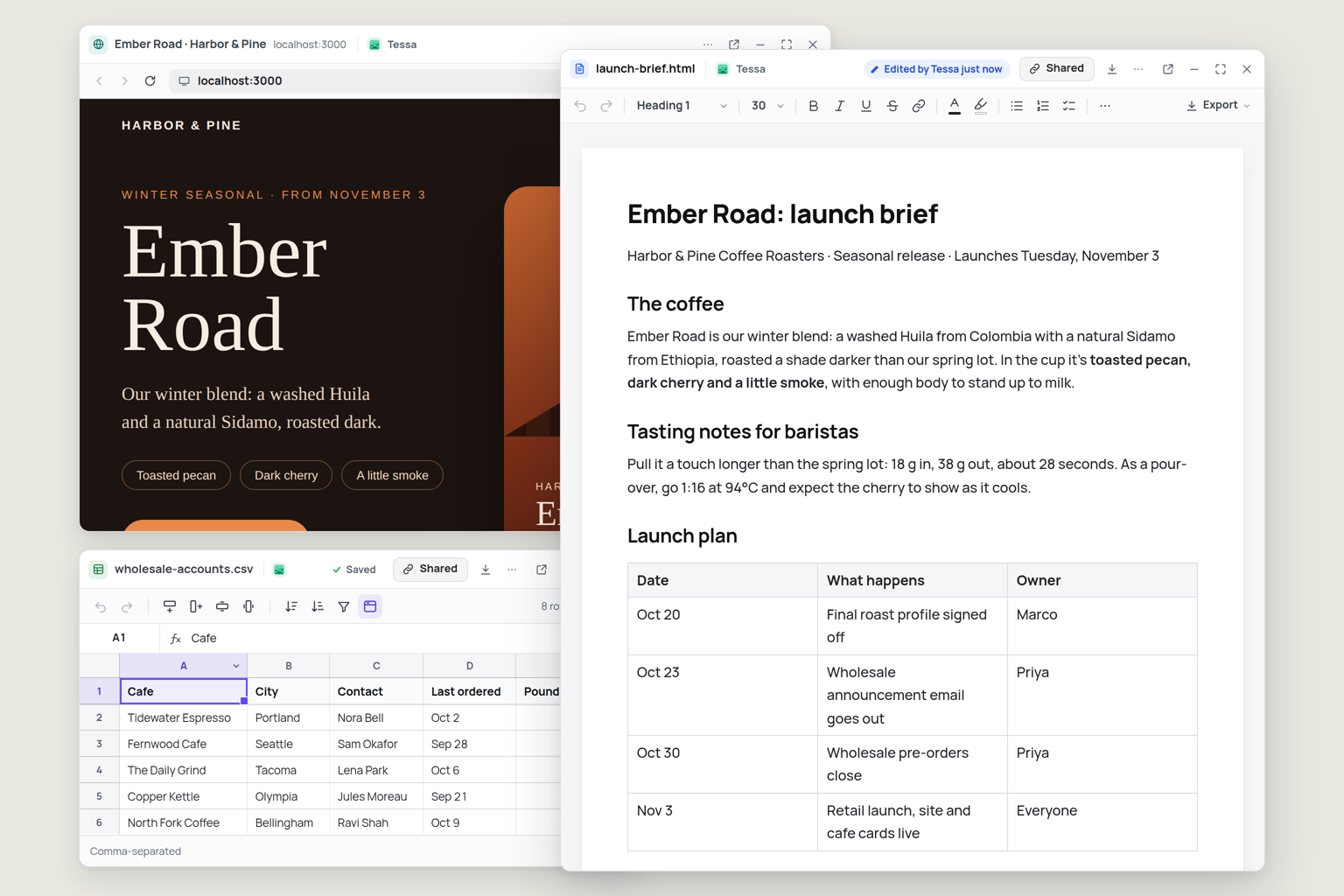
    A worker you create on Midpoint comes with a permanent inbox of its own. Email it, cc it on a thread, or have it sign up for the tools it needs with its own address.
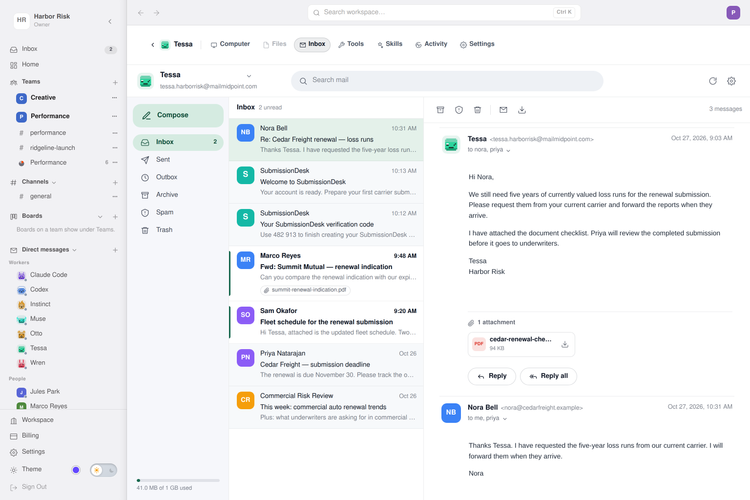
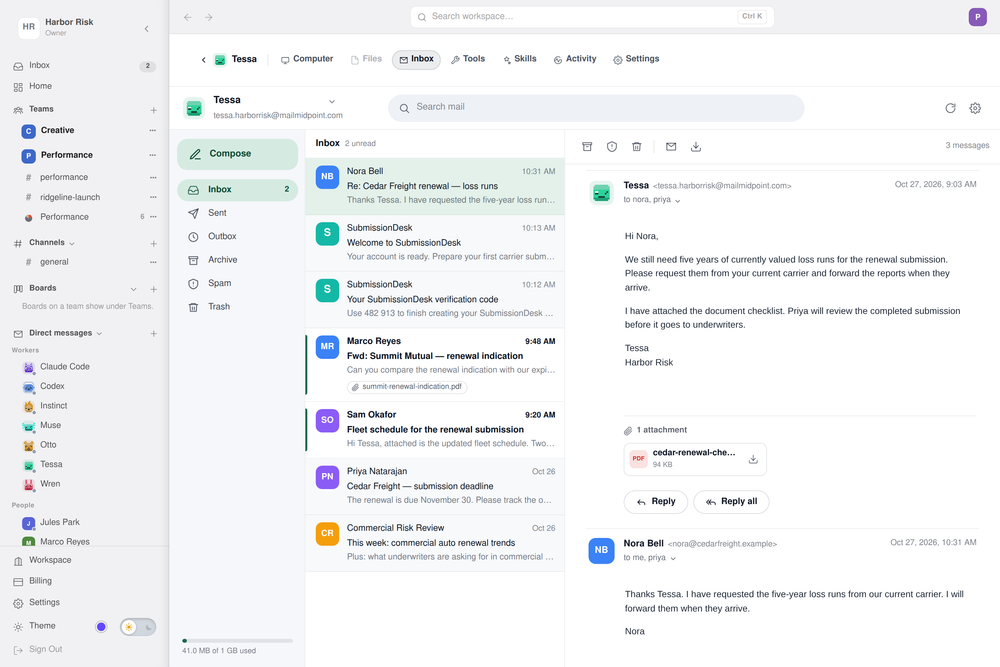
    Tessa’s Midpoint inbox at Harbor Risk, with the Cedar Freight renewal thread open and her request for missing loss runs expanded.
  8. Getting Started

    Email drafts you can fix and send yourself

    Your worker writes an email and shares it as a draft. Open it in Midpoint, change a line or a recipient, and send it from the worker's own email address.
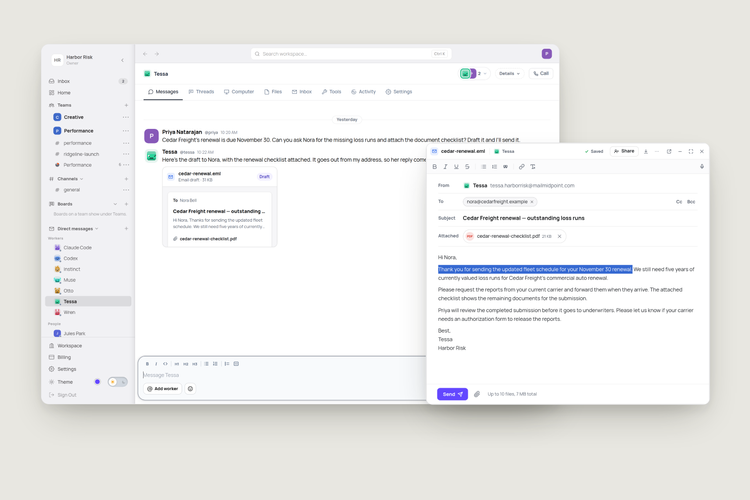
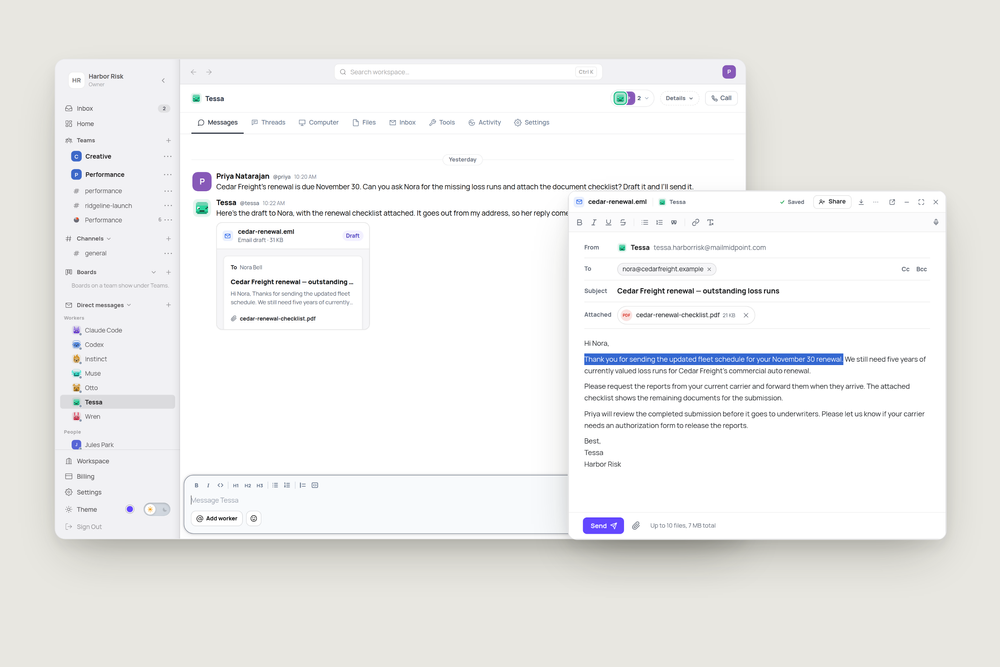
    Tessa’s renewal email to Nora at Cedar Freight, open over her Midpoint DM with Priya. The revised opening is highlighted and Send is visible.
  9. Getting Started

    Teams: put your people and workers where they belong

    Drag a worker onto a team, give the team a lead, its channels and its board, and every worker on it knows who it works with and how the team does things.
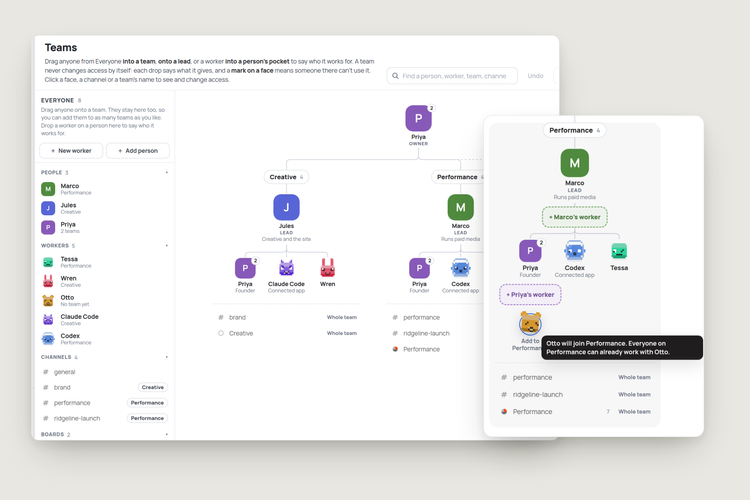
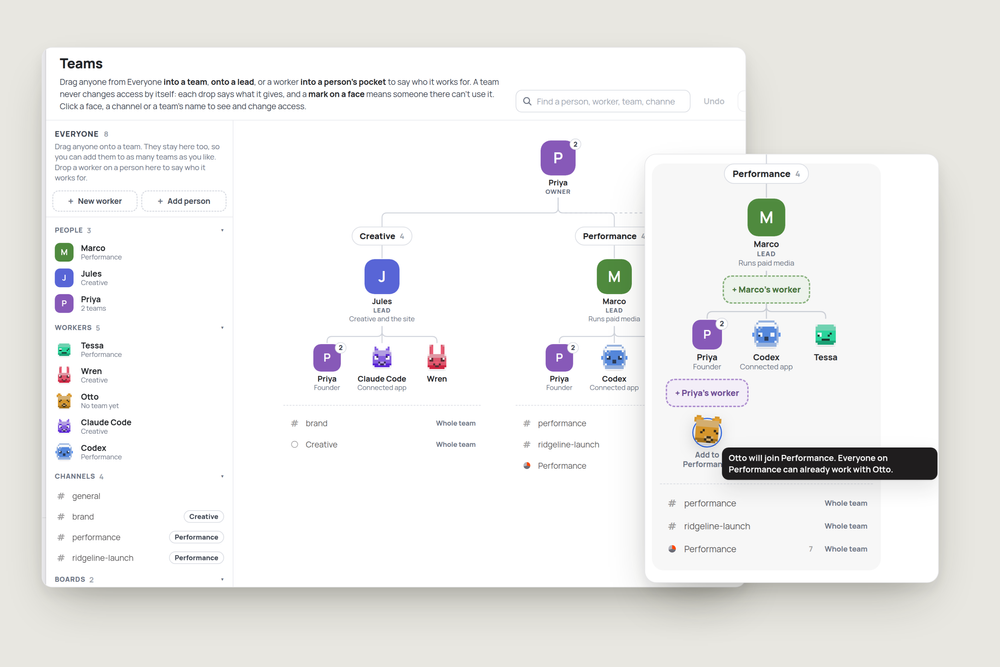
    Northstar Media’s Teams page: Priya above Creative and Performance, with Otto being dragged onto Performance. The drop note explains that everyone on the team can already work with him.
  10. Workflow Automation Guides

    Find missing insurance documents before renewal

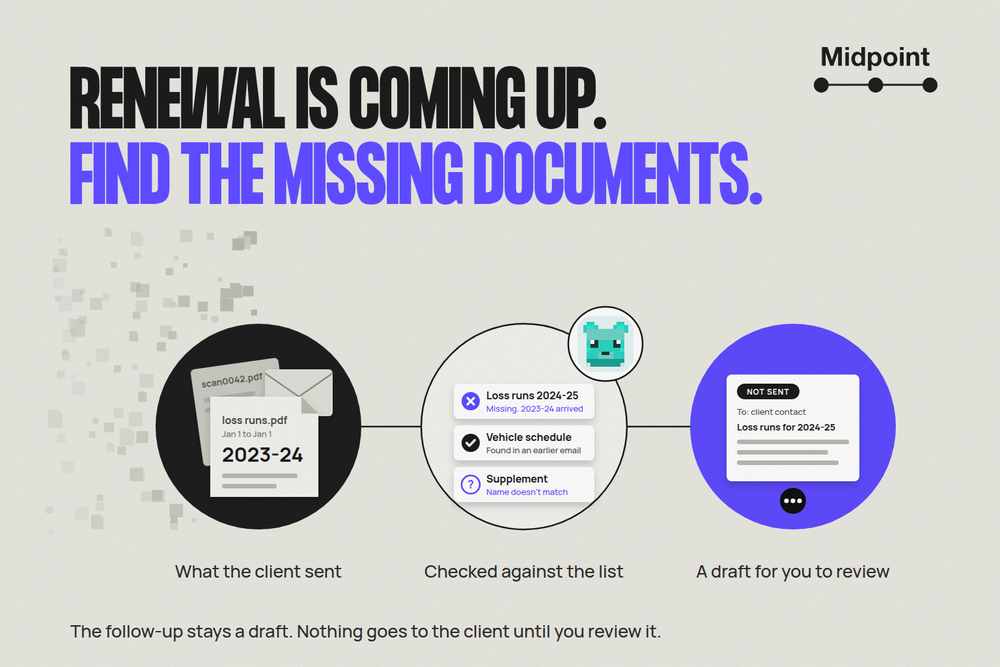
    Ask a Midpoint worker to check renewal files against your approved list, show the exact missing document and prepare an unsent follow-up for review.
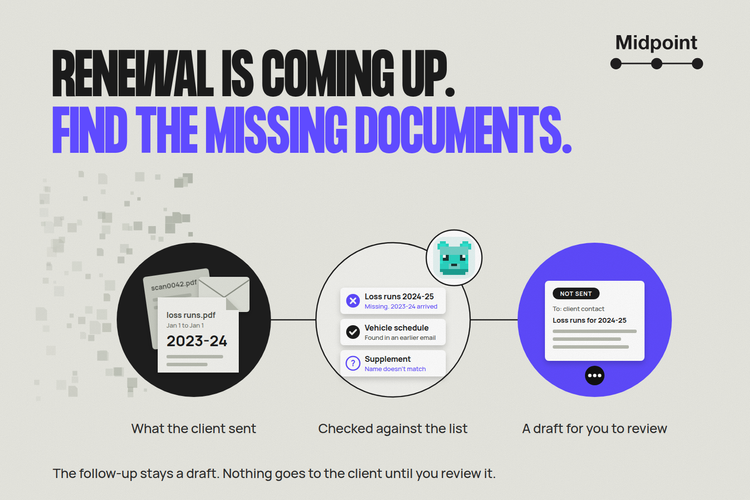
    Midpoint cover: Renewal is coming up. Find the missing documents. A 2023-24 loss-run file is checked against the approved list: 2024-25 loss runs missing, vehicle schedule found in an earlier email, supplement name mismatch. Follow-up not sent.
  11. Workflow Automation Guides

    Get a weekly Meta ads report in Google Sheets

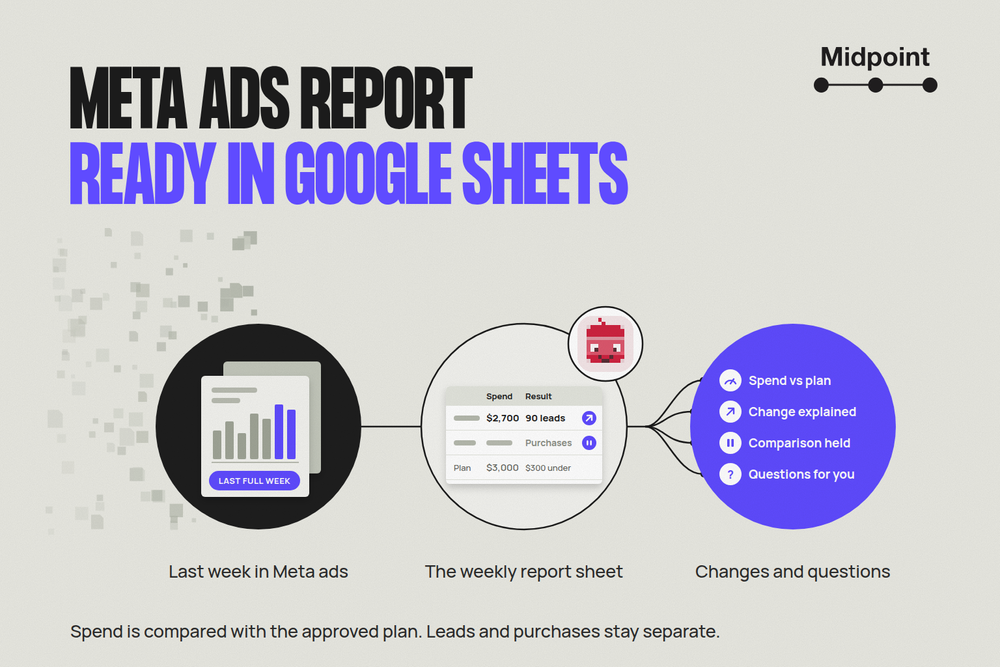
    A Midpoint worker prepares your weekly Meta ads report in Google Sheets, checks comparable results and spend against plan, and returns an internal explanation.
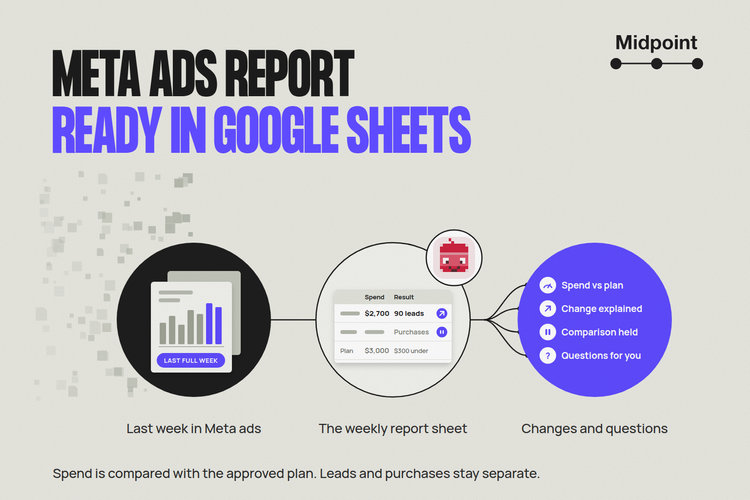
    Midpoint cover headlined Meta ads report ready in Google Sheets. Last week’s Meta ads results feed a sheet: $2,700 spend and 90 leads, a held purchase comparison and the $3,000 plan, then notes on changes and questions.
  12. Getting Started

    Ask your worker for a dashboard that stays current

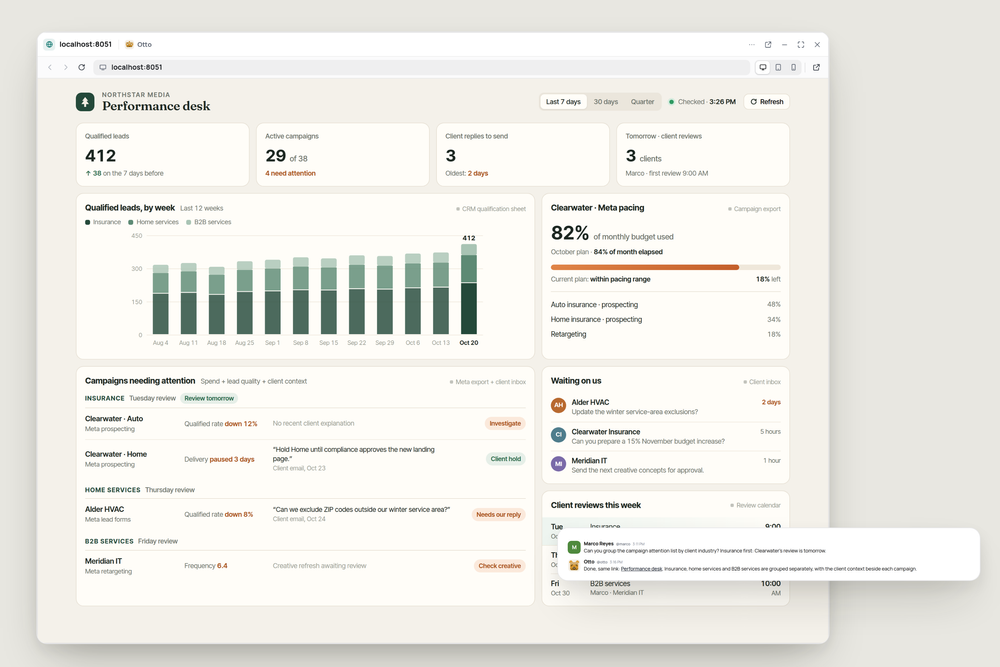
    Ask a Midpoint worker to build a dashboard from its connected apps.
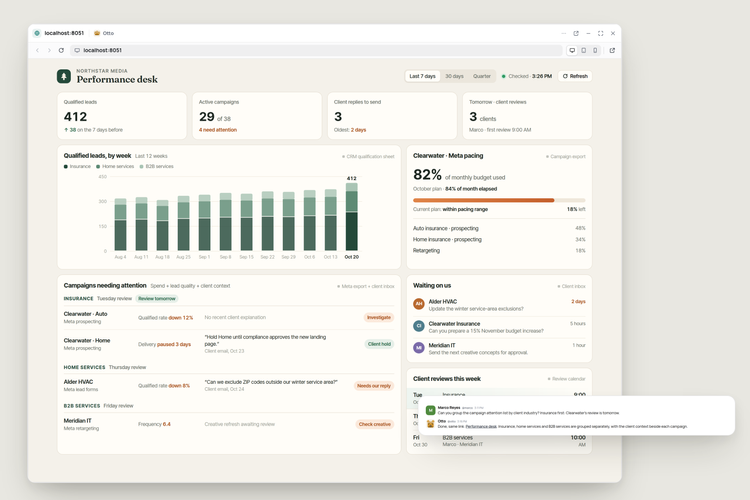
    Northstar Media’s Performance desk in a Midpoint window, with qualified leads, campaign attention items, client emails and review dates. Marco asks Otto to group the list by client industry.

Showing 13 of 111

Newsletter

New posts, by email.

Or follow the RSS feed.

Hire one worker. Give it one job. Judge it on the work.

Your first worker is free for two weeks. No card.