
ENTERPRISE-GRADE DIGITAL COWORKERS
Hire a digital coworker that owns the work.
Hand off a responsibility and 100x your output. Finished work, delivered end to end, not another chatbot.
ENTERPRISE-GRADE DIGITAL COWORKERS
Hire a digital coworker that owns the work.
Hand off a responsibility and 100x your output. Finished work, delivered end to end, not another chatbot.












Automate
without
Computer workdoes itself now
Back-office work moves from request to result. Completed records, matched invoices, prepared reports, and submitted requests. Exceptions routed with the context your team needs. Proof of work included in every run.
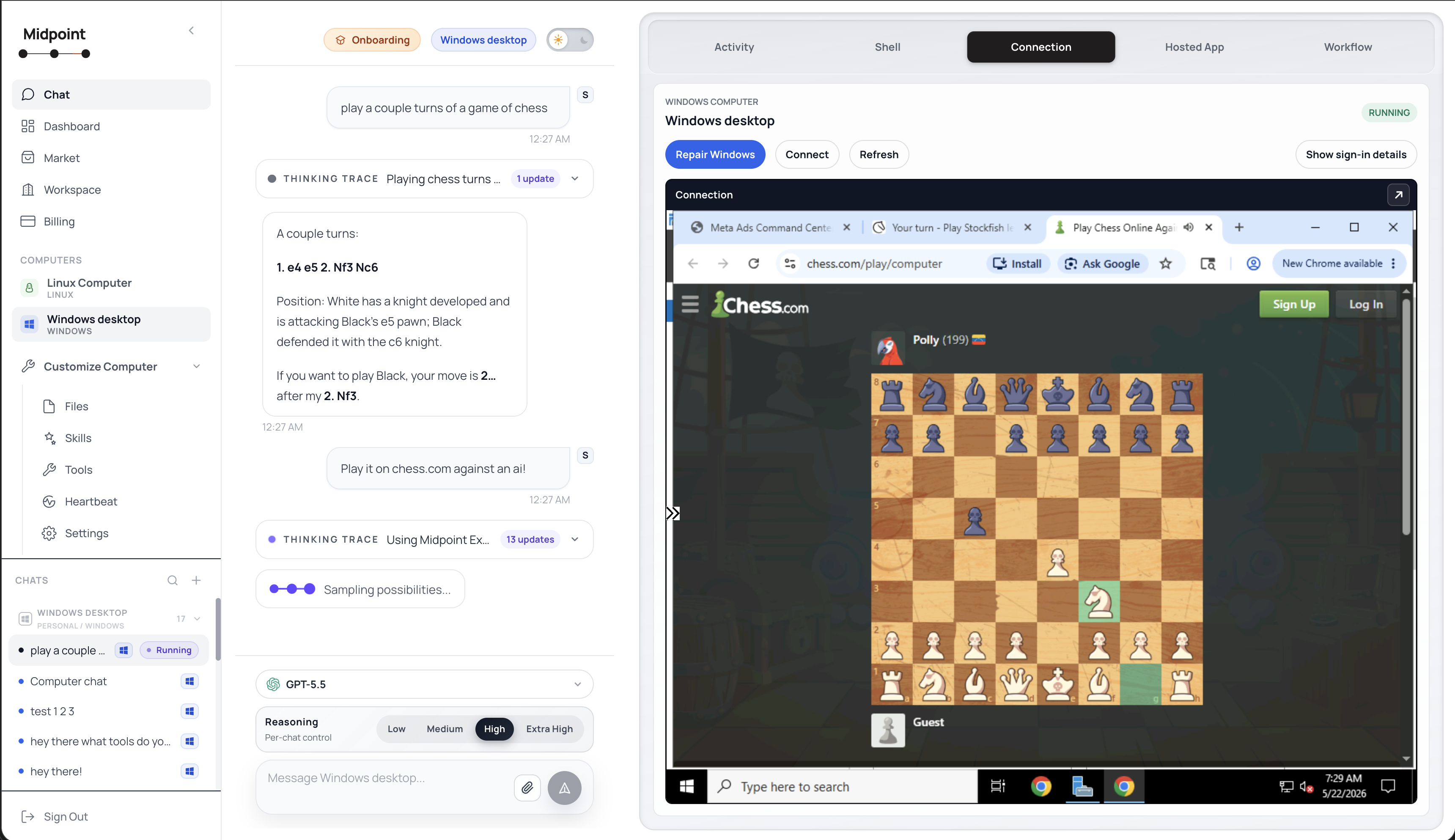
Midpoint can open websites, use apps, read files, fill forms, download documents, update systems, and complete multi-step work in a live workspace.
- Browser work
- App control
- Files
- Forms
ONBOARD IT LIKE A NEW HIRE
Show it once. It takes it from there.
Share your screen and walk through a process the way you would train your best operator. Midpoint takes the work off your plate and runs it as a standing responsibility on its own computer.
Its own computer
Every Midpoint coworker gets its own real Linux or Windows desktop, with a browser, files, and installed software, so it can do the same work a person does at a computer.
Live Browser Control
Midpoint opens websites, clicks buttons, fills forms, downloads files, and extracts information through a browser controlled from chat.
Connect to 1000+ Tools
Connect HubSpot, Gmail, Slack, Sheets, Linear, Stripe, Notion, Telegram, Salesforce, Asana, Twilio, Calendar, and hundreds more from one chat.
Common workflows
teams deploy
Midpoint turns repeatable SOPs into production workflows: same steps, same approvals, same outputs, every time.
Competitor Price Monitoring
Midpoint checks competitor websites daily, extracts pricing data, compares to your rates, and posts changes to Slack.




Daily Reconciliation Digest
Pulls Stripe payments, matches to QuickBooks, writes exceptions to Sheets, posts summary to Slack/Teams.


 +1
+1
Web Research to CRM Enrichment
Midpoint researches leads, extracts company info from websites and LinkedIn, then enriches your CRM records.


Invoice Intake to QuickBooks
Extracts invoice fields from emails, creates bills in QuickBooks, logs to Sheets, alerts finance channel.

 +1
+1
Vendor Portal Data Extraction
Midpoint logs into vendor portals, downloads reports and invoices, extracts key data, and syncs to your systems.
Lead Capture to CRM Routing
Enriches leads from forms, creates records in HubSpot/Salesforce, assigns owner, notifies Slack.

 +1
+1
Inbound Sales Inbox to CRM
Classifies email intent, updates CRM deals, posts next steps to Slack, logs in Notion.
+2
Support Triage and Translation
Detects language, translates, categorizes, creates Linear/Asana task, pings on-call channel.

 +3
+3
Weekly Pipeline and Ops Briefing
Pulls CRM changes, summarizes risks and actions, generates a Google Doc, sends to exec channel.

 +2
+2
Customer Data Sync
Keeps CRM and Sheets/PostgreSQL in sync, dedupes records, normalizes fields automatically.

Engineering Intake to Planning
Creates Linear issues from sales requests, links context, posts summary to product channel.
Select a blueprint to preview
Connect Systems And Start Work
Link the apps, inboxes, files, and systems involved in the workflow you want Midpoint to run.
Request Work From Slack, Discord, Or Telegram
Start, check, and approve workflows from the channels where your team already works.
Finished Work In Action
Watch Midpoint gather inputs, complete the task, write the result back, and record the evidence for review.
Midpoint Tests The Workflow
Every workflow is tested end to end so brittle handoffs are found before production work depends on them.
Recover From Failures
Midpoint retries, escalates exceptions, and keeps a visible record when a step needs review.
Use Pre-built Workflows
Browse packaged workflows, deploy in one click, and customize the steps to match your operation.
Create Intake Front Doors
Create hosted request surfaces that collect work, trigger workflows, and return completed outputs.
DELEGATE FROM ANYWHERE
Ask for work where your team already works.
Give Midpoint a task from web chat, Slack, Discord, or Telegram. It runs the work across your tools, then comes back with completed outputs, routed exceptions, and a visible trail.



Runs however
you need
Starts when work arrives
Kick off workflows from inbound emails, forms, CRM changes, orders, webhooks, files, or any signal that work needs attention.
Connects with 1,000+ tools
Gmail, Slack, Salesforce, HubSpot, Sheets, ERPs, CRMs, portals, and internal apps in one run. Use APIs where they exist; Midpoint bridges the gaps where integrations stop.


Work completed with proof
Updated records, matched invoices, prepared reports, submitted requests, clean spreadsheets, and routed exceptions.
One request, end-to-end work
Start from a message, file, event, or schedule. Midpoint gathers inputs, completes the task, and writes the result back.
Exceptions ready for review
Approvals, retries, audit logs, and reviewer handoffs keep work moving with the right context attached.
Market
Publish your Midpoints for others to use, and deploy pre-made published Midpoints in one click, instantly working with your stack.
Check Daily Github Release → Slack Channel Post
Daily GitHub releases land in Slack at 8 AM PT with the latest version notes and links already formatted for the channel.
Sora 2 Video Webhook → Email
Video requests enter by webhook, Sora 2 generates the clip, and the finished file lands in email with status updates.
Gmail Chat Agent
Manage your Gmail inbox through natural language! Automatically archive emails, write drafts, chat with previous emails, etc.
Daily Email About Todays GCal Meetings
Daily meeting prep gathers today's calendar, attendee context, and open threads into one briefing.

Google Sheet Trigger → Company → Researched Leads
New spreadsheet rows turn into researched company profiles with sources and formatted lead notes.
Webhook → OpenAI Web Research → Google Doc → Respond
Webhook requests return a formatted research report in Google Docs with the source trail attached.
Shows its work.
Every run records the files opened, fields changed, submissions made, and outputs delivered so your team can review the evidence.
Escalates exceptions.
When a field is ambiguous, a document is missing, or approval is required, Midpoint pauses and routes the decision to your team.
Isolated by default.
Each workflow runs in its own isolated workspace. Credentials, files, sessions, and customer data stay contained.















Learn how to buildwith Midpoint

Why Midpoint
Why Use Midpoint?
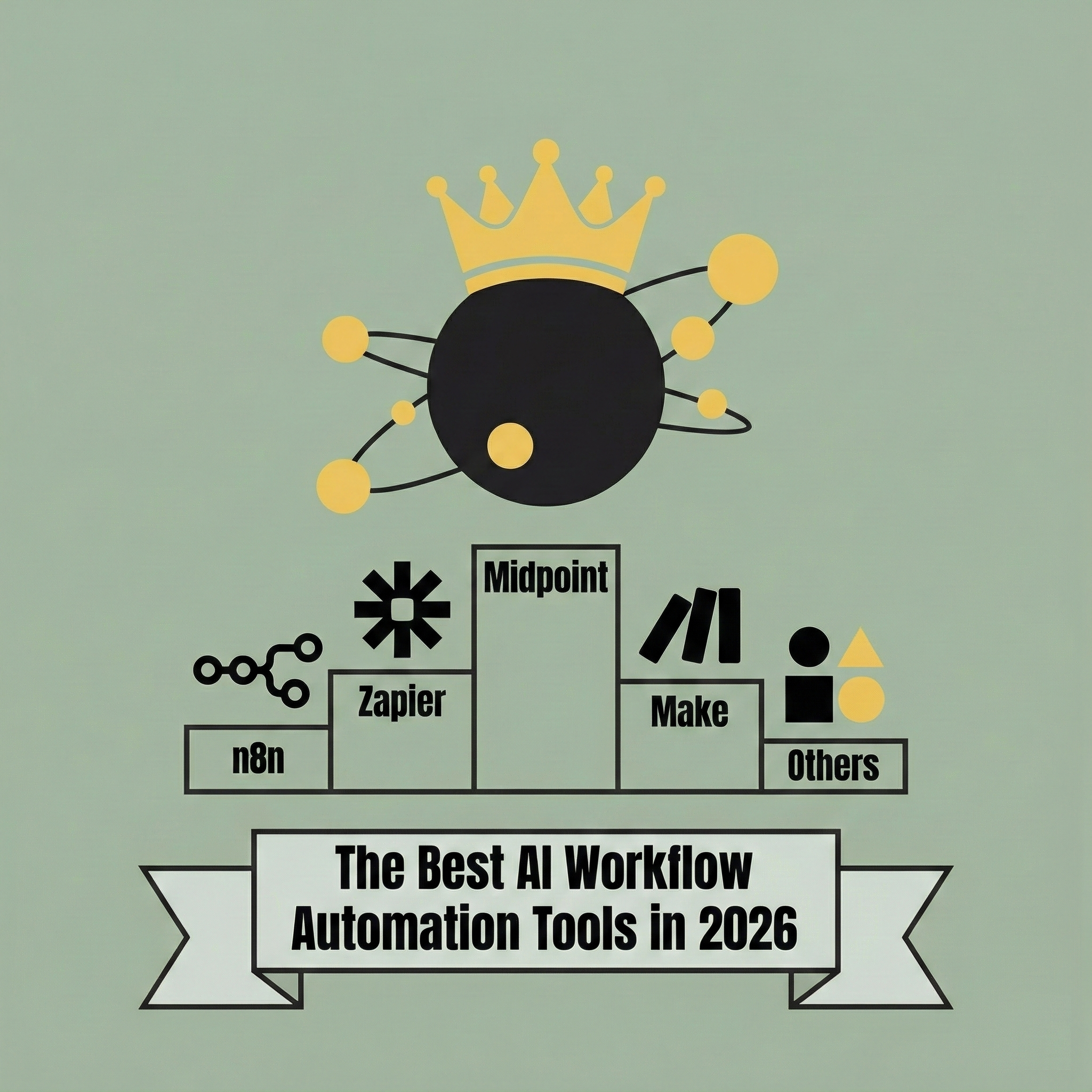
Midpoint Turns Complex Wiring Into Intent
In 2026, the best AI workflow automation tools are defined by whether they can understand intent, build workflows on your behalf, and keep them running without constant manual debugging. This post breaks down the leading platforms and explains why Midpoint stands out by letting you describe the workflow instead of building it yourself.
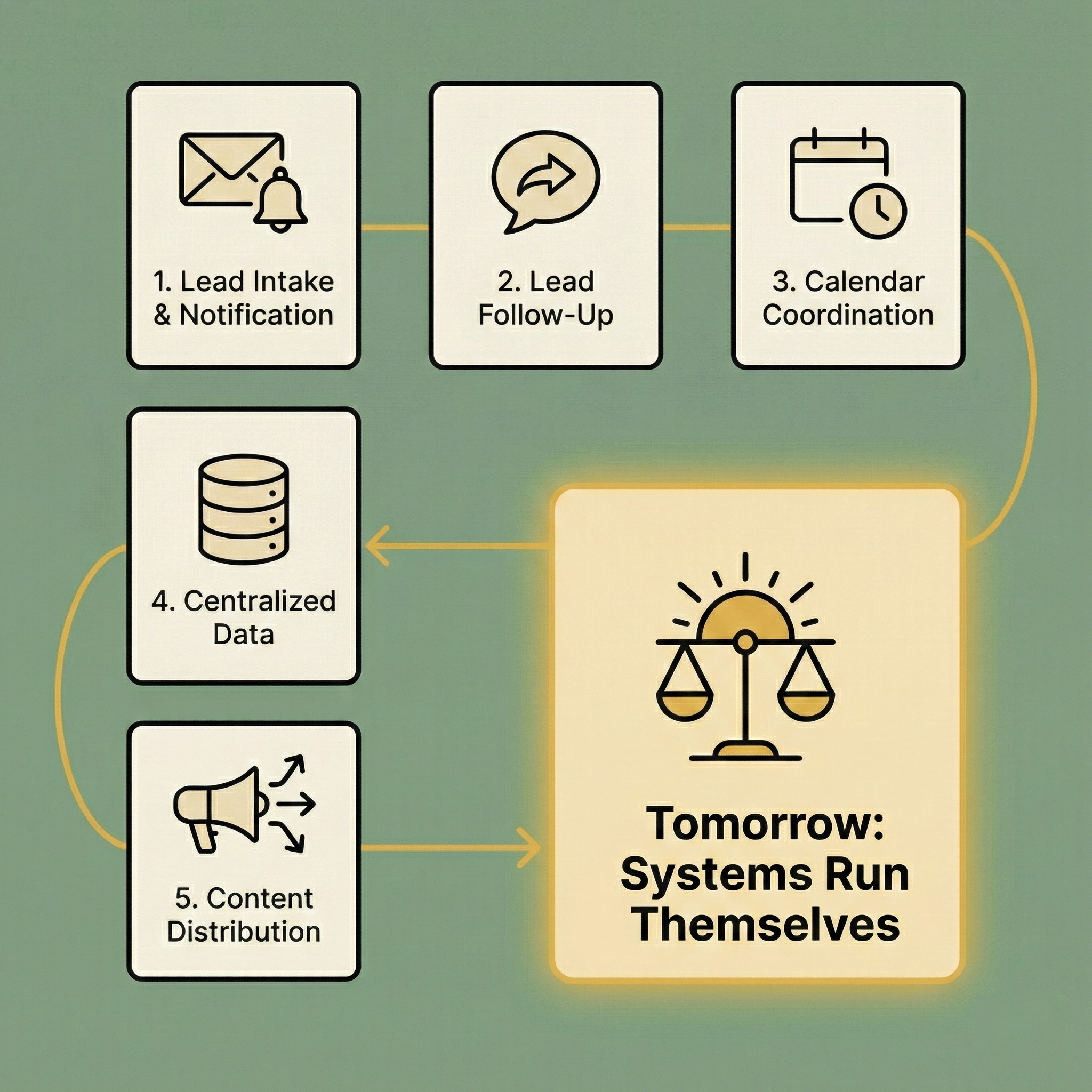
5 Systems You Should Automate Today
Most teams aren’t blocked by a lack of ideas. They’re buried under coordination overhead across disconnected tools. Midpoint makes automation feel like delegation: describe what you want to happen, and it builds the systems that run themselves so you can stay focused on real work.