AI Workflow Automation Platforms Compared: Midpoint vs Zapier, Make, n8n, Lindy & Gumloop
The short answer
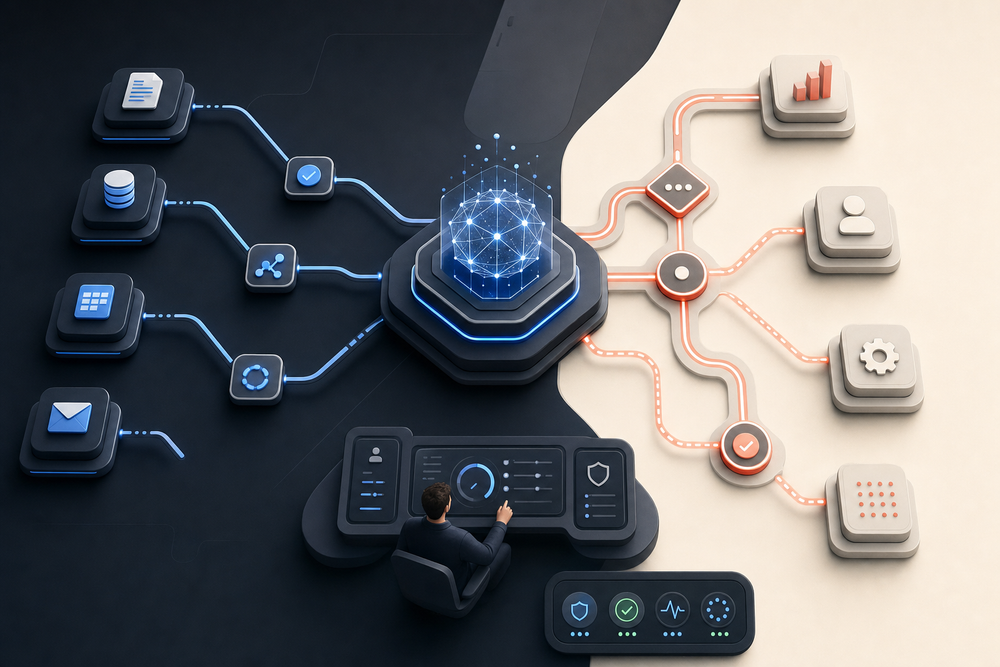
The best AI workflow automation platform depends less on the length of its integration list than on how your team wants automation work to happen. Zapier and Make are mature visual builders. n8n offers flexible, developer-friendly control. Lindy and Gumloop emphasize AI-native assembly for specific teams. Midpoint takes a different approach: you delegate the outcome to a persistent worker, which builds, tests, runs, and maintains the workflow with the connected tools and computer it needs.
That distinction matters. A workflow can look simple on a canvas and still create hidden work around credentials, schema changes, error recovery, browser-only tasks, review gates, and ownership. This guide compares the platforms by operating model—not marketing checklist—so you can choose the one your team can actually run.
Before comparing platforms, review AI workflow automation examples for operations teams to define the operating handoffs the platform must support.
Before comparing platforms, review AI workflow automation examples for operations teams to define the operating handoffs the platform must support.
What to compare before choosing a platform
Use five questions. First, who builds the workflow: a business user, an automation specialist, or an AI worker? Second, what can it operate: APIs only, or also browsers, desktop apps, files, and human conversations? Third, how is reliability proven: a successful test step, an end-to-end run, or live verification at the destination? Fourth, who owns failures and changes? Fifth, what governance exists for credentials, approvals, audit history, and human review?
These questions expose the real cost. The cheapest-looking builder can become expensive if every workflow needs a specialist to debug it. The most flexible tool can be the wrong choice when no one owns ongoing maintenance. And an AI-generated workflow is not production-ready merely because it was generated.
Midpoint: delegation with a persistent worker
Midpoint is built around persistent AI workers rather than a canvas-first builder. You describe the responsibility or outcome, connect the relevant accounts, and the worker performs the work or builds a reusable workflow. It can use connected APIs, a persistent browser, computer controls, files, scheduled runs, and human review gates from one operating context.
The practical advantage is ownership. The same worker can inspect the current state, execute the task, verify the user-visible result, record evidence, and come back when a blocker clears. For recurring automation, Midpoint pairs an executable workflow with durable work tracking instead of treating a cron trigger as the whole system.
Best fit: teams that want to delegate operational responsibilities, especially when the process crosses APIs, browser interfaces, desktop apps, and judgment calls.
Zapier: broad ecosystem and approachable automation
Zapier is often the fastest starting point for straightforward trigger-action workflows. Its app catalog, templates, and familiar step model make it accessible to nontechnical teams. For common SaaS handoffs—form to CRM, CRM to email, calendar to notification—it remains a sensible default.
The tradeoff appears as workflows become conditional, stateful, or operationally sensitive. Complex Zaps can spread logic across paths, filters, formatters, tables, and separate automations. Someone still needs to understand and maintain that structure. Zapier is strongest when the process maps cleanly to supported API actions and the team wants a conventional visual automation product.
Best fit: business teams with common SaaS workflows and an internal owner comfortable maintaining step-based automations.
Make: visual orchestration for branching processes
Make is known for a detailed visual scenario builder. It gives operators strong control over branching, mapping, iteration, and data transformation. For a technically curious automation specialist, the visual execution model can make complex data movement easier to inspect.
That power also creates a learning curve. Large scenarios can become dense, and debugging requires familiarity with Make’s mapping and execution semantics. Browser-only work and open-ended operational judgment usually sit outside the core model.
Best fit: teams with a dedicated automation operator who prefers visual control over multi-step API workflows.
n8n: flexible workflows for technical teams
n8n combines a node-based builder with code, self-hosting options, and strong extensibility. It is attractive when engineering teams want more control over deployment, data handling, custom logic, or infrastructure. It can support sophisticated workflows without forcing every edge case into a no-code abstraction.
The cost is ownership. Hosting, security, credentials, upgrades, observability, and workflow maintenance remain engineering concerns. n8n can be the most capable choice for a technical team and the least appropriate one for a business team that does not want to operate automation infrastructure.
Best fit: engineering-led organizations that want a flexible automation runtime and are prepared to own it.
Lindy and Gumloop: AI-native builders with focused strengths
Lindy emphasizes AI assistants and agent-style workflows, particularly for productivity, communications, and business operations. Gumloop combines visual workflow assembly with AI steps and data-oriented automation. Both reduce the friction of adding language models to a process and can be effective when the work fits their supported operating patterns.
The evaluation question is not whether they use AI; all modern platforms increasingly do. Ask how the system handles tools outside the happy path, long-running ownership, browser or desktop work, failure recovery, approvals, and proof that the final result reached the correct destination.
Best fit: teams prioritizing quick AI-assisted workflow creation for supported use cases and willing to evaluate operational coverage case by case.
Which AI workflow automation platform should you choose?
Choose Zapier when breadth and simplicity for common SaaS actions matter most. Choose Make when a skilled operator wants detailed visual control. Choose n8n when your technical team values extensibility and infrastructure control. Evaluate Lindy or Gumloop when their AI-native patterns closely match your use case.
Choose Midpoint when you want the automation system to behave more like an accountable worker: able to use APIs and computer interfaces, carry context across the responsibility, ask for human decisions when needed, test the complete workflow, and verify the visible outcome.
The deciding factor should be the operating model your team can sustain. Build one real process in each finalist, include the awkward exception path, and measure not just setup time but maintenance, verification, and handoff cost.
Want to see what delegation-first automation looks like? Start with one recurring responsibility your team still coordinates by hand, and give it to a Midpoint worker to build and verify.
More articles

AI Agent Incident Communication Plan: Templates, Cadence, and Evidence
A practical AI agent incident communication plan with severity criteria, stakeholder templates, status cadence, evidence, and follow-up.

AI Agent Data Privacy Checklist: Controls That Hold Up in Production
A practical enterprise checklist for classifying agent data, minimizing access, controlling retention and transfers, redacting evidence, reviewing vendors, and proving incident readiness.

AI Agent Observability Tools Compared: A Practical Buyer Guide
Compare eight AI agent observability approaches by traces, tool calls, evaluations, cost, privacy, alerts, deployment, and OpenTelemetry support.