AI Agent vs Workflow Automation: How to Choose
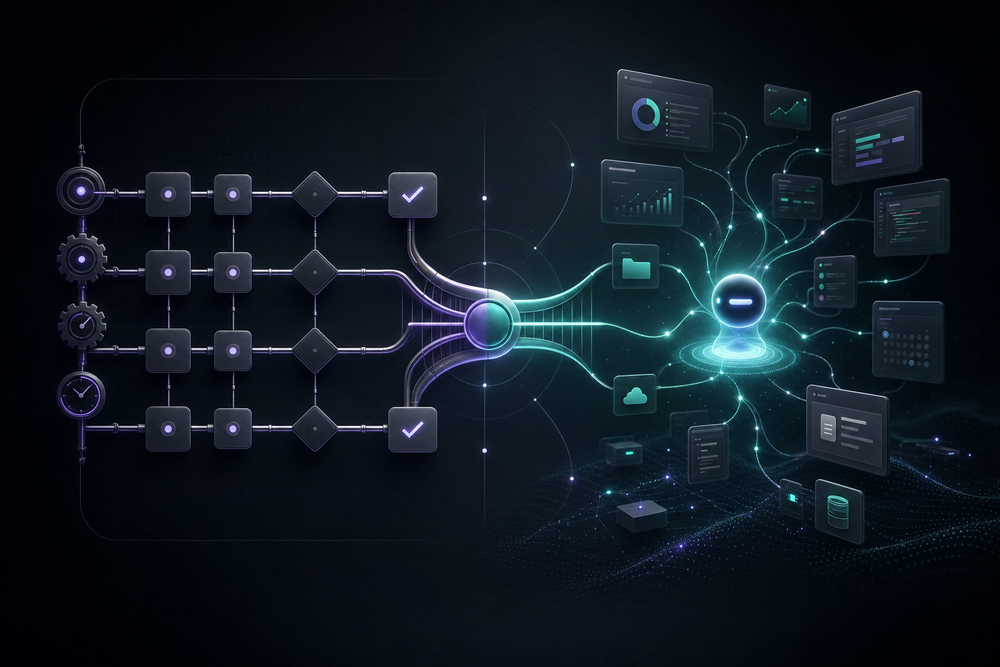
AI agents and workflow automation solve different classes of work. A workflow follows a path you define in advance. An AI agent chooses and revises its path while working toward a goal. The useful question is not which technology is more advanced. It is which execution model matches the task, the consequences of failure, and the evidence your team needs.
This guide gives operations and technology leaders a practical way to choose among deterministic workflows, AI agents, and hybrid systems.
The short answer
Use workflow automation when the steps, inputs, rules, and expected outputs are stable. Use an AI agent when the work changes from case to case and requires interpretation, planning, or navigation. Use a hybrid when judgment is necessary but the surrounding process needs fixed controls, approvals, and auditability.
That distinction aligns with UiPath’s description of agents and workflows: workflows execute predefined steps and transitions, while agents can plan and adapt. OpenAI’s practical guide to building AI agents similarly focuses on systems in which a model manages workflow execution, selects tools, and operates within instructions and guardrails.
Neither model eliminates the need for the other.
What is workflow automation?
Workflow automation is an explicit sequence of triggers, conditions, actions, and error paths. A new invoice arrives, fields are validated, the record is matched to a purchase order, exceptions are routed to an approver, and an approved record is posted. The designer decides what happens at each branch.
This approach is strongest when:
- the same steps recur;
- inputs have known schemas;
- rules can be written clearly;
- exceptions are enumerable;
- actions must be repeatable;
- audit and rollback requirements are strict.
The principal advantage is predictability. The system can show which step ran, which condition matched, and where a failure occurred. Tests can assert exact behavior. The main weakness is brittleness: an unexpected format or new exception may fall outside the graph.
What is an AI agent?
An AI agent receives a goal, observes context, decides what to do next, uses tools, evaluates the result, and continues until it finishes or reaches a stop condition. Its path is generated at run time rather than fully encoded in advance.
An agent is useful when work includes:
- unstructured documents or messages;
- ambiguous requests;
- research across changing sources;
- different tools for different cases;
- browser or desktop navigation;
- judgment about relevance, priority, or completeness.
For example, a competitor-research agent may search different websites, open reports, reconcile conflicting facts, and decide which evidence belongs in a briefing. Drawing every possible route beforehand would defeat the purpose.
The advantage is adaptability. The tradeoff is variability. The same input may not produce the same path, tool sequence, or wording every time. Production use therefore depends on bounded permissions, durable state, acceptance tests, and escalation—not on the model being infallible.
Why the best architecture is often hybrid
Many business processes have a stable outer structure and a variable middle.
Consider customer onboarding. A deterministic workflow can enforce required documents, identity checks, approvals, due dates, and final system updates. An agent can read whatever the customer uploaded, identify missing information, draft a tailored request, and navigate a portal that lacks a suitable API. The workflow remains the control plane; the agent handles the judgment-heavy segment.
The inverse pattern also works: an agent plans the task, then invokes tested workflows for sensitive procedures such as creating a customer, sending an approved email, or reconciling a payment. This keeps flexible planning separate from repeatable side effects.
A six-factor decision framework
Score the proposed work on six dimensions. Do not average the scores blindly; a single high-consequence dimension can determine the architecture.
1. Task variability
Ask how much the inputs, sequence, and definition of “done” change.
- Low variability: the same fields and branches appear each time. Favor a workflow.
- Medium variability: the process is stable, but one or two steps require interpretation. Favor a hybrid.
- High variability: the route depends on what the system discovers. Favor an agent inside clear boundaries.
2. Consequence of a wrong action
A classification error in an internal research draft is different from an incorrect payment or a public message.
- Low-risk, reversible work can tolerate more autonomy.
- Customer-visible or financially meaningful work needs review or deterministic validation.
- Irreversible, regulated, or safety-sensitive actions should be gated regardless of how capable the agent appears.
The NIST AI Risk Management Framework is useful here as a governance lens: identify context, measure risks, manage them, and maintain accountable oversight.
3. Tool access
APIs favor conventional workflows because requests and responses are structured. Legacy applications, changing websites, and visual interfaces may require an agent that can operate a real computer.
If an API does not cover the necessary action, read Computer-Use AI Agents Without APIs. Computer use expands what can be automated, but it also makes visual verification, session handling, and recovery more important.
4. Observability
Decide what evidence an operator needs after the run.
A workflow naturally exposes step status and branch history. An agent needs an execution record that connects the original goal, model decisions, tool calls, approvals, external receipts, and final output. If the evidence requirement is high, place the agent inside an orchestrated workflow rather than treating chat history as the audit log.
5. Cost and latency
A fixed connector step is usually fast and predictable. An agent may inspect several sources, retry tools, or revise its plan. Its cost and duration therefore vary with the case.
Use deterministic steps for mechanical transformations. Spend agentic reasoning only where interpretation changes the outcome. This is less about minimizing every model call than about avoiding intelligence where rules already solve the problem.
6. Reliability requirement
Reliability is not the same as raw task success. It also includes safe retries, duplicate prevention, restart behavior, approvals, rollback, and evidence.
For a production control set, use the AI Agent Reliability Checklist. A process that must survive duplicate events or a mid-run crash needs durable orchestration whether its decision step uses rules or AI.
Decision matrix
| Situation | Best default | Why |
|---|---|---|
| Stable inputs, known rules, repeatable output | Workflow automation | Cheapest path to predictable, testable execution |
| Stable process with a judgment-heavy step | Hybrid | Workflow controls the process; agent handles interpretation |
| Highly variable research or synthesis with reversible output | AI agent | The route cannot be fully predefined and errors can be reviewed |
| High-risk action with variable context | Hybrid with approval | Agent prepares evidence; policy and a human gate the action |
| Structured API work across several systems | Workflow automation | APIs and deterministic branches provide sufficient flexibility |
| Work in changing or API-less interfaces | Agent within a workflow | Computer use handles the interface; workflow supplies state and controls |
Four concrete scenarios
Invoice matching
The required fields, matching rules, approval roles, and system writes are known. A deterministic workflow should perform validation and matching. An agent may help extract data from unusual documents, but it should not independently authorize payment. Choose a workflow or a tightly gated hybrid.
Weekly competitor briefing
Sources and formats vary. Discoveries determine the next search. The result is reviewed before anyone acts. Choose an agent, with source citations and a fixed output schema.
Support triage
Intake, assignment, SLA timers, and escalation are deterministic. Interpreting tone, language, product area, and urgency requires judgment. Choose a hybrid: the agent classifies and summarizes; the workflow routes and tracks.
Cross-application account update
The policy is fixed, but one system has no usable API. Choose a hybrid: a workflow validates the request and records approval; a computer-use agent performs the UI action; the workflow verifies the resulting state and archives proof.
Common failure modes
Workflow failure: exception explosion
A workflow begins with a clean graph, then accumulates branches for every unusual case. Maintenance becomes slower than manual work. The fix is not to replace the entire system with an agent. Isolate the genuinely variable step and keep the stable control flow.
Workflow failure: silent schema drift
A source changes a field or document layout. The workflow still runs but produces incomplete data. Add input contracts, validation, alerts, and representative regression fixtures.
Agent failure: confident but unsupported output
An agent fills a gap with a plausible answer. Require citations, field-level evidence, or “unknown” as a valid outcome. Separate drafting from externally visible action.
Agent failure: repeated or excessive action
The agent retries a tool or expands scope without making progress. Enforce timeouts, bounded attempts, budgets, allowlisted tools, and stop conditions in the runtime—not merely in the prompt.
Hybrid failure: unclear handoff
The agent returns a narrative, but the workflow expects structured data. Define a schema, validation rules, confidence policy, and an explicit exception state. The handoff is an interface and should be tested like one.
Hybrid failure: duplicate side effects
A workflow restarts after an agent has already sent, created, or updated something. Every mutation needs a stable idempotency key or external receipt so recovery does not repeat the effect.
A practical implementation sequence
- Map the process as a workflow first. Identify triggers, required outputs, side effects, and approval points.
- Circle the variable steps. Look for boxes labeled “investigate,” “decide,” “interpret,” or “depends.” Those are candidates for an agent.
- Classify tools by consequence. Reads and drafts are different from sends, payments, publishes, and deletes.
- Define the agent contract. Specify inputs, allowed tools, output schema, evidence requirements, stop conditions, and escalation.
- Keep state outside the conversation. Persist step outputs, request IDs, receipts, approvals, and final disposition.
- Test failure, not just success. Include malformed input, unavailable tools, duplicate triggers, stale data, approval timeout, and mid-run restart.
- Release in stages. Start with observation or drafting, add human-approved actions, then expand autonomy only when evidence supports it.
How to compare platforms
The architecture matters more than whether a vendor uses the word “agent.” Ask whether the platform supports both deterministic and agentic steps, durable execution state, approval gates, browser or desktop tools, versioning, observability, and safe retries.
Our AI Workflow Automation Platforms Compared guide provides a broader evaluation framework. For enterprise deployment, also examine access control, evidence retention, and recovery ownership—not only how quickly a demo can be built.
Frequently asked questions
Can an AI agent replace an existing workflow?
Sometimes, but replacement is usually the wrong goal. If the workflow already handles stable work reliably, keep it. Add an agent where the graph becomes brittle because judgment or changing context is unavoidable.
Are AI agents always less reliable?
They are less deterministic, which is not identical to being unreliable. A well-designed agentic system can fail safely, preserve state, prevent duplicate effects, and escalate. A poorly designed deterministic workflow can silently corrupt data. Reliability comes from the surrounding controls and tests.
Should high-risk processes avoid AI agents entirely?
Not necessarily. An agent can gather evidence, interpret documents, or draft a recommendation while a deterministic policy and named approver control the consequential action.
What if a system has no API?
Computer-use agents can operate the interface, but place them inside a workflow that validates inputs, limits permissions, checks the postcondition, and records visual or system evidence.
How should teams measure success?
Measure the business outcome and the operating quality: completion, exception rate, human review burden, recovery behavior, latency, cost, and evidence completeness. Do not judge the system only by whether the model produced convincing text.
The operating rule
Use rules where the work is rule-shaped. Use agents where the work is judgment-shaped. Use a hybrid when adaptable execution must live inside dependable controls.
Midpoint supports that combined model: AI workers can reason across tools and real computer interfaces, while workflows provide triggers, approvals, durable execution, and proof. Explore Midpoint for enterprise teams or start with one real job whose success criteria you can verify.
Sources researched August 18, 2026
- UiPath: Agents and workflows
- OpenAI: A practical guide to building AI agents
- NIST AI Risk Management Framework
- Midpoint: AI Workflow Automation Platforms Compared
- Midpoint: AI Agent Reliability Checklist
- Midpoint: Computer-Use AI Agents Without APIs
For a concrete design for approval gates, thresholds, exception queues, and escalation SLAs, see Human-in-the-Loop AI Approvals That Scale.
That orchestration choice is separate from the interface used to perform each operation; compare browser automation vs API integration with an operation-level scorecard and hybrid fallback rules.
For multi-step work, use the AI agent orchestration guide to define routing, shared context, handoffs, ownership, failure isolation, and human control.
More articles

AI Agent Incident Communication Plan: Templates, Cadence, and Evidence
A practical AI agent incident communication plan with severity criteria, stakeholder templates, status cadence, evidence, and follow-up.

AI Agent Data Privacy Checklist: Controls That Hold Up in Production
A practical enterprise checklist for classifying agent data, minimizing access, controlling retention and transfers, redacting evidence, reviewing vendors, and proving incident readiness.

AI Agent Observability Tools Compared: A Practical Buyer Guide
Compare eight AI agent observability approaches by traces, tool calls, evaluations, cost, privacy, alerts, deployment, and OpenTelemetry support.