Ask your worker for a dashboard that stays current
Ask a Midpoint worker to build a dashboard from its connected apps. Bring Meta campaign figures, client emails and review dates together, then change the view by asking in chat.

Which Meta campaigns need attention before tomorrow’s client review?
The answer isn't in one app. Campaign spend is in an export. Qualified leads are in the CRM sheet. The reason a campaign stopped might be in a client email. The review date is on the calendar. You can spend the first part of every morning putting those pieces together, or ask your worker to make you a page that does it.
In Midpoint, a worker can build a dashboard from the apps you've connected for it. Tell it what you need to see, and ask it to check those apps again when you open the page. You get a live page to come back to, rather than another report to ask for tomorrow.
Start with the question
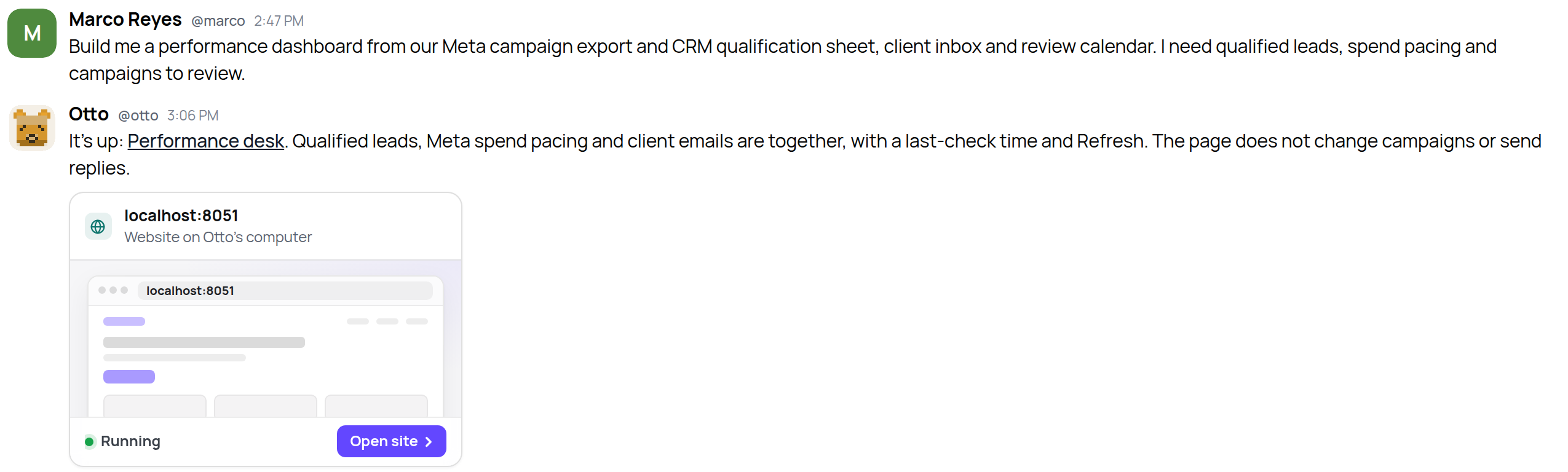
Here’s a performance desk for Northstar Media, a paid-media agency. Marco wants Meta spend pacing, qualified leads, campaigns that need attention, and anything those clients have emailed about.
Otto’s page brings together the Meta campaign export and CRM qualification list in Google Sheets, the client Gmail inbox and the Google Calendar review schedule. At the top: qualified leads, active campaigns, emails waiting for a reply and tomorrow’s client reviews. Below that are weekly qualified leads and Clearwater Insurance’s Meta budget pacing.
The page opens in a window inside Midpoint. The worker builds it for this job, so it can put the agency's questions first instead of fitting them into someone else's template.
The number isn't the whole answer
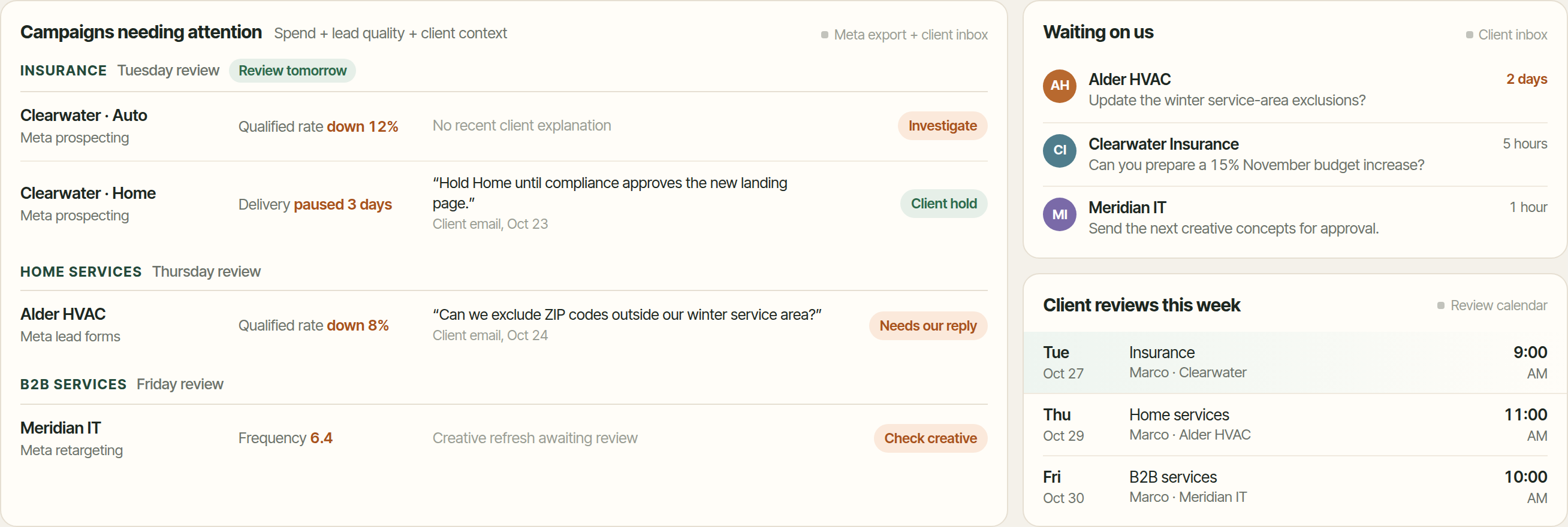
Clearwater’s Home campaign has stopped delivering. That sounds like a problem to fix until you see the client’s email: hold it until compliance approves the new landing page.
Clearwater’s Auto campaign has a falling qualified-lead rate, with no recent client explanation. That’s the campaign to investigate before the review.
Putting the messages next to the campaign figures saves the person reading the page from having to go and find the other half of the story. The dashboard doesn’t send those replies or change Meta budgets. It's a view of the work, not permission to do everything shown on it.
Change it by asking
Marco’s next request is small: group the campaign attention list by client industry. Otto changes the page, and Marco keeps using the same link.
Ask for the last-check time and a Refresh button too, so you can see when the figures were read. If an app can't be reached, ask the worker to show that rather than leave old numbers looking current. Freshness is part of what you ask it to build, not something a chart gets just by being on a page.
Try it
Start with two or three connected apps and one question you answer often:
"Build me a dashboard from our Meta campaign export and CRM qualification sheet, client inbox and review calendar. Show spend pacing, qualified leads, campaigns needing attention and recent client emails. Check the apps when I open it, and show when you last checked."
Then use the page and tell your worker what would make it more useful.