Voice calls with screen share
Your Midpoint worker can ask for a quick call. Join, talk it through and share your screen so it sees what you see. The summary lands in your DM.

Some jobs are quicker to show than to explain. The sheet with the column everyone knows to check first. The rule that only lives in your head. Typing all of that out is how a handover turns into a string of follow-up questions.
Now your worker can ask for a call. You talk it through, share your screen, and it sees what you see while you explain.
Your worker can ask for a call
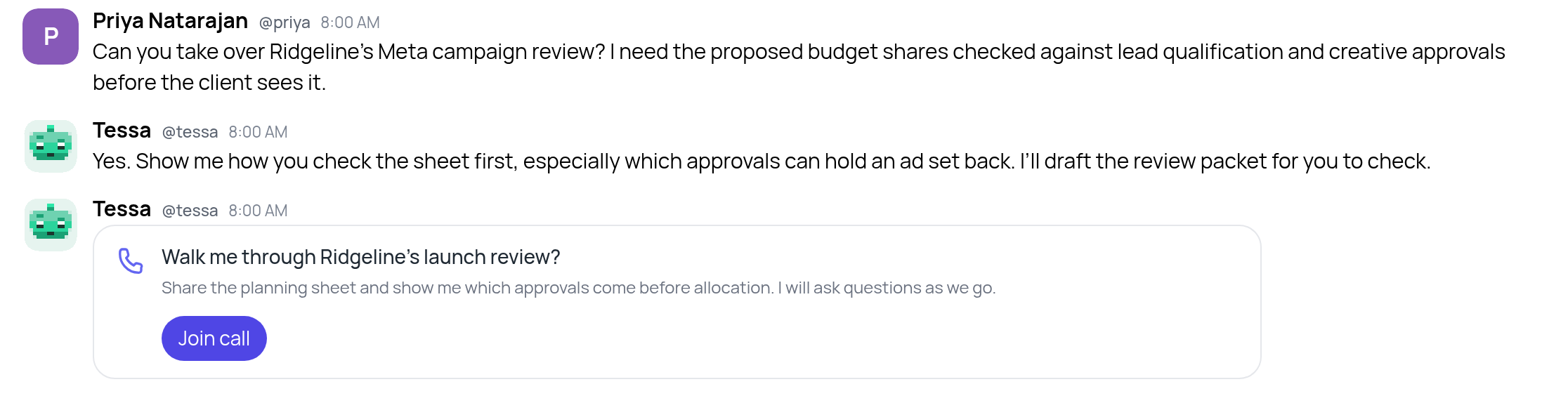
When talking would be quicker, a worker offers a call right in your DM: what it wants to go over, and a Join call button.
You can start one yourself, too. Use Call in your DM with a Midpoint worker. For several workers in the same channel, use Group call.
Share your screen, and it sees what you see
Press Share screen, choose a tab, a window or your whole screen, and do the job the way you normally would. The worker follows along as you go, so it can ask about the thing you just pointed at.
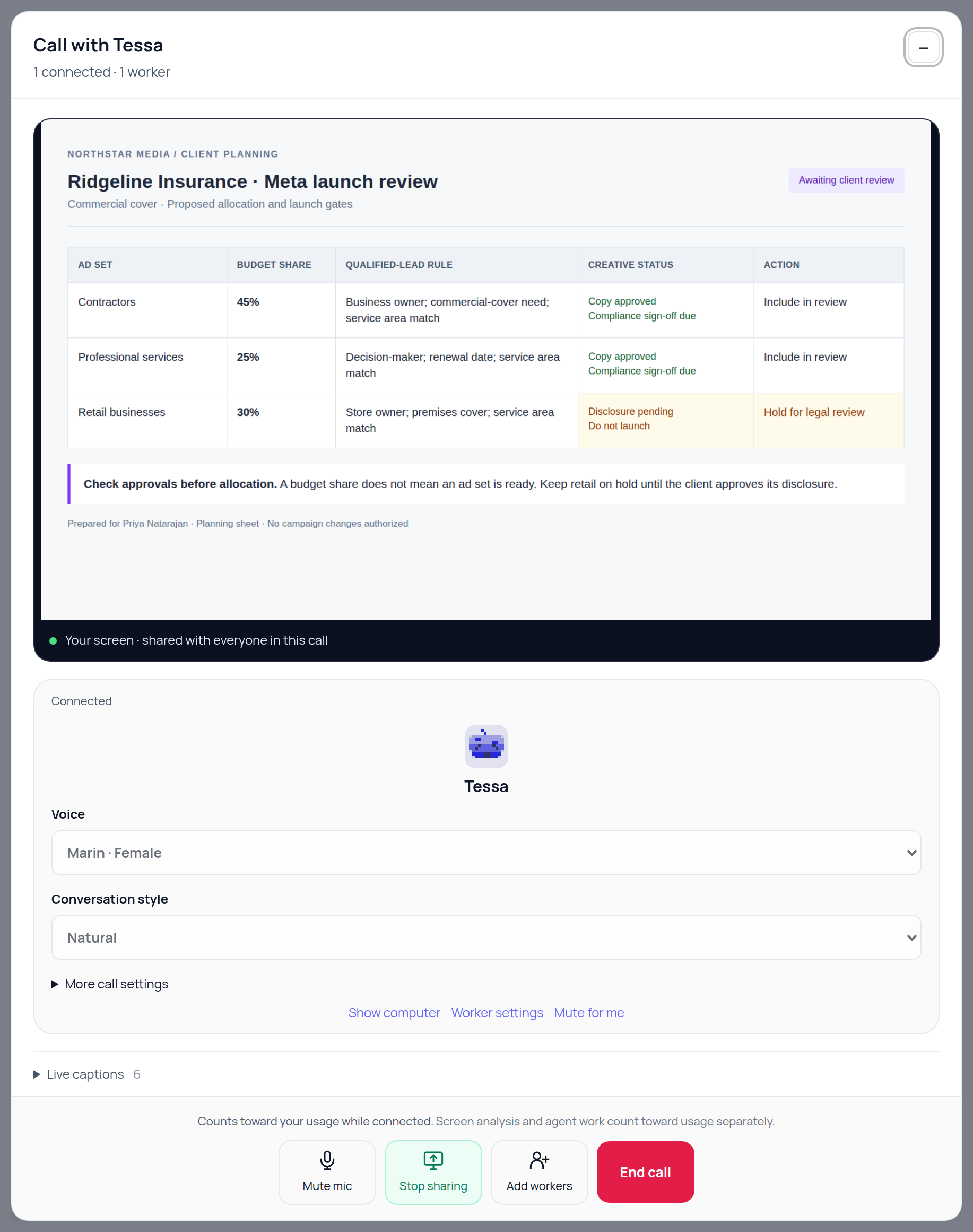
At Northstar Media, Priya opens Ridgeline Insurance's Meta launch review. Contractors have a proposed 45% budget share, professional services 25%, and retail 30%. Tessa asks if retail is ready too. Priya points at the disclosure note: it stays on hold until the client signs off. A budget share alone doesn't mean an ad set is ready.
Live captions keep a running text of the call. You can mute your mic or stop sharing at any time, or minimize the call and keep talking while you use the rest of Midpoint.
It works the other way, too. Ask the worker to show you what it's doing and it shares its own computer into the call. Or press Show computer on its tile.
More than one worker on a call
Add workers brings others into the same call. They take turns: one answers while the rest listen, and each tile shows whose turn it is.
Hang up, and the work keeps going
When you end the call, a summary lands in your DM with what you agreed and what happens next. Open the call record to watch the screen recording or read the full transcript.
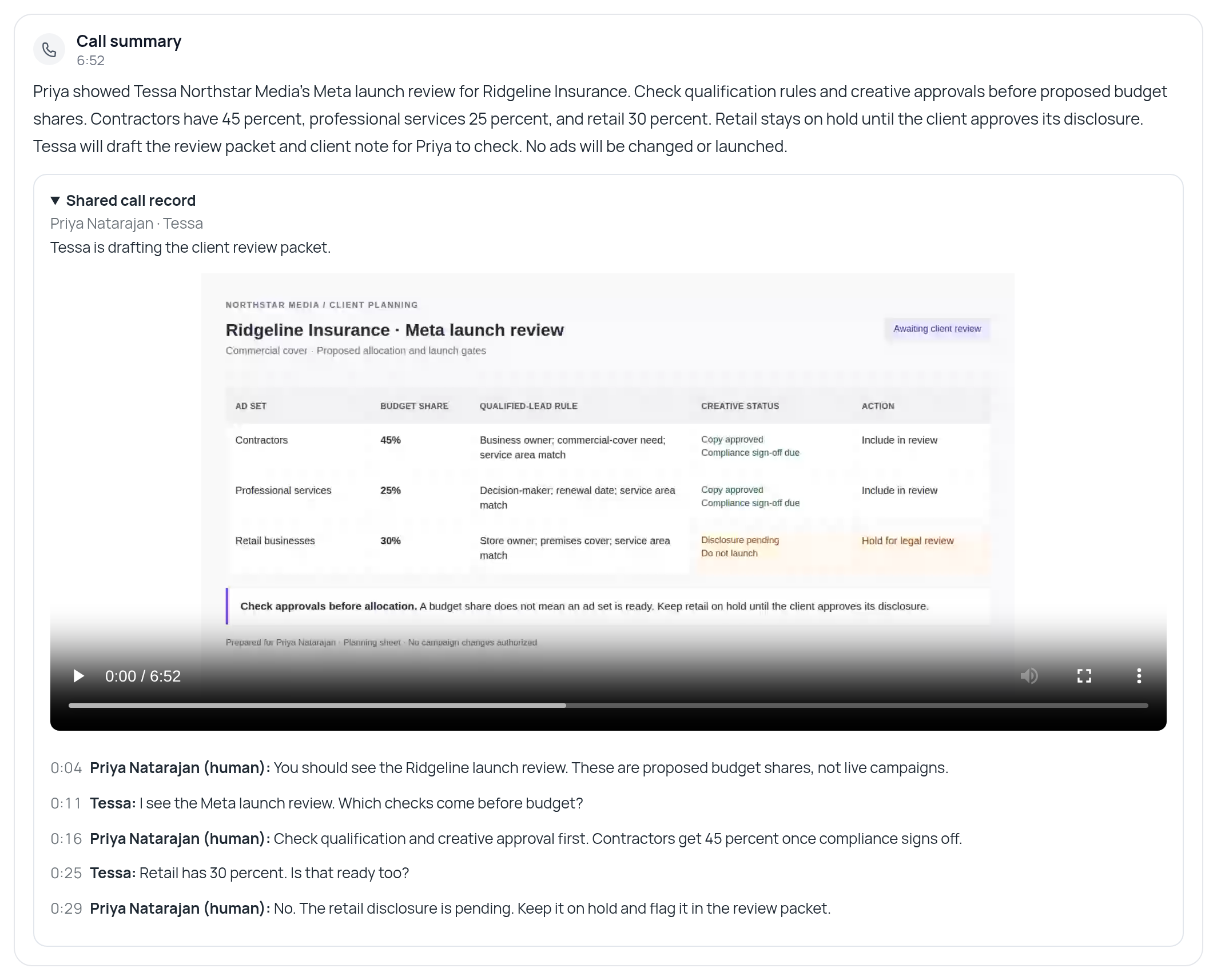
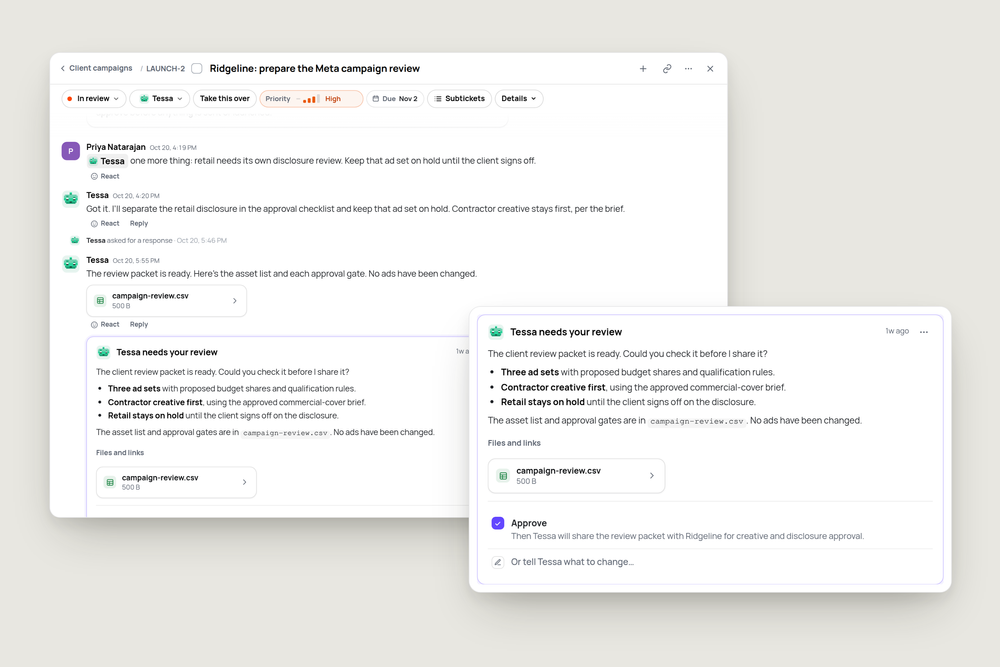
The worker can continue the job from the call, rather than asking you to type the same instructions again. Tessa has the approval gates for the review packet, including the retail disclosure hold. No campaign changes are part of this handover.
Make it sound right
If you manage the worker's settings, you can save its voice and conversation style: natural, brief and direct, warm and patient, or professional. Pick them in settings or on its tile before a call. Your choices are saved for future calls.
Try it
Next time you hand a worker something you've always done yourself, start with a call.
"Before you take this on, give me a call and I'll show you how I do it."