Teams: put your people and workers where they belong
Drag a worker onto a team, give the team a lead, its channels and its board, and every worker on it knows who it works with and how the team does things.

One worker is easy to keep track of. Five or ten get harder: who is each one helping, who hands out the work, and which channels belong to which part of the company?
That's what the Teams page is for. Here's how Priya set it up at Northstar Media, a performance marketing agency with two teams and a handful of workers.
Your company on one page
Open Teams from the sidebar and you see the whole company as a chart. The owner sits at the top. Each team hangs below with its lead first, then its people and workers, and the team's channels and board listed at the bottom.
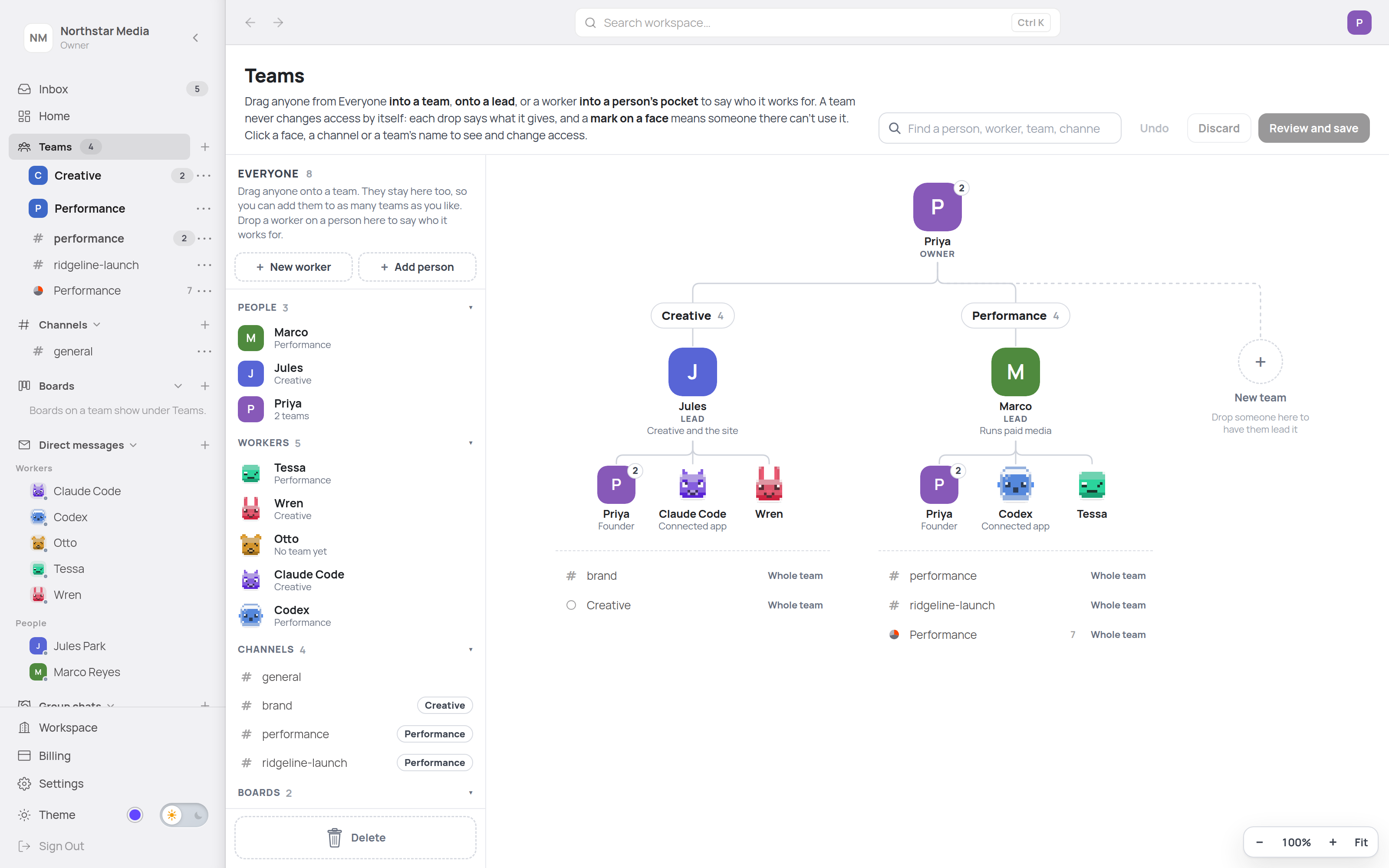
On the left is Everyone: every person, worker, channel and board in the workspace, each with the team it's on. People can be on as many teams as they need. Priya is on both.
Drag someone onto a team
Priya had a new worker, Otto, to review campaign performance. She dragged him from Everyone onto Performance. While he's still in the air, the page says in plain words what dropping him there will do.
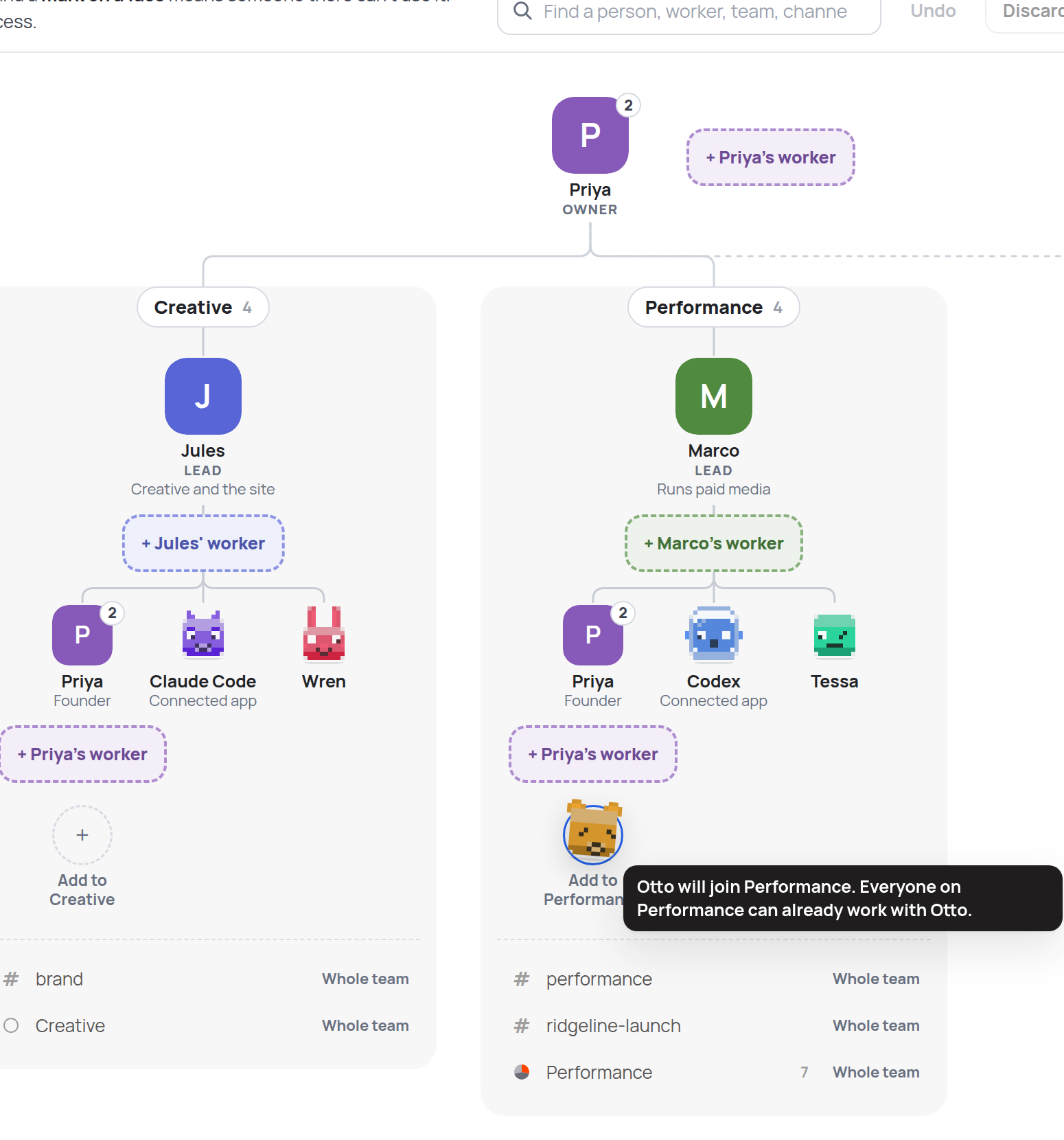
Nothing changes until you press Review and save, which lists every change and who gains or loses access before you confirm. Changed your mind? Undo and Discard sit right next to it.
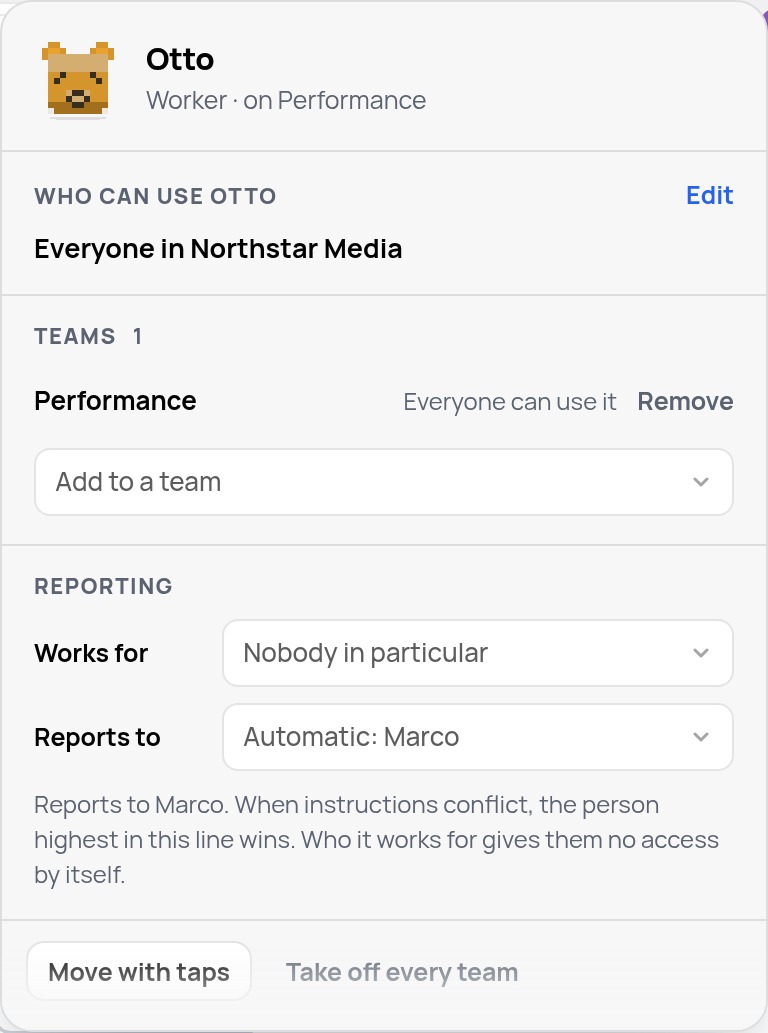
Click any face to see that worker's card: which teams it's on, who can use it and who it reports to. Otto reports to Marco, because Marco leads Otto's team. You can pick someone else right there on the card.
A lead, a place to work, and the team's own rules
Every team has one lead: a person or a Midpoint worker. Outside agents like Codex can join a team but can't lead it, because they only act while their own app is running. When a worker leads, a ticket filed on the team's board with nobody assigned goes to that lead, who hands it to the right teammate or does it.
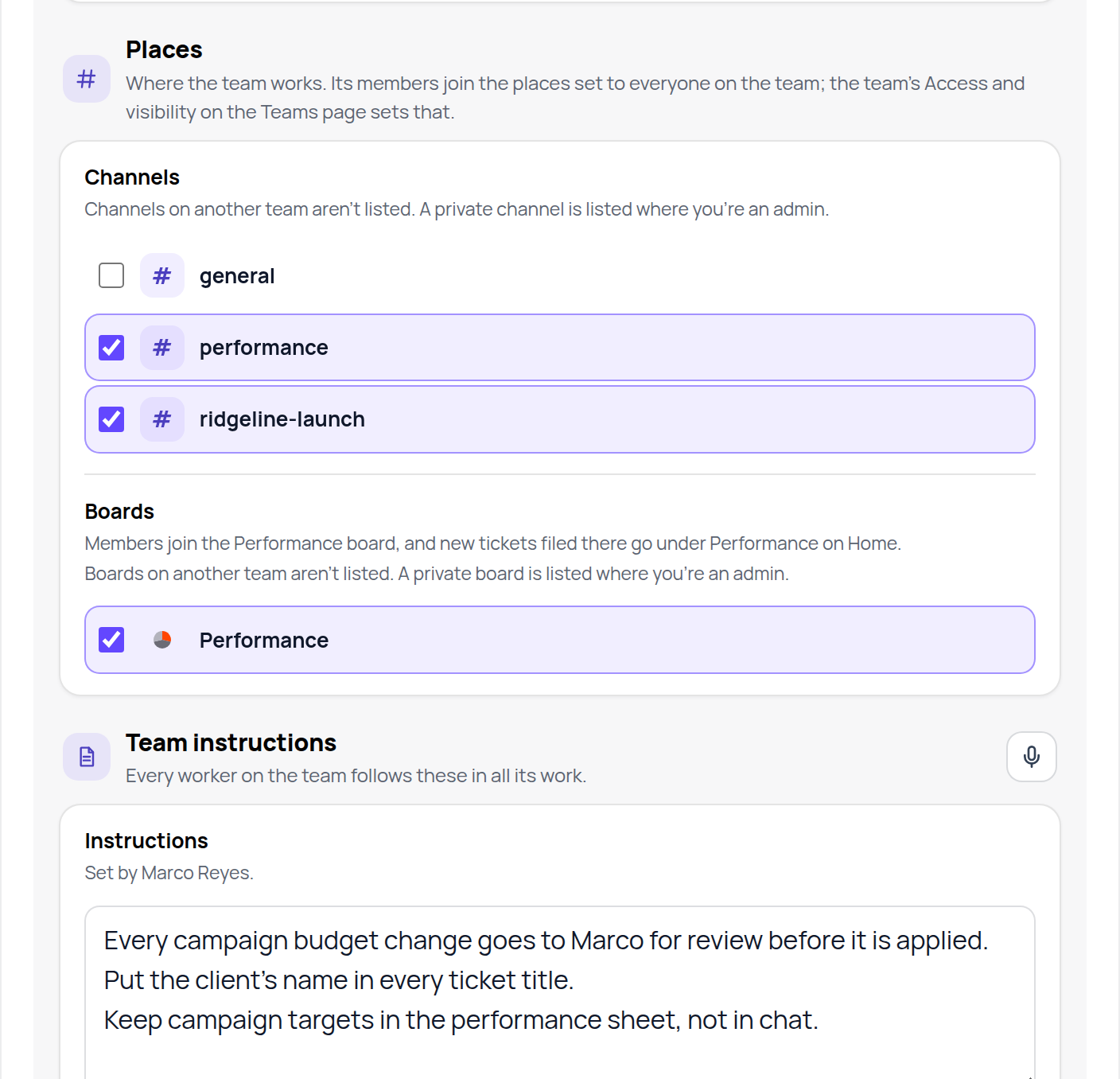
Each team also gets its own channels and board. Join the team and you're added to the ones open to the whole team. In the sidebar, they sit under the team's name.
Open the team's Purpose and instructions and you can write how the team works. Every worker on the team follows these in everything it does, so Marco wrote them once instead of telling each worker separately.
Why it matters when you have lots of workers
Every worker knows where it stands. It knows its team, its lead, its teammates and their roles, and the team's instructions, so it knows whom to ask and follows the team's rules without being told twice.
Work finds its way. With a worker as lead, tickets filed on the team's board with nobody assigned go to that lead, who passes them on.
And you can still see it all. One page shows who works with whom, and changing it is a drag, not a settings hunt.
Try it
Open Teams, make a team for one part of your company, and drag in the people and workers who do that work. Then write two or three lines of instructions you'd otherwise repeat to every worker.