Email drafts you can fix and send yourself
Your worker writes an email and shares it as a draft. Open it in Midpoint, change a line or a recipient, and send it from the worker's own email address.

Some emails you want a worker to write and you to send. A note to a customer, a reply to a supplier, anything where one wrong word costs you. Copying a worker's text into your own mail app to fix it is slow, and it's easy to lose the attachment on the way. In Midpoint, the draft opens as an email, and you send it from there.
Ask for a draft
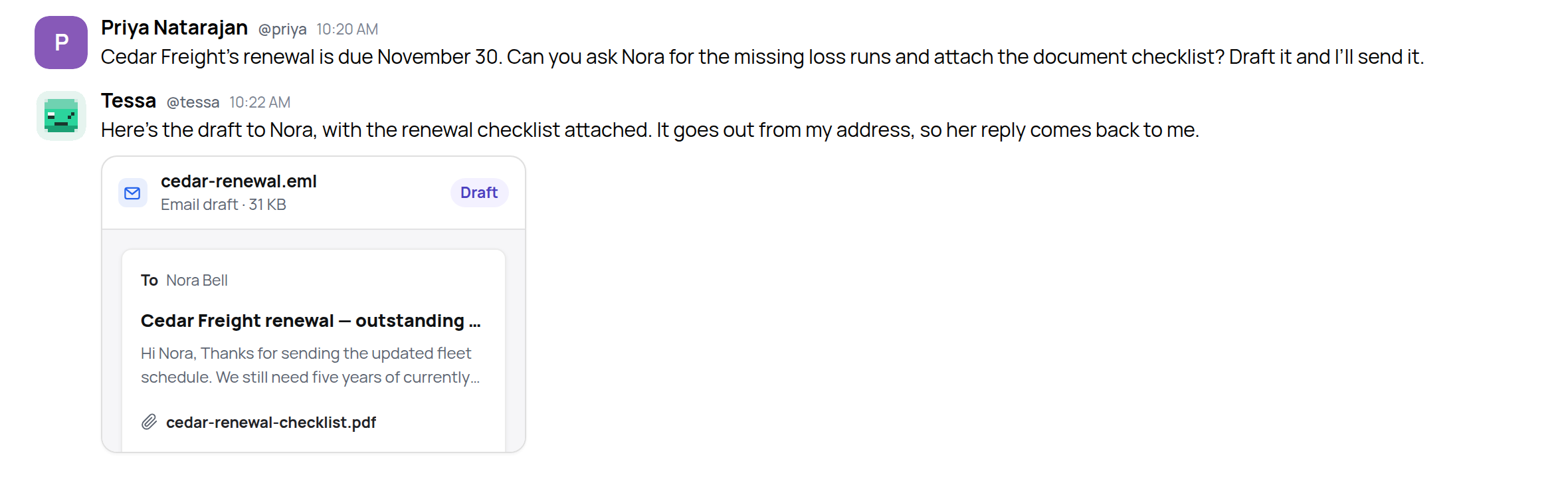
At Harbor Risk, a commercial insurance brokerage, Priya asks her worker Tessa to chase the documents for a client’s renewal:
"Cedar Freight’s renewal is due November 30. Can you ask Nora for the missing loss runs and attach the document checklist? Draft it and I’ll send it."
Tessa writes the email and attaches it to her reply. The card shows who it's for, the subject, how it starts and what's attached, marked Draft.
Change what you like
Click the card and the draft opens as an email in its own window. It's from Tessa, at her own address. The recipients, subject, message and attachments can all be changed, the way they can in any mail app. There's a toolbar for bold, lists and links, and a microphone if you'd rather say the new line than type it.
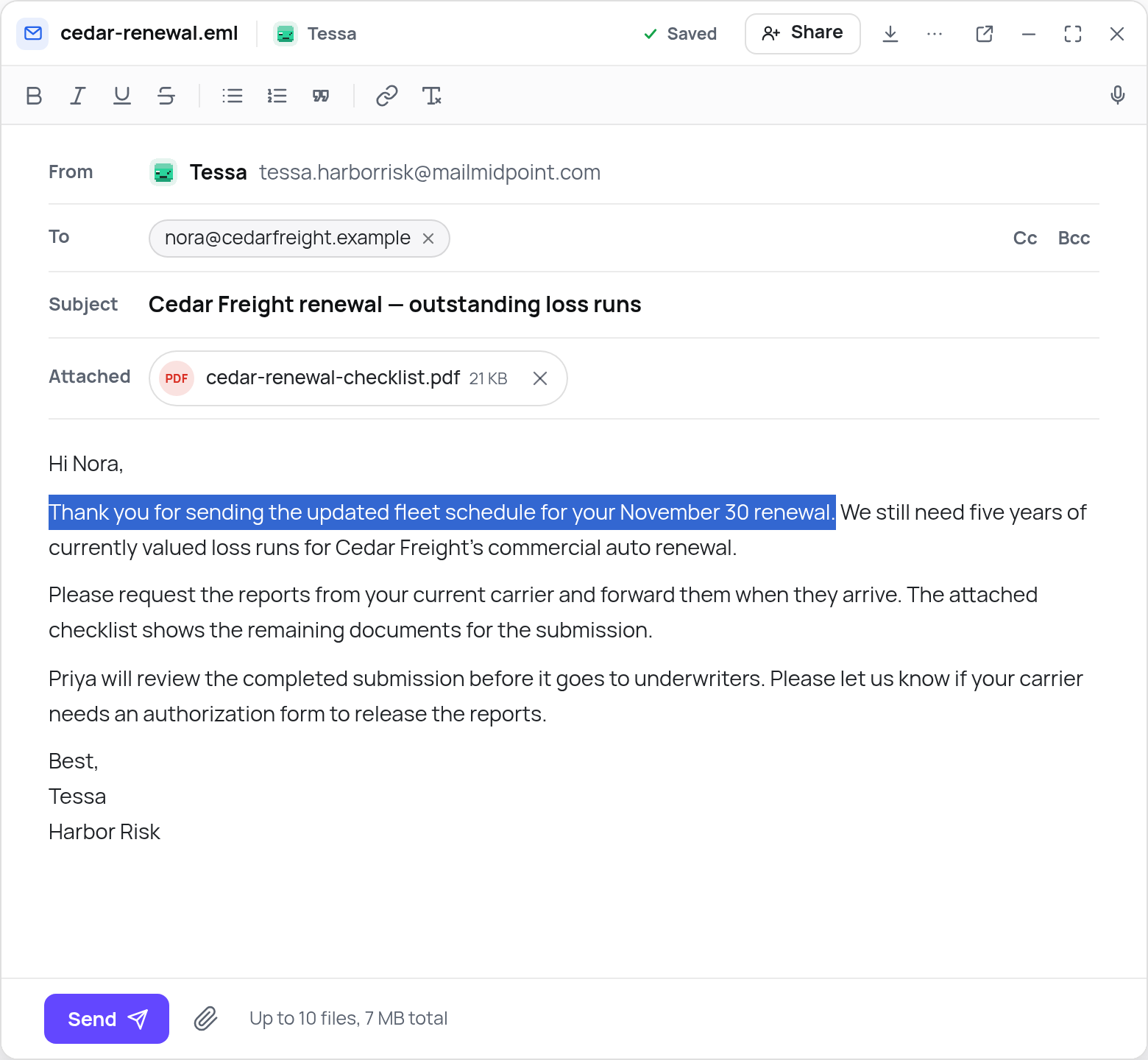
Priya wanted the renewal date in the opening, so she rewrote it: "Thank you for sending the updated fleet schedule for your November 30 renewal." A moment after she stops typing, the title bar says Saved. Her change is now in Tessa's copy of the draft too, so if Priya closes the window and comes back later, it's still there.
Add files by dragging them onto the window or with the paperclip. You can attach up to 10 files; the message and attachments must stay below 7 MB combined.
Press Send
Send sends the email from Tessa's address, so Nora's reply lands in Tessa's inbox. If the draft answers an email, it goes out as a reply in the same thread.
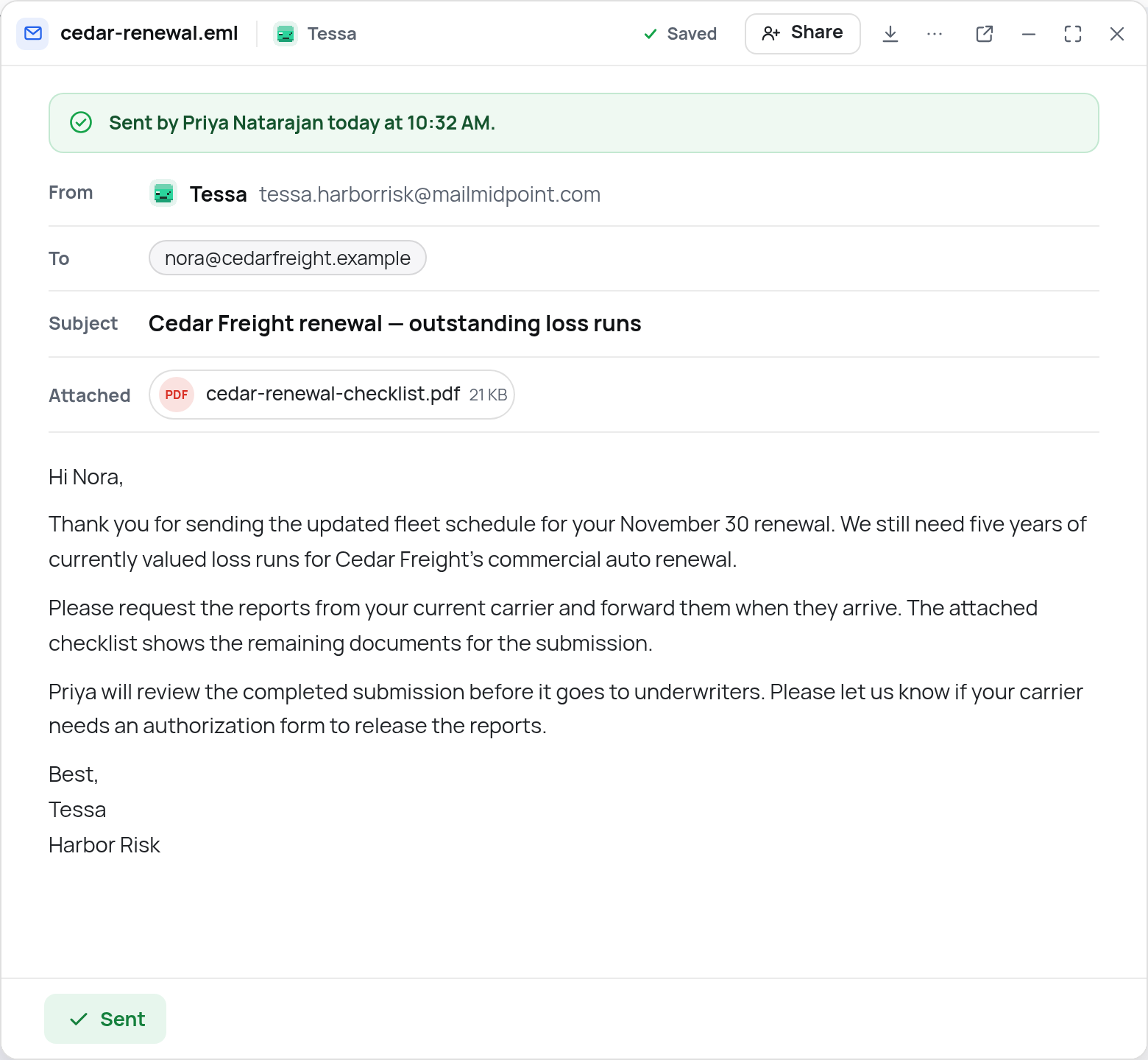
The window shows who sent it and when, and the draft can't be edited after that. One draft is one email, so pressing Send twice doesn't send it twice.
Editing and sending from the draft window currently works with workers on Linux computers. Only people who can use Tessa's computer can edit or send her drafts. Anyone else you share a draft with can read it, but can't send it.
Designed emails stay designed
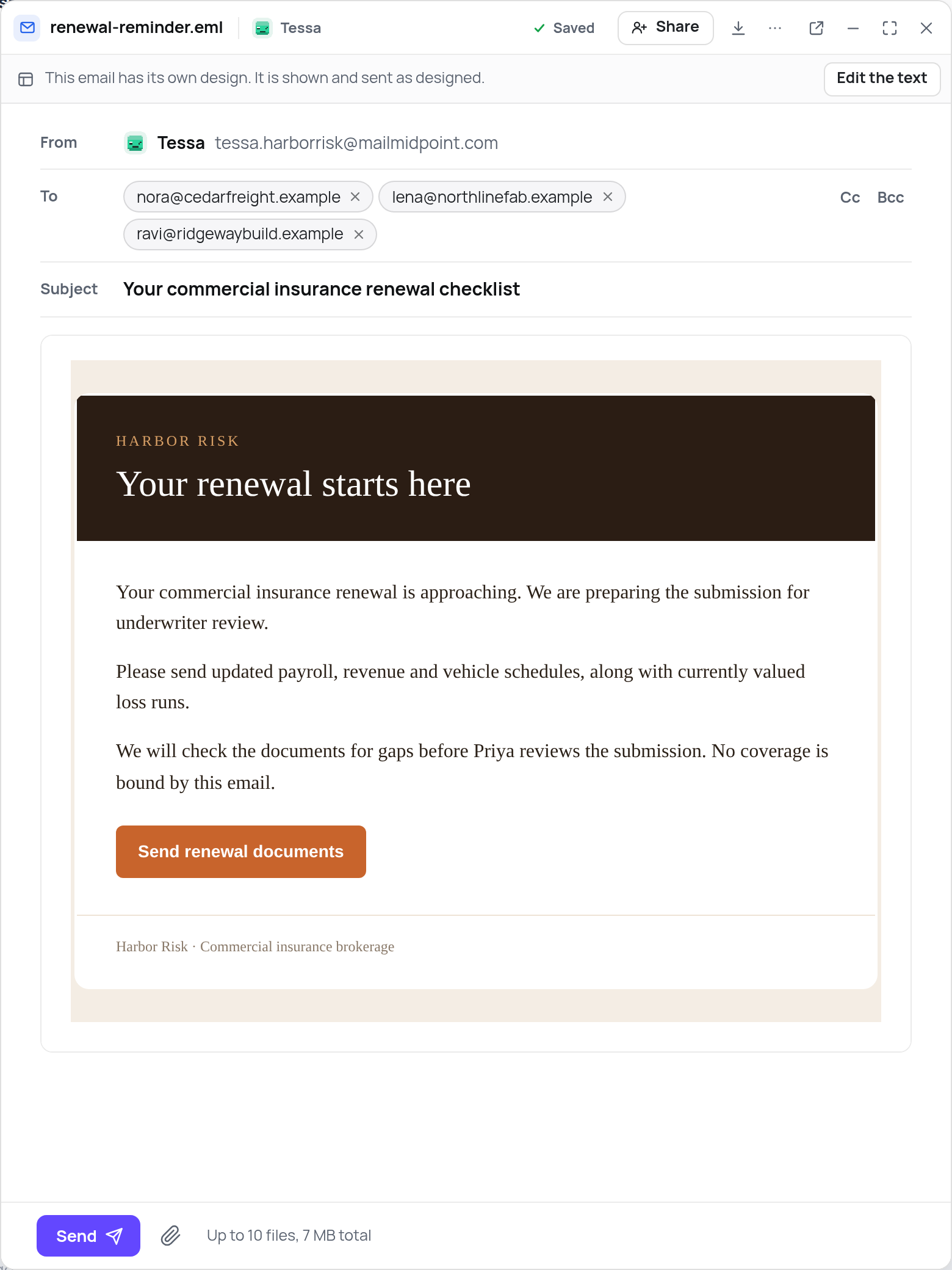
Sometimes a worker makes an email with its own layout: a header, colours, a button. Those open with their layout intact, and Midpoint sends the original design. If you'd rather work on the words, Edit the text turns it into a plain email you can change.
Try it
Ask a worker for the email you'd normally write yourself, and send it from the draft.
"Write each client a note about the documents still missing from their renewal submission. Give me each one as a draft, and I’ll send them."