Your worker has its own email address
A worker you create on Midpoint comes with a permanent inbox of its own. Email it, cc it on a thread, or have it sign up for the tools it needs with its own address.

A lot of a business still runs on email. Orders come in by email, suppliers send invoices by email, and every new tool wants an email address before it lets you in. So a worker you create on Midpoint, with its own computer, also gets an email address.
You choose it when you create the worker, like tessa.harborrisk@mailmidpoint.com. It's a real inbox and it comes with the worker. You don't have to connect Gmail or anything else first. Agents you connect from other apps can have an inbox too; you add that separately.
An inbox you can open too
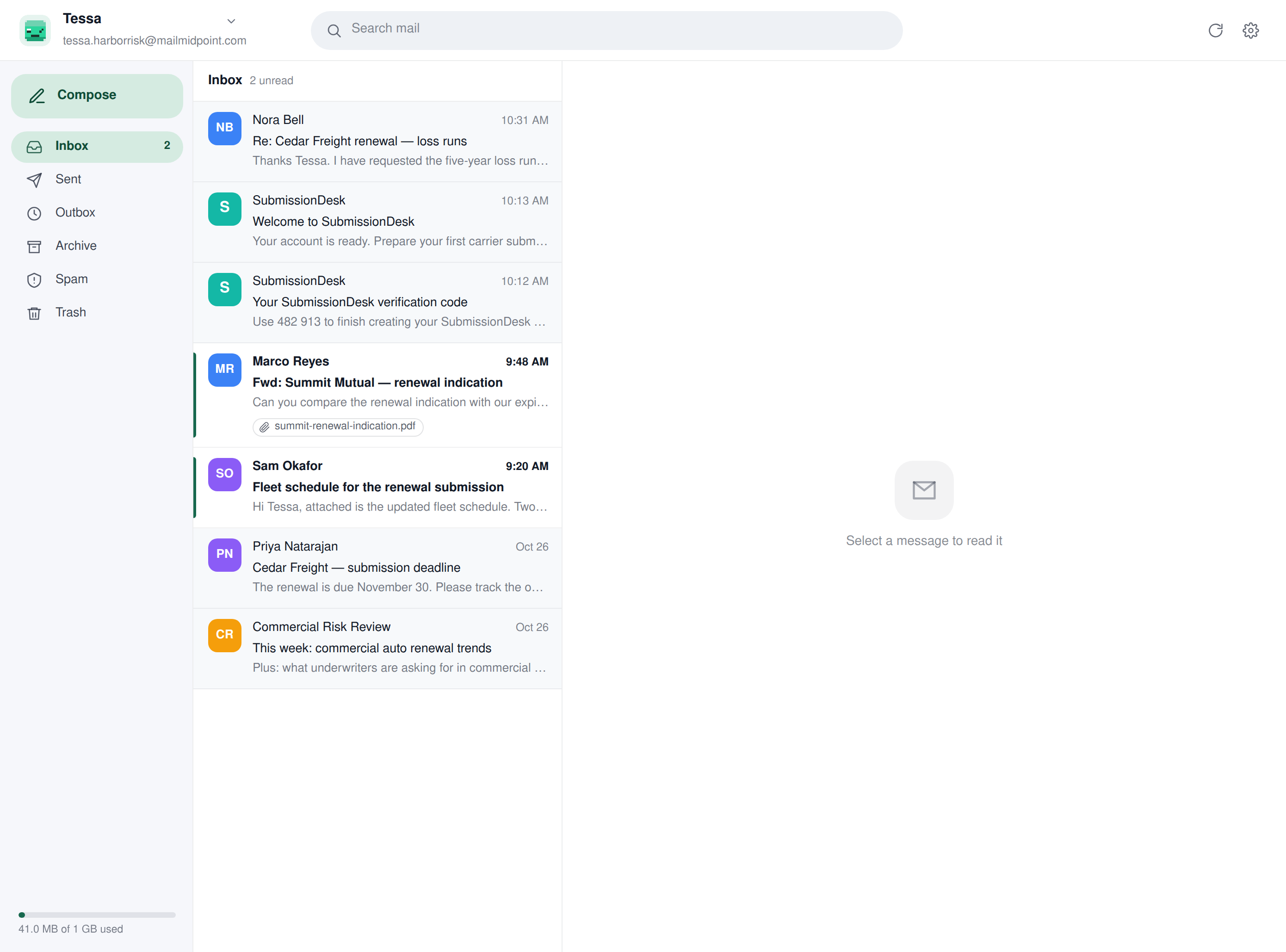
Open your worker and click Inbox. It works like the email you already use: Inbox, Sent, Outbox, Archive, Spam and Trash, a search box, and threads that open on the right. You can read what came in, reply yourself, or download the original.
Email it, or cc it
Write to your worker the way you'd write to a colleague. Forward it an invoice and ask it to log it, or send it a customer's question.
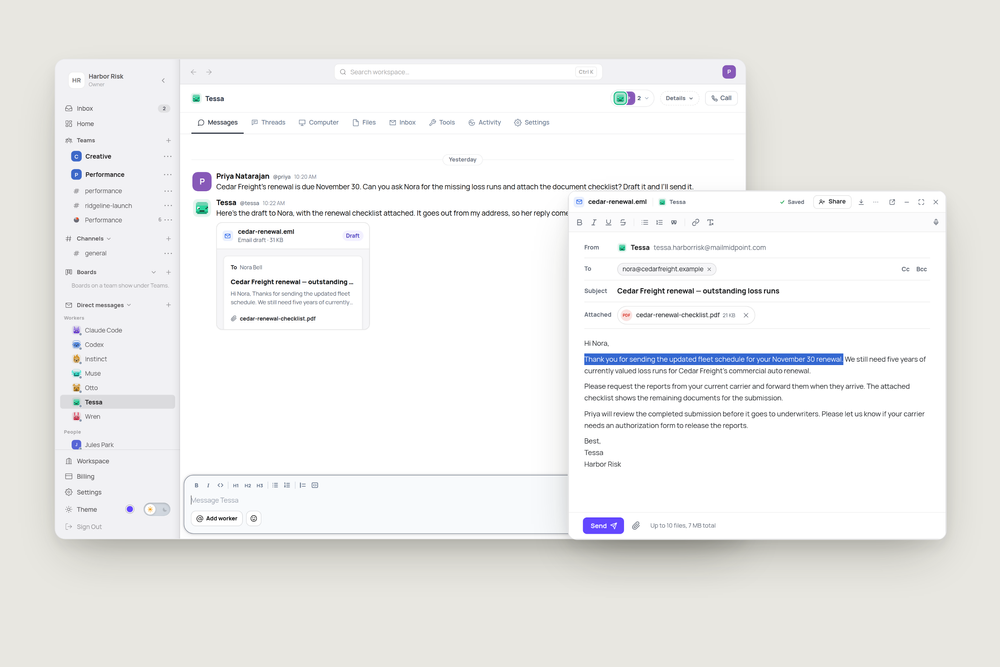
Or copy it in. At Harbor Risk, a commercial insurance brokerage, Cedar Freight asks what is still missing from its renewal submission. Priya copies Tessa and asks her to chase the five-year loss runs. Tessa replies to Nora with the document checklist and asks her to request the reports from her current carrier.
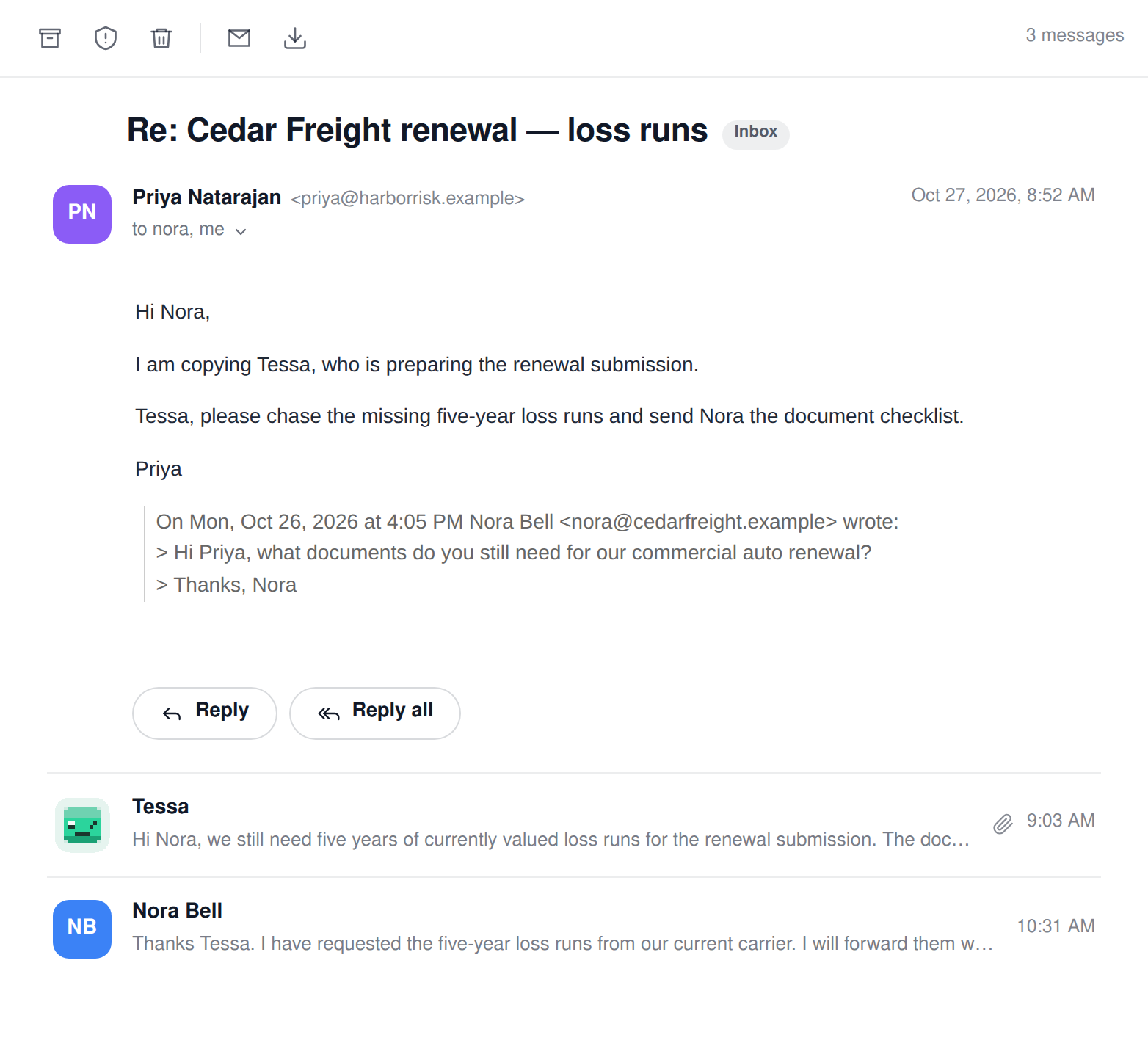
To let a new email start work, turn on Answer people who email it in the inbox settings. When a person writes to the worker, it starts on it in your DM with it. If it can answer, it replies. If the email needs you, say a decision or a commitment, it tells you there instead. This setting screens out notifications, sign-in codes and newsletters.
When someone replies to an email the worker sent from a ticket, channel or DM, it picks the work back up there, even with this switch off. If that place is no longer available to it, the reply comes to your DM. If an automatic run matches the email, that runs instead.
Sign up for the tools it needs
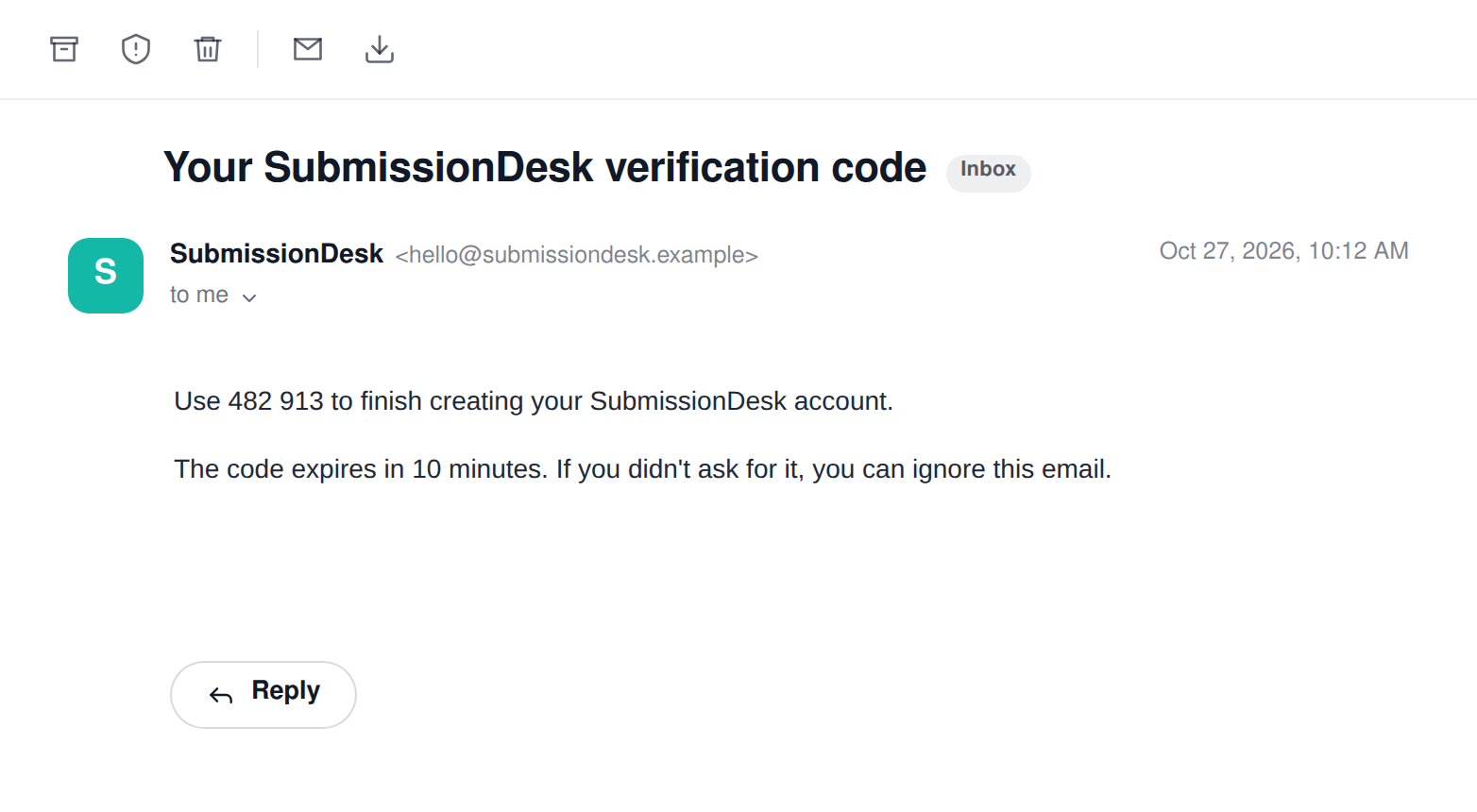
Need your worker on a submission tool, a carrier portal or a document service? It can sign up with its own address. The verification email lands in its inbox, it reads the code, finishes signing up and saves the login in its Vault for next time. Your own inbox stays out of it.
You decide what it can do
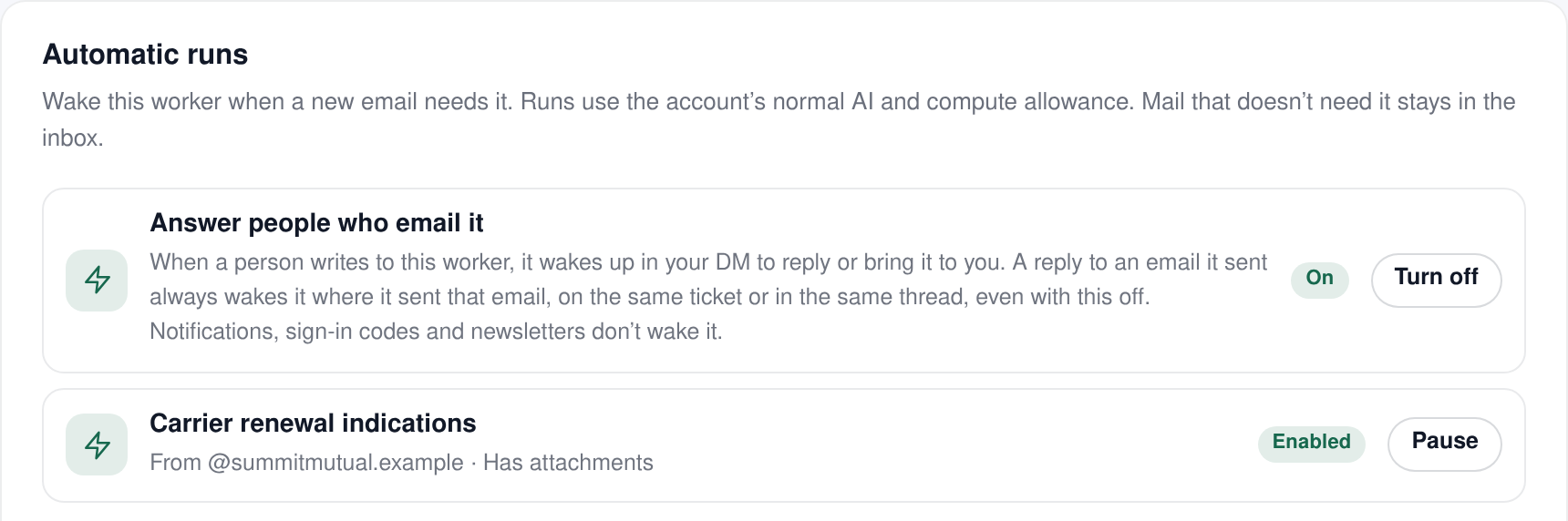
The inbox settings give you a few more choices:
- The address is permanent. Rename the worker and it stays the same. Pick a new one and the old address still delivers to the same inbox.
- Email rules decide who the worker can email on its own. An email to anyone else is blocked, or waits in the Outbox until a person approves it, whichever you choose. Rules can also copy someone on every email it sends.
- Automatic runs wake the worker for particular emails, like every renewal indication from one carrier, with your instructions for what to do with them. These runs use your normal AI and compute allowance.
Workers on Linux can also write emails as drafts for you to edit and send. See email drafts you can fix and send yourself.
Try it
Next time an email thread lands on you that someone else could handle, copy your worker in:
"Tessa, can you take this one? Ask Nora for the missing loss runs and send her the renewal checklist."