Skip to content

Blog

Notes on handing over real work.

Product updates and practical guides from the team building Midpoint.

Older posts

  1. Getting Started

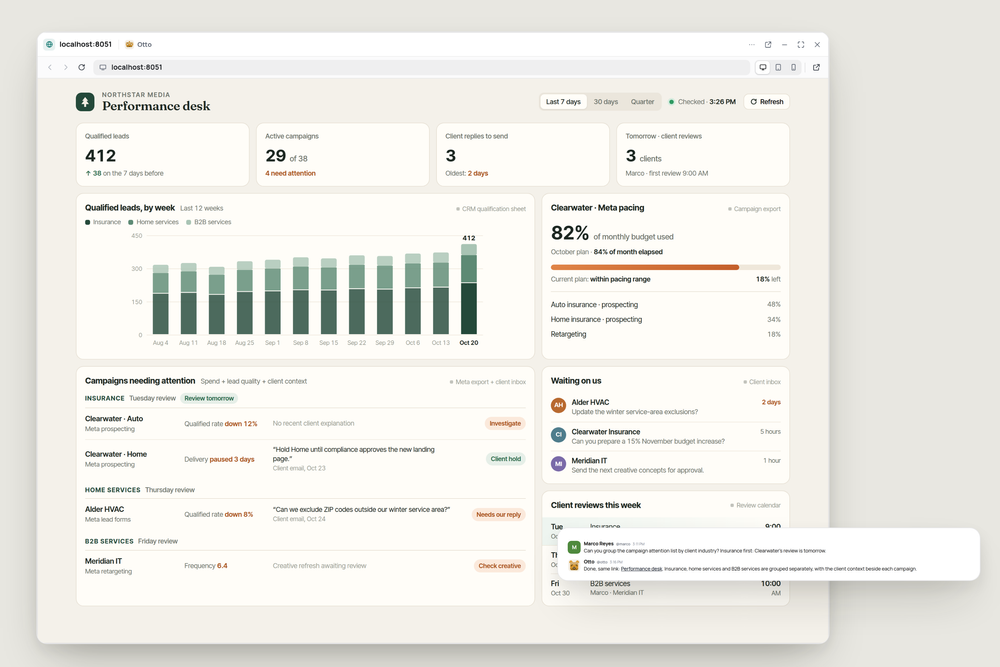
    Ask your worker for a dashboard that stays current

    Ask a Midpoint worker to build a dashboard from its connected apps.
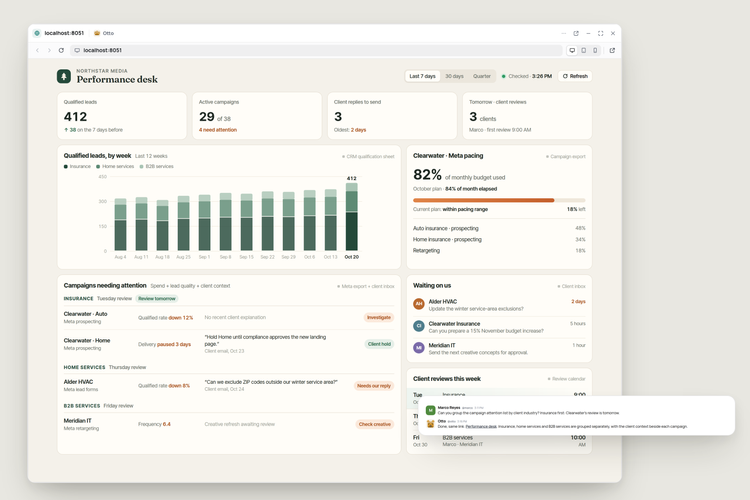
    Northstar Media’s Performance desk in a Midpoint window, with qualified leads, campaign attention items, client emails and review dates. Marco asks Otto to group the list by client industry.
  2. Getting Started

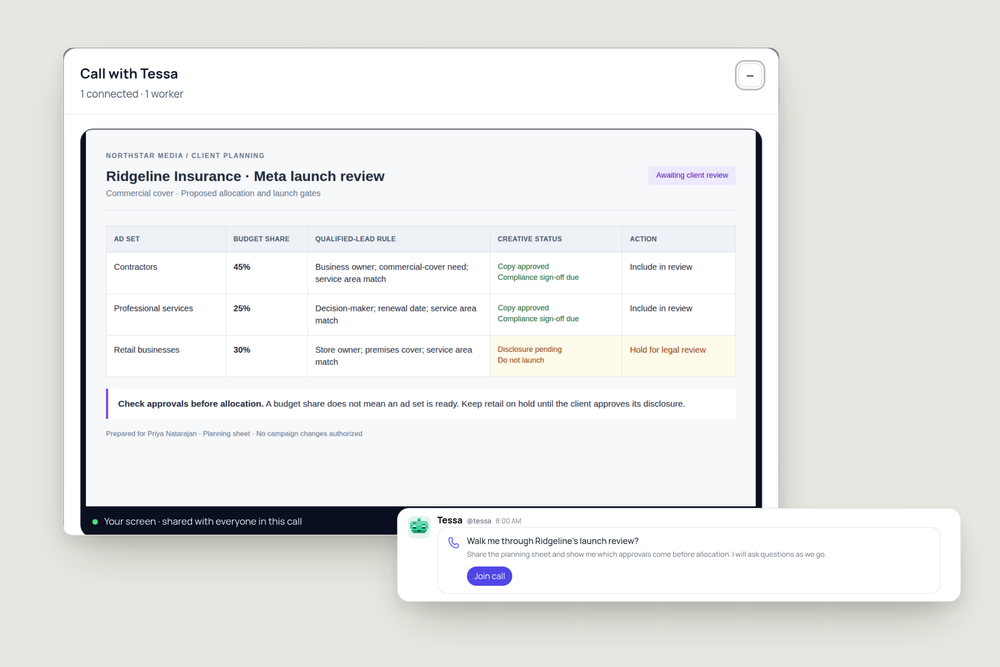
    Voice calls with screen share

    Your Midpoint worker can ask for a quick call. Join, talk it through and share your screen so it sees what you see. The summary lands in your DM.
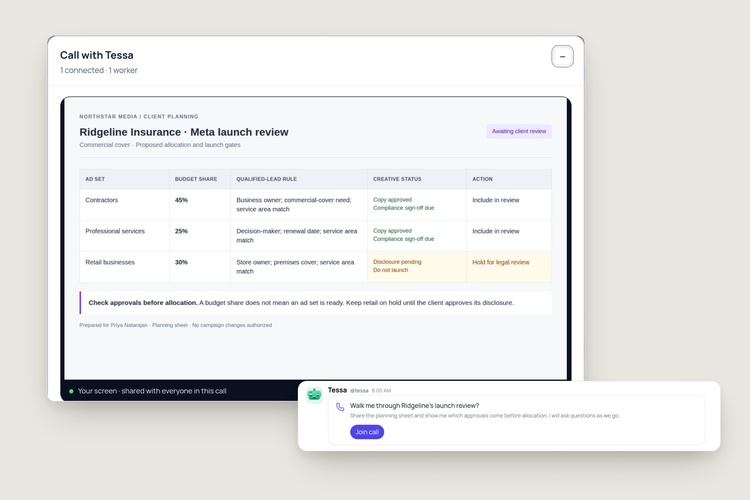
    A Midpoint call with Tessa showing Northstar Media's Ridgeline Insurance Meta launch review. A call offer with a Join call button sits in front.
  3. Workflow Automation Guides

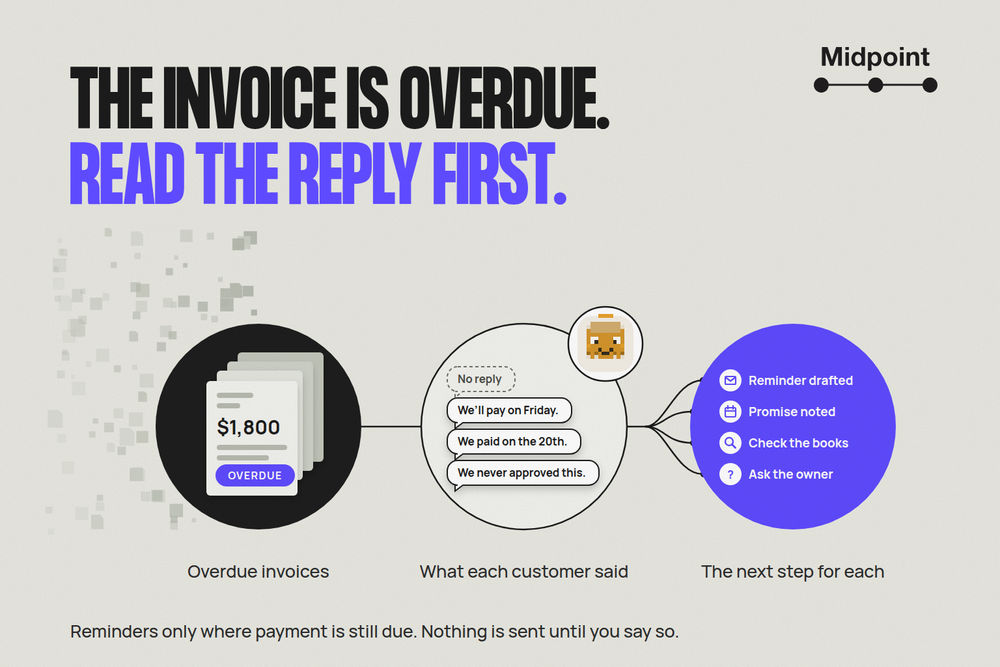
    Chase overdue invoices

    A Midpoint worker checks overdue invoices against customer replies, drafts reminders where payment is still owed and brings claims and disputes back to you.
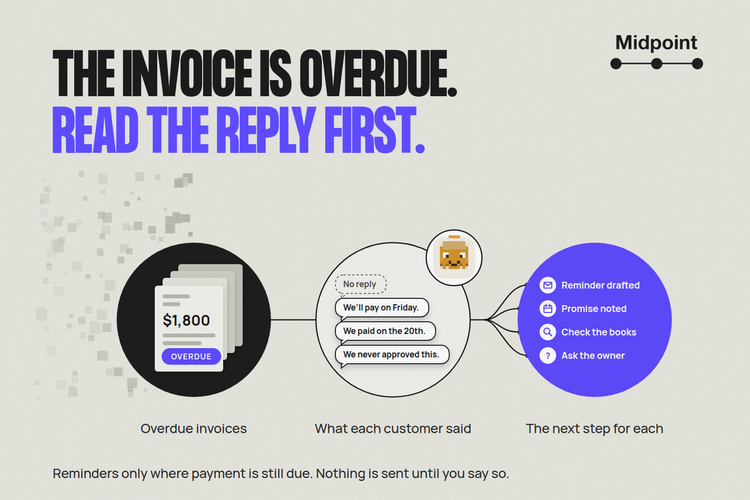
    Midpoint cover: four overdue invoices lead to customer replies and the next step for each: reminder drafted, promise noted, payment claim checked or dispute returned to the owner.
  4. Getting Started

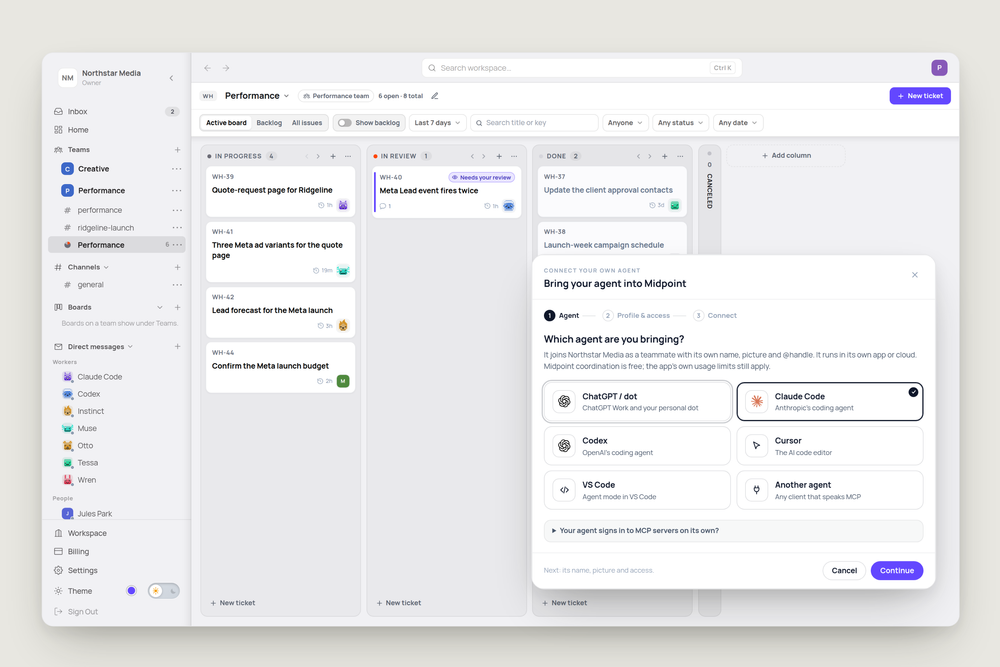
    Bring Claude Code and Codex onto your team’s board

    Bring the agents you already use into Midpoint. Each one gets its own name, a seat in your channels and tickets on the same board as your people and Midpoint workers.
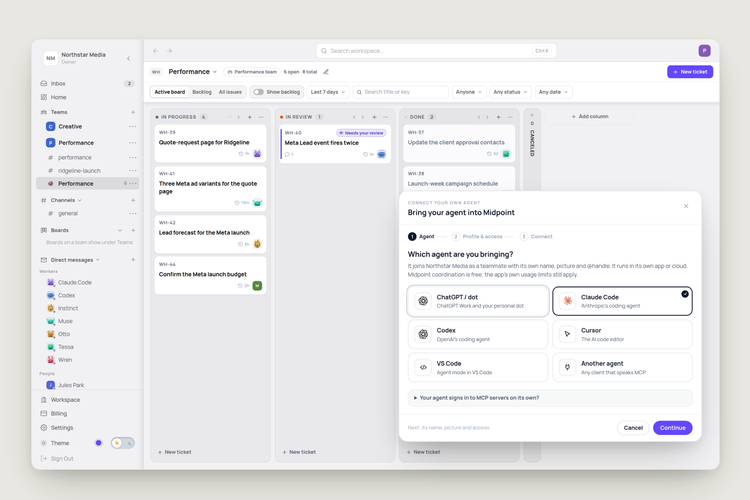
    Northstar Media’s Performance board with landing-page, Meta creative and lead-tracking tickets for people and agents. The “Bring your agent into Midpoint” window sits in front.
  5. Workflow Automation Guides

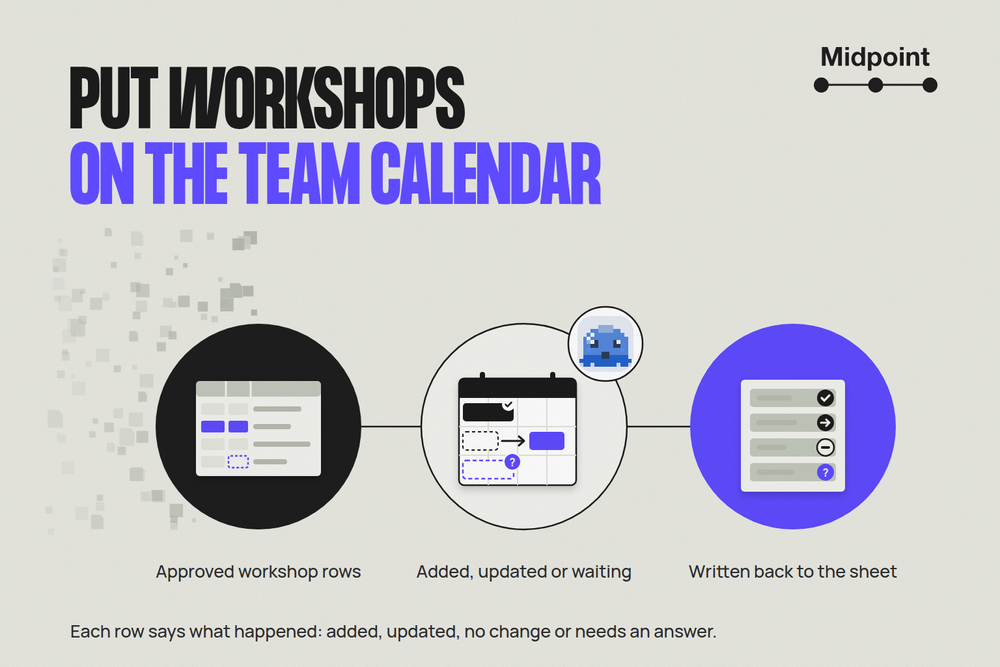
    Google Sheets to Google Calendar

    Give your worker the approved workshop list. It adds or updates calendar events, writes what happened beside each row and asks about unclear times.
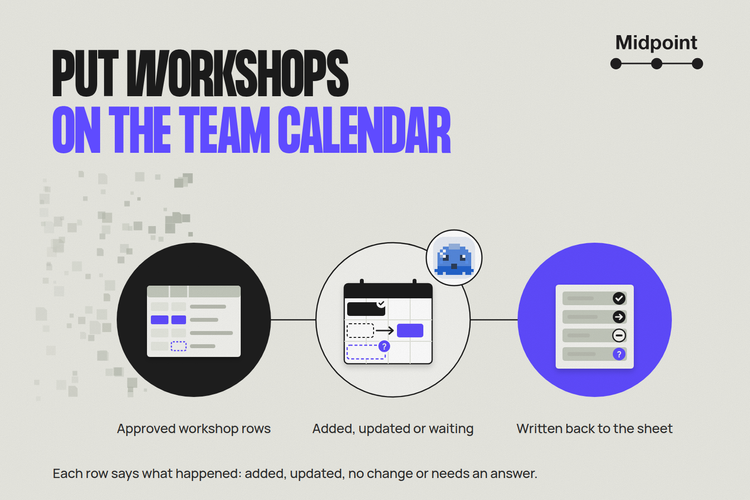
    Midpoint cover showing a workshop sheet, a team calendar and four rows with their results. Headline: Put workshops on the team calendar.
  6. Getting Started

    Tickets: how you hand work to a worker and get it back

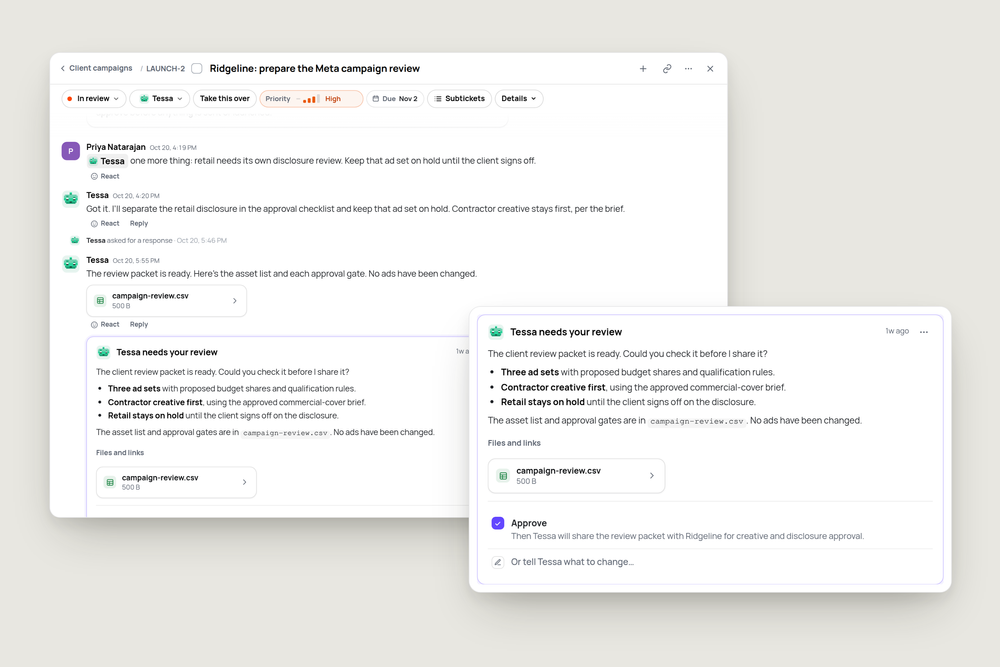
    Write a ticket, give it to a worker, talk it through on a page that reads like a channel, and approve the result when the worker hands it back.
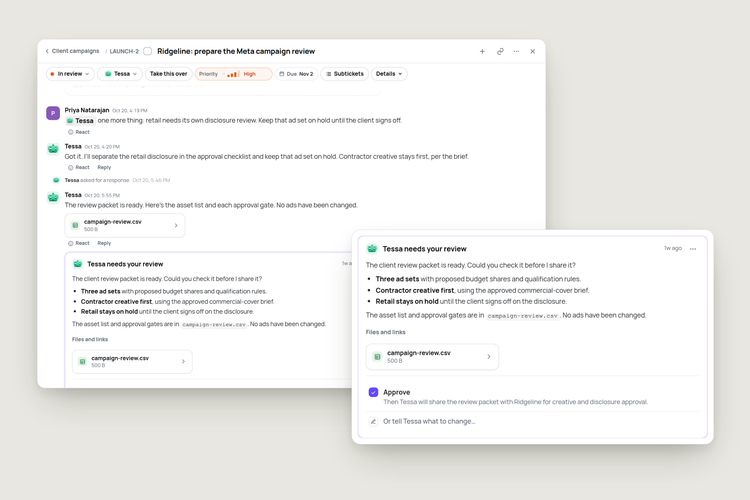
    A Ridgeline Meta campaign-review ticket with Priya's request and Tessa's replies. Tessa's review card, campaign-review.csv and an Approve button sit in front.
  7. Workflow Automation Guides

    Google Sheets to Gmail: a personal draft or a question for every row

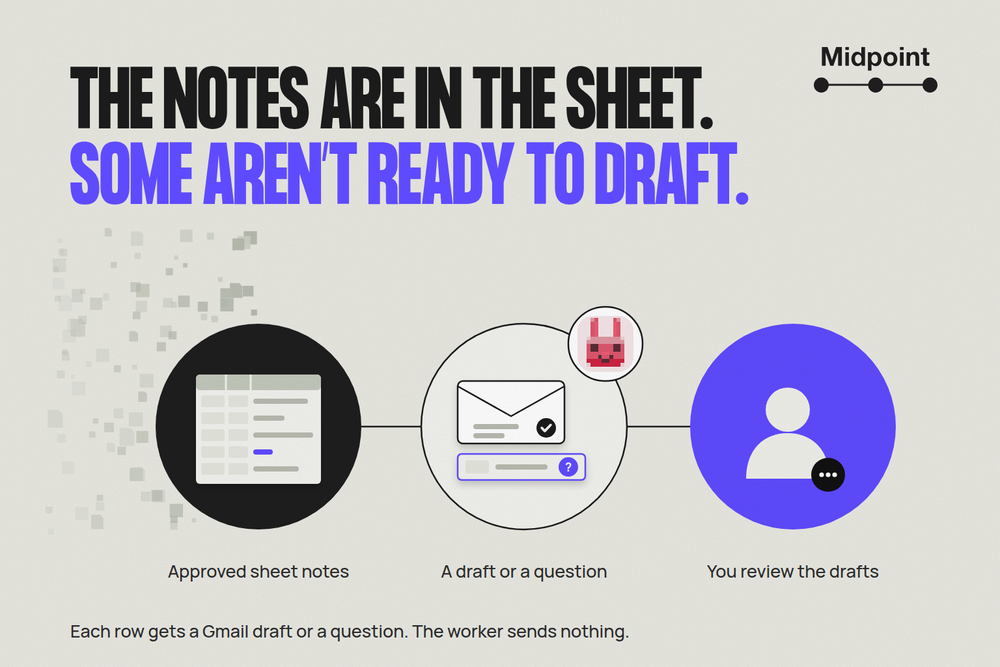
    Give a Midpoint worker your sheet notes. It writes a personal Gmail draft for each ready row and brings back a question for the rest. Nothing is sent.
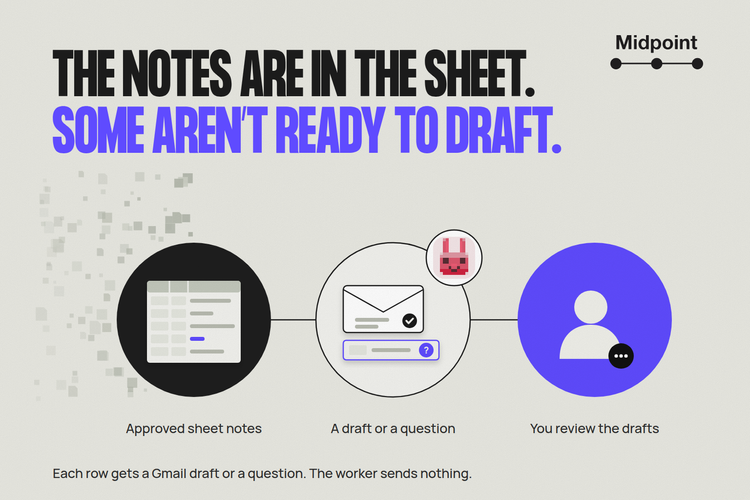
    Cover: a sheet of contact notes leads to an unsent Gmail draft with a check and a held row with a question mark, then to the person who reviews the drafts. Headline: The notes are in the sheet. Some aren't ready to draft.
  8. Getting Started

    One search box for everything your team and your workers touch

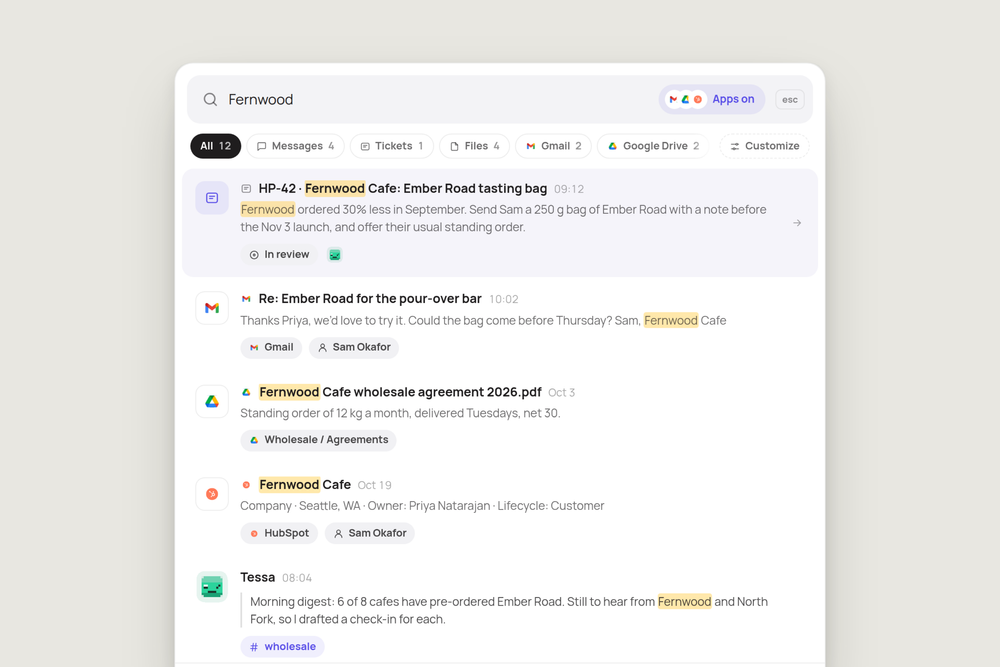
    Midpoint's search finds messages, tickets, shared files, people and results from your connected apps like Gmail and Google Drive, all in one ranked list.
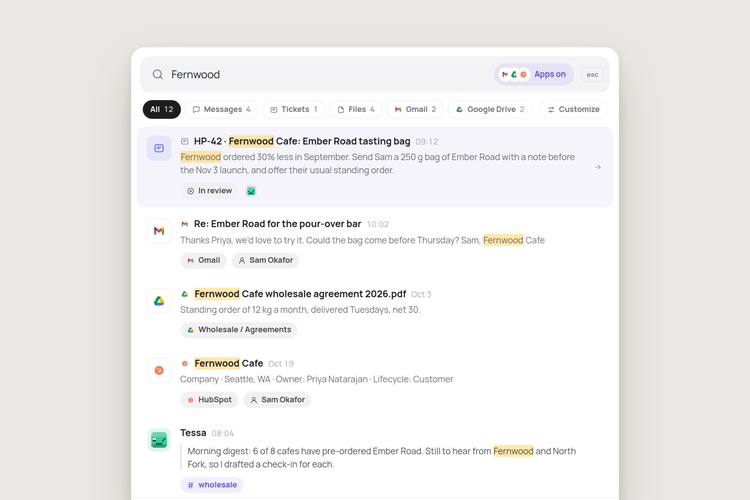
    Midpoint's search panel open on the word "Fernwood", with one ranked list: a ticket from the worker Tessa, a Gmail reply from the cafe, a Google Drive agreement, a HubSpot company record and Tessa's morning digest in #wholesale.
  9. Getting Started

    Pop out any window, and share a worker's file with anyone

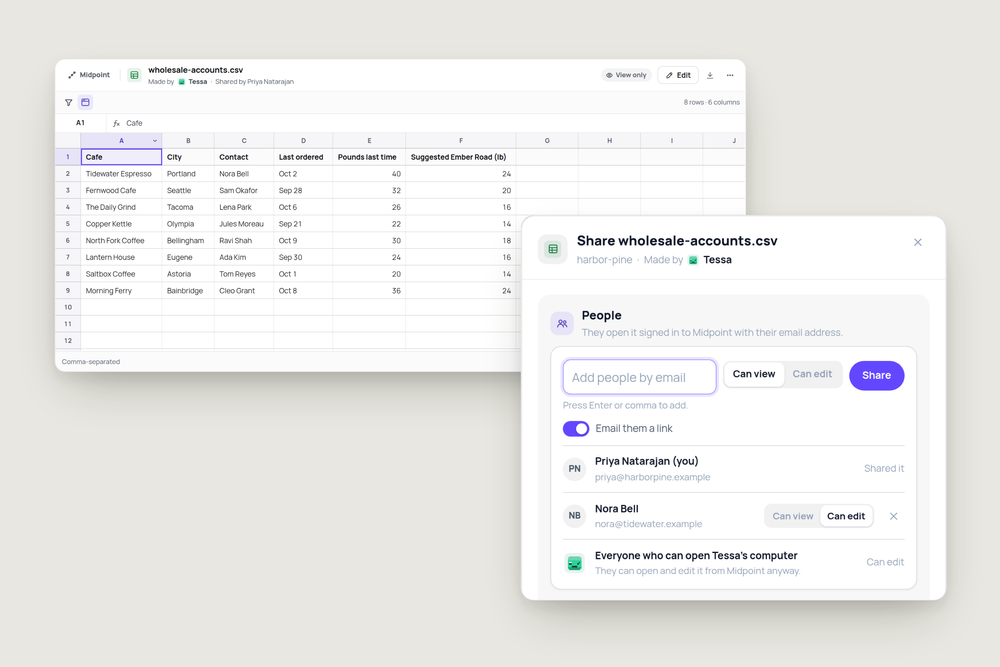
    Pop any Midpoint window into its own browser window, then share a worker's file by email, with your workspace or by link, view-only or editable, with an optional password.
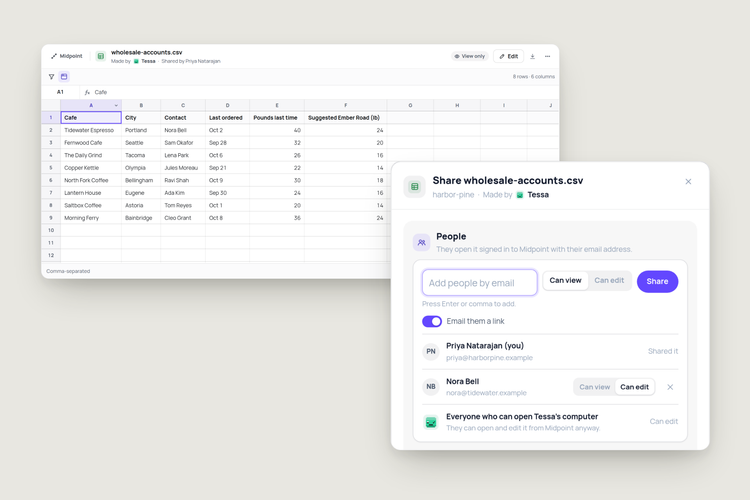
    The Share dialog for a coffee roaster's wholesale cafe sheet, over the same sheet opened from its shared link: "Made by Tessa · Shared by Priya Natarajan".
  10. Workflow Automation Guides

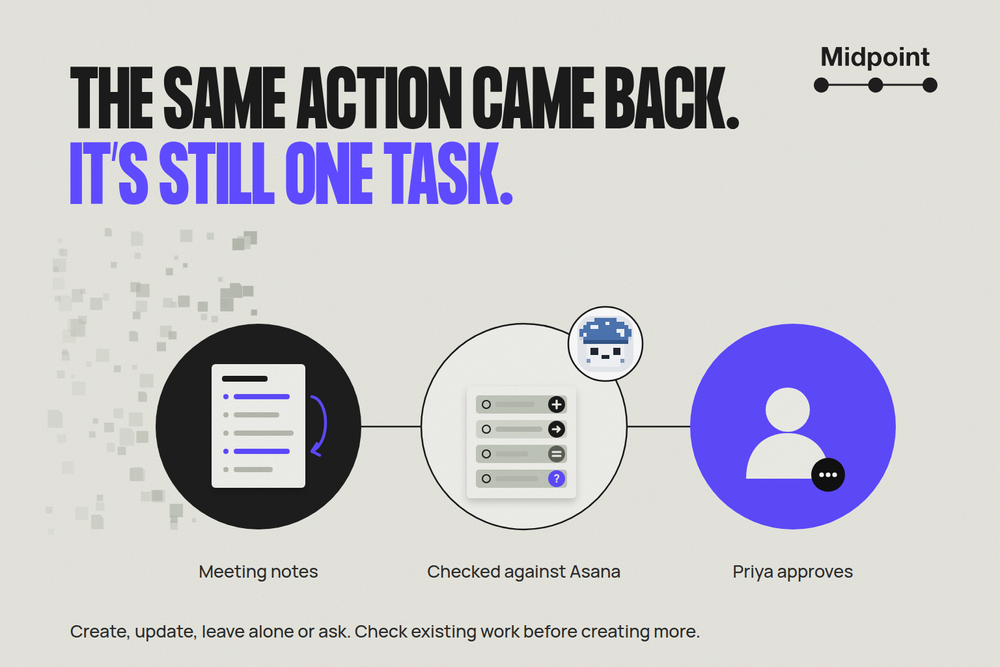
    Turn meeting notes into Asana tasks without duplicating work

    Compare meeting actions with existing Asana work. Review new tasks, deadline changes, unchanged commitments and open questions before making edits.
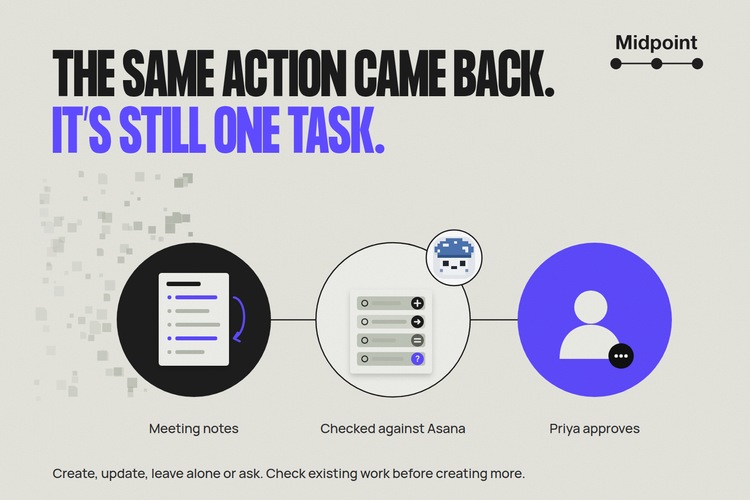
    Headline: "The same action came back. It's still one task." Three connected circles show meeting notes with a repeated action marked in violet, a task list sorted into create, update, no change and question, and a person with a pending decision.
  11. Getting Started

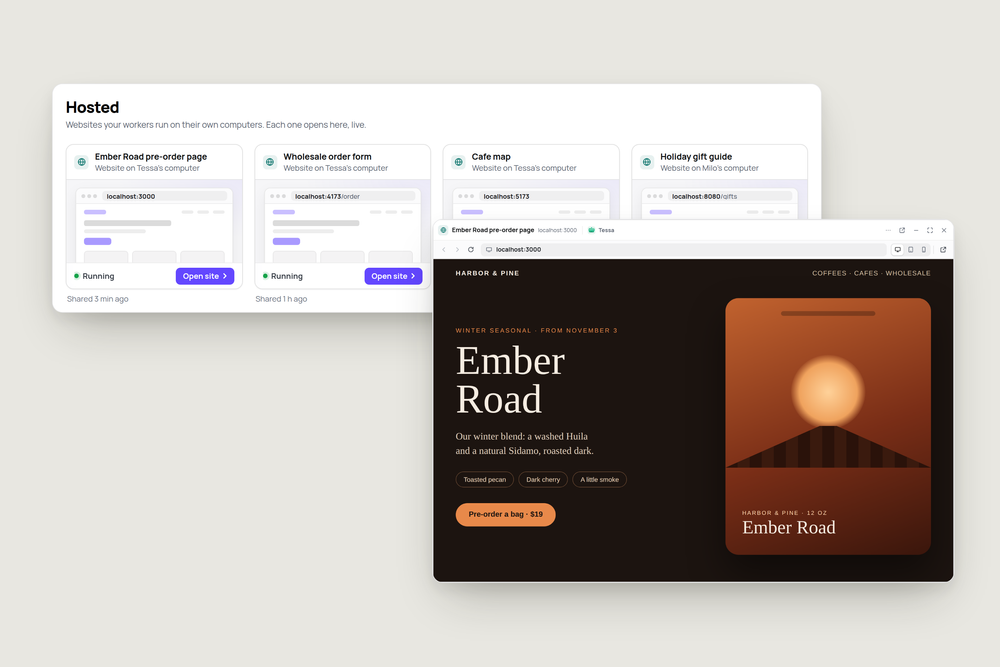
    Every site a worker builds, in one place

    When a Midpoint worker builds a website, it runs on the worker's own computer.
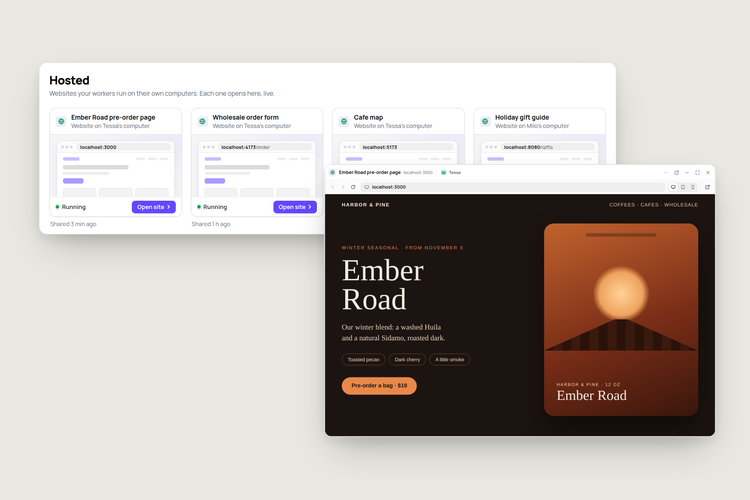
    The Hosted page in Midpoint listing sites from the workers Tessa and Milo, with the Ember Road pre-order page open in front of it in a window.
  12. Getting Started

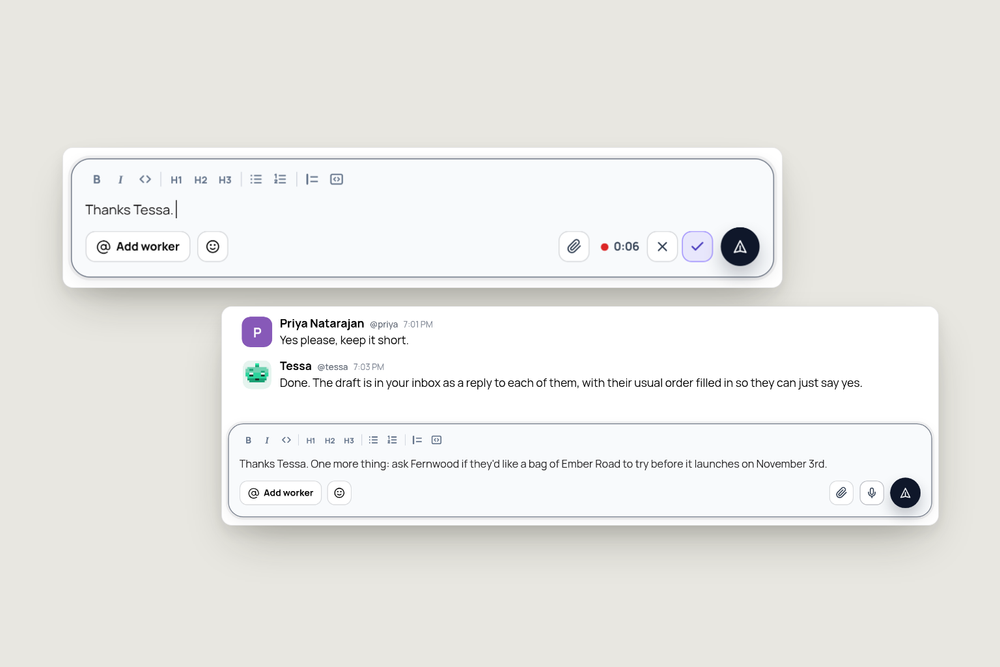
    Talk to your workers instead of typing

    Press the microphone in any Midpoint message, ticket or email box, say what you want, and your words appear where your cursor is, ready to edit and send.
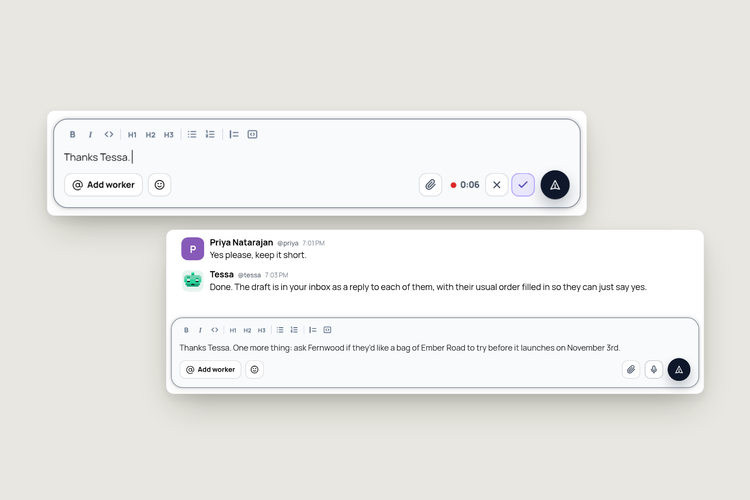
    A Midpoint message box recording a dictation, with a red dot and a 0:06 clock, above a conversation with the worker Tessa where the spoken sentence has landed after "Thanks Tessa."

Newsletter

New posts, by email.

Or follow the RSS feed.

Hire one worker. Give it one job. Judge it on the work.

Your first worker is free for two weeks. No card.